




AppBrain's verdict
- Last updated
- July 14, 2026
- Size
- 11.7 MB
User feedback
Ratings and reviews on the App StoreComments on Culla: Photo Organizer for iOS
We don't have enough comments to show example comments. Please check back later.
Store listing
By Alejandro Gomez Urrea, from the App StoreDescription by Alejandro Gomez Urrea Written by the developer, not by AppBrain. Click to read.
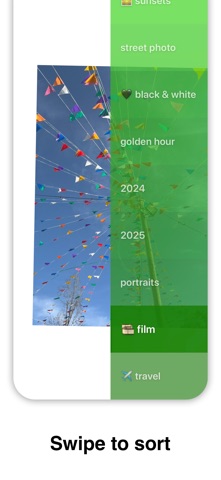
Swipe right to file a photo into one of your galleries. Swipe left to let it go. That's the whole idea: instead of scrolling an endless grid, you make one clean decision per photo and move on. It's quick, tactile, and oddly satisfying — and because your galleries are real iPhone Photos albums, everything you sort stays organized across your device.
SORTING BY FEEL
• Swipe right toward any gallery to file the photo there; swipe left to dismiss it.
• Swipe up to favorite, swipe down to share, pinch to zoom, double-tap to skip.
• A full undo history — step back through every action in a session, not just the last one. Tap the date pill to bring undo back anytime.
• Gentle haptics and confirmation toasts, so every decision feels registered.
• Photos and videos both flow through the stack; videos auto-play muted.
GALLERIES THAT ARE REAL ALBUMS
• Create, rename, recolor, and reorder galleries — each one syncs to a real Photos album.
• Rename a gallery in Culla and the iPhone album updates too.
• Import albums you already have, and choose whether sorting moves a photo or copies it.
• Order your galleries by name, photo count, date, or recently updated — or arrange them by hand.
FIND, REVISIT, AND CLEAN UP
• Duplicate Sweep uses on-device Vision to find near-identical shots and shows them side by side, so you can clear them with confidence.
• On This Day resurfaces photos from today's date in past years.
• A photo-mosaic calendar and a full grid picker let you jump to any moment in your library.
• Dismissed photos wait in a review tray — recover them or batch-delete to reclaim storage.
SEE YOUR PROGRESS
• Insights tracks everything you've sorted: totals, streaks, favorites, your top gallery, a 7-day activity chart, and how much storage you've reclaimed.
MAKE IT YOURS
• A new Living-Glass design built on iOS 26's Liquid Glass, with a clean fallback on iOS 18.
• A dynamic mosaic background that breathes with your galleries, with adjustable blur — or turn it off entirely.
• An 18-color accent palette, light / dark / system themes, and a fresh accent on every launch if you like a little surprise.
• Available in 8 languages: English, Spanish, German, French, Italian, Japanese, Brazilian Portuguese, and Simplified Chinese.
PRIVATE BY DESIGN
Your photos never leave your device. Culla only stores lightweight references to them — never copies of the images — with no ads and no tracking.
Works on iPhone and iPad.
Safety and technology
Found in the app by AppBrain- Price
- Free
- App size
- 11.7 MB
- Content rating
- Everyone
Technologies used by Culla: Photo Organizer
Releases
Updates seen on the App Store- Version
- 3.5.0
- Launched
- April 2026
No changelog data
Alternatives
Similar apps and more from Alejandro Gomez UrreaAlternatives to Culla: Photo Organizer


More from Alejandro Gomez Urrea


Rankings
App Store top chartsApp Store Rankings for Culla: Photo Organizer
About the app and developer
About Culla: Photo Organizer
Culla: Photo Organizer is a photo & video app developed by Alejandro Gomez Urrea.
User Ratings
The app has no ratings yet.
App Information
Culla: Photo Organizer is freely available from the App Store. The app size is 11.70 MB. The latest version available is 3.5.0. The last update was on July 14, 2026.
Technical Requirements
The app has a content rating of Everyone. The app has been available on the App Store since April 2026.
Culla: Photo Organizer is made and published by Alejandro Gomez Urrea. AppBrain is an independent app data site and isn't affiliated with Alejandro Gomez Urrea. The app name, icon, screenshots and description belong to Alejandro Gomez Urrea and are shown as published on the App Store.
Developer information for Alejandro Gomez Urrea
Address: