

D Image Editor is made and published by Osama Emara. AppBrain is an independent app data site and isn't affiliated with Osama Emara. The app name, icon, screenshots and description belong to Osama Emara and are shown as published on the App Store.
AppBrain's verdict
- Last updated
- June 18, 2026
Rankings
App Store top chartsApp Store Rankings for D Image Editor
Competitors
Similar apps and more from Osama Emara








Releases
Updates seen on the App Store- Version
- 2.5
- Launched
- May 2023
No changelog data
User feedback
Ratings and reviews on the App StoreComments on D Image Editor for iOS
We don't have enough comments to show example comments. Please check back later.
Technology
Found in the app by AppBrain- Price
- Free
- App size
- 81.4 MB
- Content rating
- Everyone
Technologies used by D Image Editor
About the app and developer
About D Image Editor
D Image Editor is a photo & video app developed by Osama Emara.
User Ratings
The app has no ratings yet.
App Information
D Image Editor is freely available from the App Store. The app size is 81.40 MB. The latest version available is 2.5. The last update was on June 18, 2026.
Technical Requirements
The app has a content rating of Everyone. The app has been available on the App Store since May 2023.
Developer information for Osama Emara
Address:
Frequently asked questions about D Image Editor
Is D Image Editor free?
Yes. D Image Editor is free on the App Store.
Is D Image Editor still available?
Yes. D Image Editor is on the App Store, and the last update we saw was on June 18, 2026.
How large is D Image Editor?
D Image Editor is 81.40 MB.
Is D Image Editor suitable for children?
App Store rates the content of D Image Editor as suitable for everyone.
Who made D Image Editor?
D Image Editor was developed by Osama Emara. It is listed in the photo & video category on the App Store.
What are the best alternatives to D Image Editor?
People looking at D Image Editor also look at these photo & video apps: Photo Background Style Changer, AnimatedPics - Image Animation, Photo Frames: Collage Maker, Christmas new year cards, Music on Photos.
Store listing
By Osama Emara, from the App Store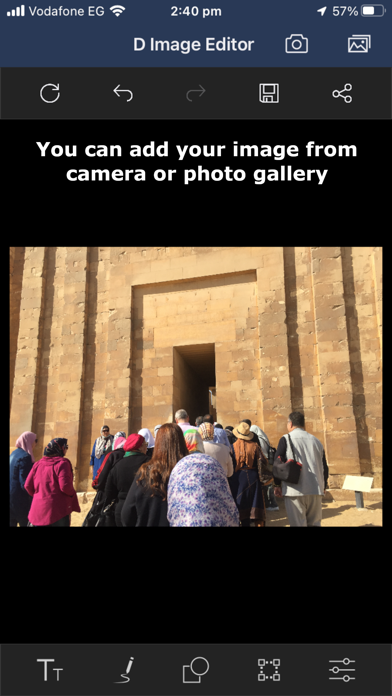




Description by Osama Emara Written by the developer, not by AppBrain. Click to read.
- Now you have an exciting new feature that lets you remove the background from any image and save or share it with transparency!
- D Image Editor support freehand drawing over images with customizable stroke thickness options.
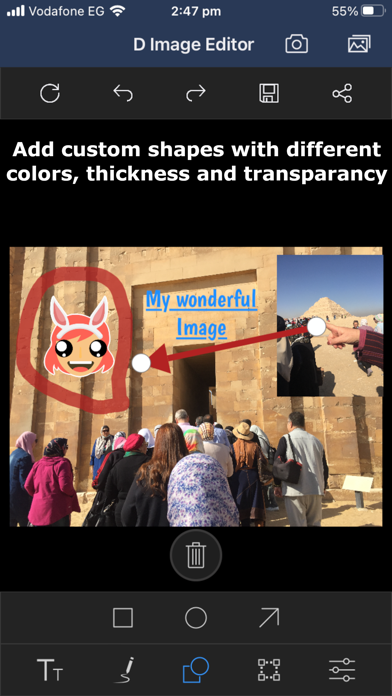
- Annotate images with shapes (rectangle, arrow, and circle), text, and freehand drawings that can be dragged and dropped, and resized.
- D Image Editor provides an option to perform image transformations such as rotate and flip.
- D Image Editor provides an option to crop a particular region of an image as desired with the help of the built-in cropping tool.
- D Image Editor supports image zooming and panning.
It is free software, so whether you are a graphic designer, photographer, illustrator, or scientist. You will have a sophisticated tools to get your job done. You can further enhance your productivity with it thanks to many customization options.
You have the tools you needed for high quality image manipulation. From retouching to restoring to creative composites, the only limit is your imagination.
You have the power and flexibility to transform images into truly unique creations. So it is a freely distributed program for such tasks as photo retouching, image composition and image authoring.
D Image Editor is a versatile graphics manipulation package. This page should help you get a taste of what is capable of.
Each task requires a different environment and D Image Editor allows you to customize the view and behavior the way you like it. Starting from the widget theme, allowing you to change colors, widget spacings and icon sizes to custom tool sets in the toolbox. The interface is modulized into so called docks, allowing you to stack them into tabs or keep them open in their own window. Pressing the tab key will toggle them hidden.
Numerous digital photo imperfections can be easily compensated for using D Image Editor. Fix perspective distortion caused by lens tilt simply choosing the corrective mode in the transform tools. Eliminate lens’ barrel distortion and vignetting with a powerful filter but a simple interface.
The included channel mixer gives you the flexibility and power to get your B/W photography stand out the way you need.
D Image Editor is ideal for advanced photo retouching techniques. Get rid of unneeded details using the clone tool, or touch up minor details easily with the new healing tool. With the perspective clone tool, it’s not difficult to clone objects with perspective in mind just as easily as with the orthogonal clone.