

Daily Planner with Calendar
Daily Planner with Calendar is made and published by KIYO, K.K. AppBrain is an independent app data site and isn't affiliated with KIYO, K.K. The app name, icon, screenshots and description belong to KIYO, K.K. and are shown as published on the App Store.
AppBrain's verdict
EstablishedLoved by users- Rating on App Store
- 4.86
- 116 ratings
- Last updated
- October 20, 2026
Users love it: 4.9 stars from 116 ratings.
Rankings
App Store top chartsApp Store Rankings for Daily Planner with Calendar
Competitors
Similar apps and more from KIYO, K.K.Alternatives to Daily Planner with Calendar







Also available on Google Play

Releases
Updates seen on the App Store- Version
- 2.3.4
- Launched
- August 2020
No changelog data
User feedback
Ratings and reviews on the App StoreComments on Daily Planner with Calendar for iOS
We don't have enough comments to show example comments. Please check back later.
Technology
Found in the app by AppBrain- Price
- Free
- App size
- 152.7 MB
- Content rating
- Everyone
Technologies used by Daily Planner with Calendar
About the app and developer
About Daily Planner with Calendar
Daily Planner with Calendar is a productivity app developed by KIYO, K.K.
User Ratings
Daily Planner with Calendar is rated 4.86 out of 5 stars. The rating is based on 120 ratings.
App Information
Daily Planner with Calendar is freely available from the App Store. The app size is 152.68 MB. The latest version available is 2.3.4. The last update was on October 20, 2026.
Technical Requirements
The app has a content rating of Everyone. The app has been available on the App Store since August 2020.
Developer information for KIYO, K.K.
Address:
Frequently asked questions about Daily Planner with Calendar
Is Daily Planner with Calendar free?
Yes. Daily Planner with Calendar is free on the App Store.
Is Daily Planner with Calendar still available?
Yes. Daily Planner with Calendar is on the App Store, and the last update we saw was on October 20, 2026.
How large is Daily Planner with Calendar?
Daily Planner with Calendar is 152.68 MB.
Is Daily Planner with Calendar suitable for children?
App Store rates the content of Daily Planner with Calendar as suitable for everyone.
How do people rate Daily Planner with Calendar?
Daily Planner with Calendar scores 4.86 out of 5 stars, from 116 ratings on the App Store.
Who made Daily Planner with Calendar?
Daily Planner with Calendar was developed by KIYO, K.K. It is listed in the productivity category on the App Store.
What are the best alternatives to Daily Planner with Calendar?
People looking at Daily Planner with Calendar also look at these productivity apps: 1day Schedule, 人気スケジュール帳 仕事や大学で共有、簡単にスケジュール管理, Graph Generator, ADHD Schedule Planner: Weel, Otona Calendar: Simple Planner.
Store listing
By KIYO, K.K., from the App Store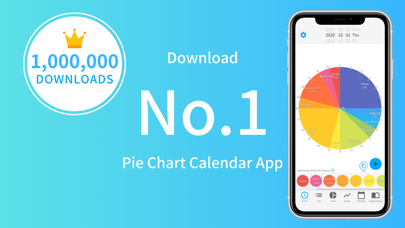
Description by KIYO, K.K. Written by the developer, not by AppBrain. Click to read.
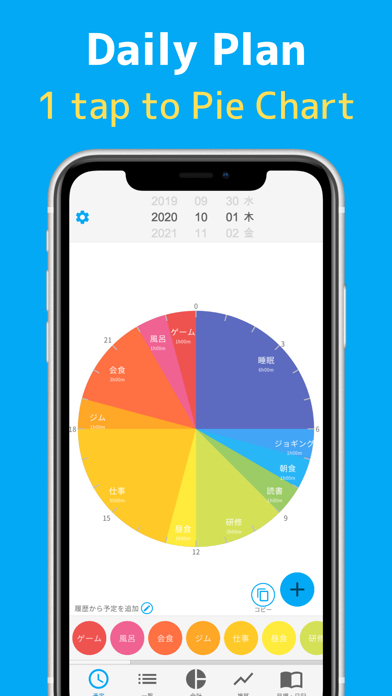
A free schedule management app that manages your daily schedule in a 24-hour pie chart.
Full of functions such as total time calculation and graph transition display.
▼ For daily schedule management and visualization of records to look back on the day ▼
Enter your 24-hour schedule for the next day and have a meaningful day.
With automatic analysis, you can also display the total time and bar graph, so you can look back on the schedule of the day at the end of the day.
You can visualize the wasted time, improve your vague life, and spend a well-balanced day toward your goals.
▼ Full of functions ▼
It is equipped with all the functions necessary for schedule management, such as automatic totaling of total time, display of transitions by bar graph, registration of diary and goals, and remind function by push notification.
▼ Features / Differences from similar apps ▼
[free]
The usage fee is free. (With in-app purchase)
[Schedule registration with 1 tap]
You can easily register an appointment with "1 tap", so scheduling does not take time.
[Pie chart]
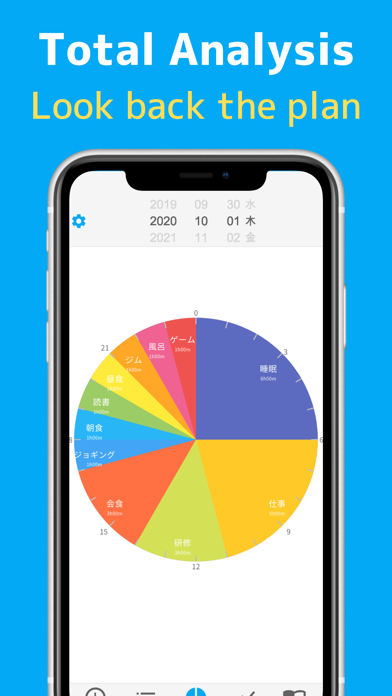
The schedule is displayed as a pie chart, so you can visualize the flow of the day.
[Schedule tittle can be freely described]
You can add as many schedules as you like, so you can use them according to your purpose.
[Automatic total time]
Since the total time can be calculated automatically for each schedule, you can immediately see "how many hours you have studied in total".
You can view the total time for breaks and games to improve the way you spend your day when scheduling the next day.
[Transition by bar graph]
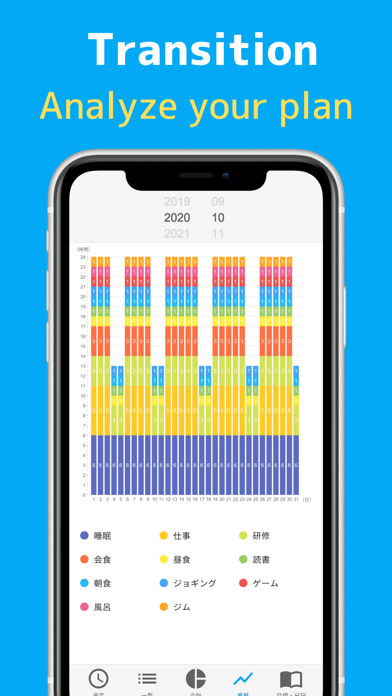
You can see the transition for one month on the bar chart.
[List display]
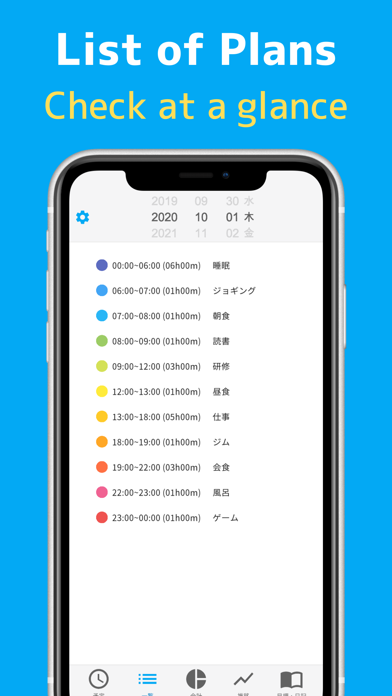
The schedule can be displayed not only in the pie chart but also in the list, so you can check the detailed schedule at a glance.
[Over 100 colors ]
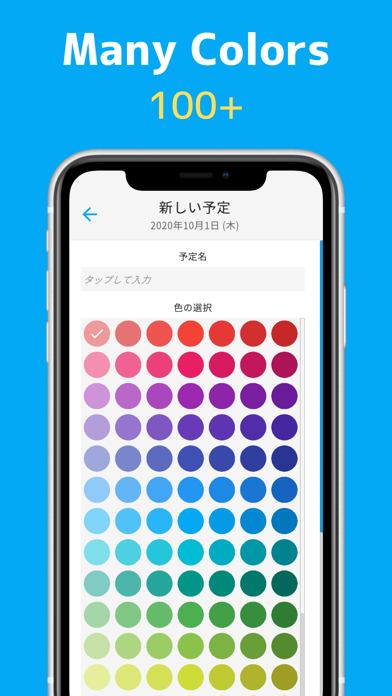
We have more than 100 color variations so that you can choose the color that suits your schedule.
[Time is in 5 minute increments]
Schedules can be registered in 5-minute increments, so detailed schedules can be registered and visualized.
[Notification function]
You can turn on push notifications to receive notifications at the scheduled start time.
[Registration of diary]
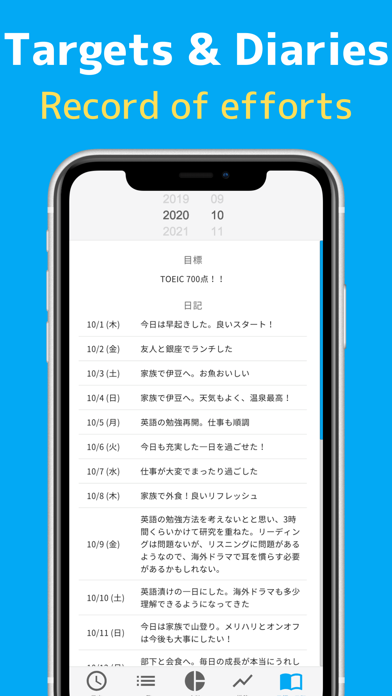
You can write down your daily records and hard work as a diary.
[Visualization of goals]
Since you can register goals, you will be able to manage the time to achieve the goals.
▼ Price plan ▼
You can use the basic functions for free without registering for the premium plan, but the free version will display advertisements.
[Premium Plan (1 Month)]
Price: USD 4.49 / month
Period: 1 month
Services provided:
・ You can hide advertisements
・ Widgets can be used
・ Priority support is available
[Premium Plan (1 Year)]
Price: USD 44.99 / year
Period: 1 year
Services provided:
・ You can hide advertisements
・ Widgets can be used
・ Priority support is available
▼ Information about price plans ▼
・ Automatic renewal will start after the free trial ends.
・ Unless you cancel the continuation 24 hours before the next payment, it will be automatically renewed.
・ Automatic renewal will be automatically renewed within 24 hours after the end of the previous payment period.
・ You can cancel from the account settings even during automatic renewal.
・ Even if you cancel the automatic renewal, you can still use it for the remaining period of the plan you have already purchased.
・ Please refer to the following page for the cancellation method.
iOS:
https://support.apple.com/en-us/HT202039
▼ Inquiries ▼
info@dailyplanner.kiyohcorp.com
Privacy Policy> https://bit.ly/3cYn3a8
User Policy> https://bit.ly/3tTQv83
(*) Various rankings, etc. are described based on the following data (as of February 20, 2021)
・ App Store work efficiency improvement 46th
・ No. 1 pie chart-shaped schedule management app in the same category