

DawNote Pro is made and published by Nicolas Lacoumette. AppBrain is an independent app data site and isn't affiliated with Nicolas Lacoumette. The app name, icon, screenshots and description belong to Nicolas Lacoumette and are shown as published on the App Store.
AppBrain's verdict
- Last updated
- May 12, 2026
Rankings
App Store top chartsApp Store Rankings for DawNote Pro
Competitors
Similar apps and more from Nicolas LacoumetteAlternatives to DawNote Pro


More from Nicolas Lacoumette

Releases
Updates seen on the App Store- Version
- 1.0.1
- Launched
- May 2026
No changelog data
User feedback
Ratings and reviews on the App StoreComments on DawNote Pro for iOS
We don't have enough comments to show example comments. Please check back later.
Technology
Found in the app by AppBrain- Price
- $34.99
- App size
- 25.3 MB
- Content rating
- Everyone
Technologies used by DawNote Pro
About the app and developer
About DawNote Pro
DawNote Pro is a music app developed by Nicolas Lacoumette.
User Ratings
The app has no ratings yet.
App Information
DawNote Pro costs $34.99. The app size is 25.25 MB. The latest version available is 1.0.1. The last update was on May 12, 2026.
Technical Requirements
The app has a content rating of Everyone. The app has been available on the App Store since May 2026.
Developer information for Nicolas Lacoumette
Address:
Store listing
By Nicolas Lacoumette, from the App Store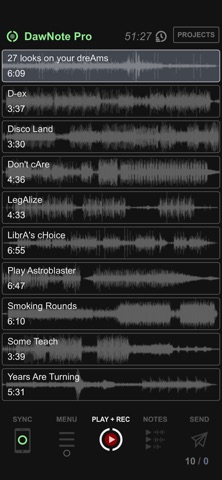


Description by Nicolas Lacoumette Written by the developer, not by AppBrain. Click to read.
Record voice notes on your mix the moment it happens — wherever you are — and bring them back into your music production workflow.
START INSTANTLY
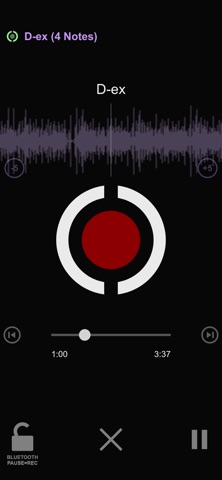
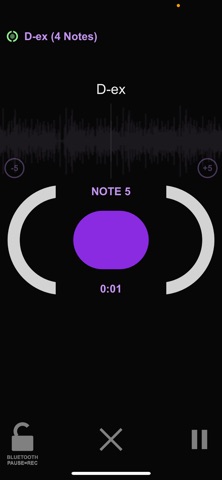
Load your mixes from your computer to your phone. Listen anywhere — car, gym, on the go — and capture notes as you hear them, automatically tagged with the exact timecode.
REPLAY & MANAGE NOTES
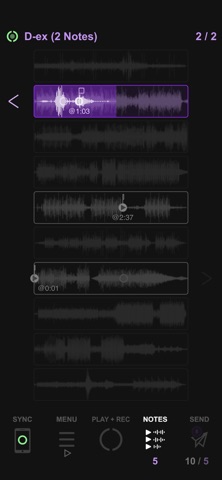
Access all your notes instantly and replay any of them with a single tap. Jump back into context with an adjustable preroll (3 to 30 seconds), and use scrubbing for precise navigation.
MANAGE PROJECTS
Work on up to 10 projects simultaneously, each with up to 25 audio tracks — enough for full album workflows. Rename, reorder, duplicate, and assign color tags to organize your sessions.
CONNECT TO YOUR DAW
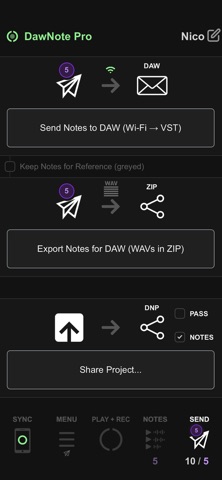
Install the plugin (VST3 / AU). Your notes appear instantly in the DawNote plugin. Replay them with one click, or drag them as a single WAV file onto your timeline — each placed at its exact position.
DAWNOTE STUDIO (FREE DESKTOP APP)
Create projects on your computer and send them to your phone in seconds. Manage backups to track different versions of your work and compare progress over time.
IN THE STUDIO TOO
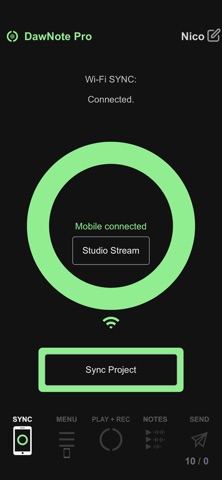
Stream your phone's audio to your computer via lossless WiFi — listen through your studio monitors while annotating.
A/B REFERENCE TRACKS
Compare your mix with up to 50 reference tracks using built-in A/B listening. Switch instantly — no setup, no routing.
FROM IDEA TO DAW, AND BACK AGAIN
Capture, refine, listen again. DawNote closes the loop — between inspiration and production.
DAW SYNC REQUIRES:
- Free desktop app + plugin — fkfxaudio.com
- Same WiFi network