

Decibel Meter: dB Noise Check
Decibel Meter: dB Noise Check is made and published by hiroki kawamura. AppBrain is an independent app data site and isn't affiliated with hiroki kawamura. The app name, icon, screenshots and description belong to hiroki kawamura and are shown as published on the App Store.
AppBrain's verdict
- Last updated
- October 13, 2026
- Size
- 38.0 MB
User feedback
Ratings and reviews on the App StoreComments on Decibel Meter: dB Noise Check for iOS
We don't have enough comments to show example comments. Please check back later.
Store listing
By hiroki kawamura, from the App Store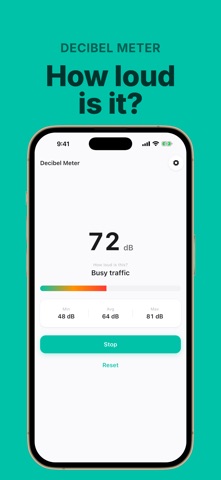
Description by hiroki kawamura Written by the developer, not by AppBrain. Click to read.
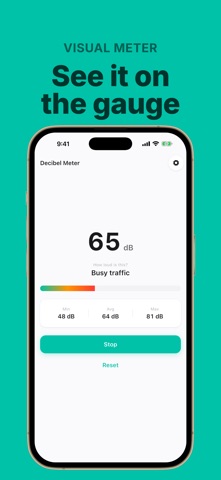
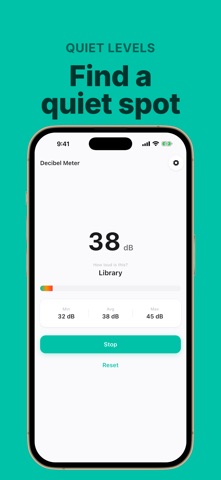
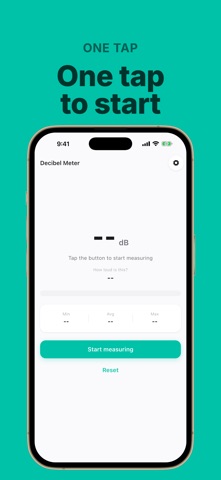
Decibel Meter shows how loud your surroundings are, in dB. Open it, press the button. That's the whole app.
◆ One button, one screen
・Press "Start measuring" and the current sound level fills the screen
・No setup, no account, no tutorial
・Stop when you're done, reset to start over
◆ Min, average and max at once
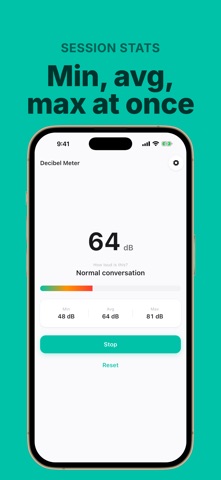
・The lowest, average and highest readings update live while you measure
・Tells apart a one-off bang from how loud the place actually is
◆ Plain language for every number
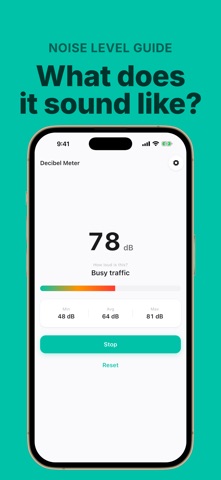
・Whisper / library / normal conversation / busy traffic / construction site / jet engine
・"65 dB" means nothing to most people, so we show what it sounds like instead
◆ Nothing is recorded or saved
・The microphone is used only to measure loudness
・No audio is recorded, stored on your device, or sent anywhere
・Microphone use ends the moment you stop measuring
◆ Made for moments like
・Wondering how loud the footsteps upstairs or the road construction outside really are
・Checking whether a cafe or library is quiet enough to focus in
・Making sure your speakers or instrument aren't bothering the neighbors
・Getting a feel for machine noise at work or road noise in the car
【About the readings】
This app uses your phone's microphone, so every reading is an approximation. Results vary with your device, its microphone, whether you use a case, and wind. It does not match the accuracy of dedicated measuring equipment and is not suitable for legal proceedings or official certification.
【About Premium】
The app is free to use and the measuring features are not limited in any way. The free version shows ads. Premium — an auto-renewing monthly subscription — removes all ads from the app.
・Payment is charged to your Apple ID account at confirmation of purchase
・The subscription renews automatically unless auto-renew is turned off at least 24 hours before the end of the current period
・Manage or cancel in your device Settings → Apple ID → Subscriptions
・There is no free trial period
Privacy Policy: https://hecuhecu.github.io/apps/sound-meter/privacy/
Terms of Use: https://hecuhecu.github.io/apps/sound-meter/terms/
Safety and technology
Found in the app by AppBrain- Price
- Free
- App size
- 38.0 MB
- Content rating
- Everyone
Technologies used by Decibel Meter: dB Noise Check
Releases
Updates seen on the App Store- Version
- 1.0.1
- Launched
- August 2026
No changelog data
Alternatives
Similar apps and more from hiroki kawamuraAlternatives to Decibel Meter: dB Noise Check


More from hiroki kawamura


Rankings
App Store top chartsApp Store Rankings for Decibel Meter: dB Noise Check
About the app and developer
About Decibel Meter: dB Noise Check
Decibel Meter: dB Noise Check is an utilities app developed by hiroki kawamura.
User Ratings
The app has no ratings yet.
App Information
Decibel Meter: dB Noise Check is freely available from the App Store. The app size is 37.98 MB. The latest version available is 1.0.1. The last update was on October 13, 2026.
Technical Requirements
The app has a content rating of Everyone. The app has been available on the App Store since August 2026.
Developer information for hiroki kawamura
Address:
Frequently asked questions about Decibel Meter: dB Noise Check
Is Decibel Meter: dB Noise Check free?
Yes. Decibel Meter: dB Noise Check is free on the App Store.
Is Decibel Meter: dB Noise Check still available?
Yes. Decibel Meter: dB Noise Check is on the App Store, and the last update we saw was on October 13, 2026.
How large is Decibel Meter: dB Noise Check?
Decibel Meter: dB Noise Check is 37.98 MB.
Is Decibel Meter: dB Noise Check suitable for children?
App Store rates the content of Decibel Meter: dB Noise Check as suitable for everyone.
Who made Decibel Meter: dB Noise Check?
Decibel Meter: dB Noise Check was developed by hiroki kawamura. It is listed in the utilities category on the App Store.
What are the best alternatives to Decibel Meter: dB Noise Check?
People looking at Decibel Meter: dB Noise Check also look at these utilities apps: サウンドチェッカー - 騒音計dBデシベル測定, dB Meter: Measure Noise SPL, 騒音記録アプリ(録音), Decibel Meter: dB Noise Meter, R-distribuzione Energia.