

Decks: Language Flashcards
Decks: Language Flashcards is made and published by Dingxuan Yao. AppBrain is an independent app data site and isn't affiliated with Dingxuan Yao. The app name, icon, screenshots and description belong to Dingxuan Yao and are shown as published on the App Store.
AppBrain's verdict
- Rating on App Store
- 5.00
- 1 ratings
- Last updated
- October 5, 2026
It doesn't have enough ratings yet to judge what users think.
Rankings
App Store top chartsApp Store Rankings for Decks: Language Flashcards
Competitors
Similar apps and more from Dingxuan YaoAlternatives to Decks: Language Flashcards


More from Dingxuan Yao

Releases
Updates seen on the App Store- Version
- 1.22.0
- Launched
- January 2026
No changelog data
User feedback
Ratings and reviews on the App StoreComments on Decks: Language Flashcards for iOS
We don't have enough comments to show example comments. Please check back later.
Technology
Found in the app by AppBrain- Price
- Free
- App size
- 41.2 MB
- Content rating
- Everyone
Technologies used by Decks: Language Flashcards
About the app and developer
About Decks: Language Flashcards
Decks: Language Flashcards is an education app developed by Dingxuan Yao.
What is the rating of Decks: Language Flashcards?
Decks: Language Flashcards is rated 5.00 out of 5 stars, based on one rating ratings.
Is Decks: Language Flashcards free?
Decks: Language Flashcards is free. The app size is 41.20 MB. The latest version available is 1.22.0. The last update was on October 5, 2026.
What are the requirements for Decks: Language Flashcards?
The app has a content rating of Everyone. The app has been available on the App Store since January 2026.
Developer information for Dingxuan Yao
Address:
Store listing
By Dingxuan Yao, from the App Store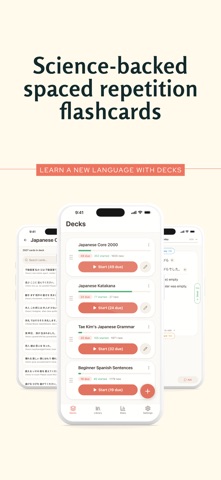




Description by Dingxuan Yao Written by the developer, not by AppBrain. Click to read.
Decks uses the same proven algorithm Anki users rely on to show you cards right before you'd forget them. Rate each card Again, Hard, Good, or Easy, and the schedule adjusts automatically.
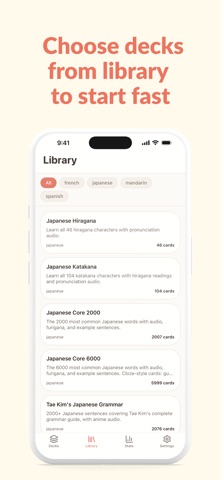
READY-TO-STUDY DECKS
Jump in without building anything first:
- Japanese — Hiragana, Katakana, Kanji, Grammar
- Spanish, French, and Chinese vocabulary
- TOEFL vocabulary
Or build your own — unlimited decks and cards, any subject.
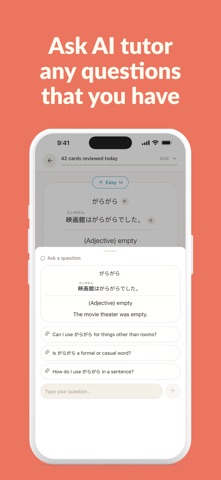
ASK ABOUT ANY CARD
Stuck on why an answer's right (or wrong)? Tap Ask for an explanation of that specific card, right when you need it.
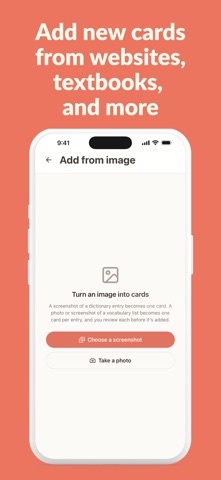
BUILD CARDS FROM A PHOTO
Point your camera at a textbook page, or pick a screenshot of a vocabulary list, and Decks turns it into cards. Review each one before it's added.
WHY DECKS
- Full spaced repetition with Again/Hard/Good/Easy ratings
- Tap a rating, or drag the card — whichever is faster
- Study offline, anytime
- Retention stats and day streak tracking
- Search, merge, and reorder your decks
HOW IT WORKS
1. Start from a curated deck or create your own
2. Study daily — the algorithm handles scheduling
3. Rate each card by how well you remembered it
4. Cards you struggle with come back sooner
5. Watch your retention improve over time
Cards you answer easily won't reappear for days or weeks. That's the point — the gaps are what make things stick, and Decks tracks them so you don't have to.
FREE VS. PREMIUM
Free: study every day, with a daily review limit that suits a steady habit.
Premium: set your own daily review limit, as high as you want.
Terms of Use (EULA): https://www.apple.com/legal/internet-services/itunes/dev/stdeula/
Subscription Terms: https://trstudios.ca/decks/terms
Privacy Policy: https://trstudios.ca/decks/privacy