

Demosaic is made and published by 实隆 杨. AppBrain is an independent app data site and isn't affiliated with 实隆 杨. The app name, icon, screenshots and description belong to 实隆 杨 and are shown as published on the App Store.
AppBrain's verdict
- Rating on App Store
- 5.00
- 2 ratings
- Last updated
- October 13, 2026
It doesn't have enough ratings yet to judge what users think.
Rankings
App Store top chartsApp Store Rankings for Demosaic
Competitors
Similar apps and more from 实隆 杨
Releases
Updates seen on the App Store- Version
- 1.2
- Launched
- May 2026
No changelog data
User feedback
Ratings and reviews on the App StoreComments on Demosaic for iOS
We don't have enough comments to show example comments. Please check back later.
Technology
Found in the app by AppBrain- Price
- Free
- App size
- 455.8 MB
- Content rating
- Everyone
Technologies used by Demosaic
About the app and developer
About Demosaic
Demosaic is a graphics & design app developed by 实隆 杨.
What is the rating of Demosaic?
Demosaic is rated 5.00 out of 5 stars, based on 2 ratings.
Is Demosaic free?
Demosaic is free. The app size is 455.76 MB. The latest version available is 1.2. The last update was on October 13, 2026.
What are the requirements for Demosaic?
The app has a content rating of Everyone. The app has been available on the App Store since May 2026.
Developer information for 实隆 杨
Address:
Store listing
By 实隆 杨, from the App Store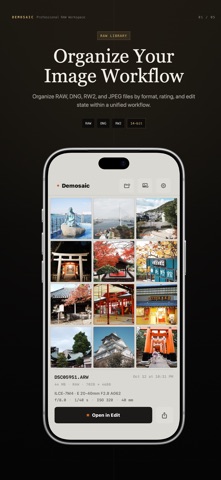



Description by 实隆 杨 Written by the developer, not by AppBrain. Click to read.
Built around a direct photographic workflow, Demosaic supports both RAW and standard image editing, including:
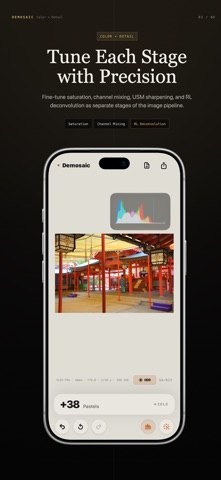
• Exposure, brightness, contrast, and saturation
• Tone curves and RGB curves
• Highlight recovery and shadow adjustment
• Sharpening, denoise, local contrast, and dehaze
• White balance and color tools
• HSV equalizer and channel mixer
• Crop, rotation, perspective, and lens correction
• High bit-depth export and wide-gamut workflows
For RAW files, Demosaic also provides lower-level sensor and reconstruction tools, including:
• Demosaicing controls
• RAW black level adjustment
• False color suppression
• Chromatic aberration correction
• Input sharpening
• Hot and dead pixel cleanup
Supported color spaces include:
• sRGB
• Display P3
• Adobe RGB
• ProPhoto RGB
• Rec.2020
All editing is performed locally on-device.
Performance Note:
Some RAW workflows, including denoise, local tone mapping, and high-quality export, can be demanding on CPU and memory. For a more stable experience, M-series iPads or devices with A17 Pro and newer chips are recommended.