

Design Lab: Logo Graphic Maker
Design Lab: Logo Graphic Maker is made and published by Onelight Apps CY Ltd. AppBrain is an independent app data site and isn't affiliated with Onelight Apps CY Ltd. The app name, icon, screenshots and description belong to Onelight Apps CY Ltd and are shown as published on the App Store.
AppBrain's verdict
EstablishedLoved by users- Rating on App Store
- 4.74
- 6,346 ratings
- Last updated
- September 30, 2026
Users love it: 4.7 stars from 6,346 ratings.
Rankings
App Store top chartsApp Store Rankings for Design Lab: Logo Graphic Maker
Competitors
Similar apps and more from Onelight Apps CY LtdAlternatives to Design Lab: Logo Graphic Maker





More from Onelight Apps CY Ltd


Releases
Updates seen on the App Store- Version
- 5.57.5
- Launched
- September 2013
No changelog data
User feedback
Ratings and reviews on the App StoreComments on Design Lab: Logo Graphic Maker for iOS
We don't have enough comments to show example comments. Please check back later.
Technology
Found in the app by AppBrain- Price
- Free
- App size
- 169.2 MB
- Content rating
- Everyone
Technologies used by Design Lab: Logo Graphic Maker
About the app and developer
About Design Lab: Logo Graphic Maker
Design Lab: Logo Graphic Maker is a graphics & design app developed by Onelight Apps CY Ltd.
User Ratings
Design Lab: Logo Graphic Maker is rated 4.74 out of 5 stars. The rating is based on 6.3 thousand ratings.
App Information
Design Lab: Logo Graphic Maker is freely available from the App Store. The app size is 169.23 MB. The latest version available is 5.57.5. The last update was on September 30, 2026.
Technical Requirements
The app has a content rating of Everyone. The app has been available on the App Store since September 2013.
Developer information for Onelight Apps CY Ltd
Address:
Store listing
By Onelight Apps CY Ltd, from the App Store





Description by Onelight Apps CY Ltd Written by the developer, not by AppBrain. Click to read.
FEATURES:
• CUSTOMIZABLE TEMPLATES
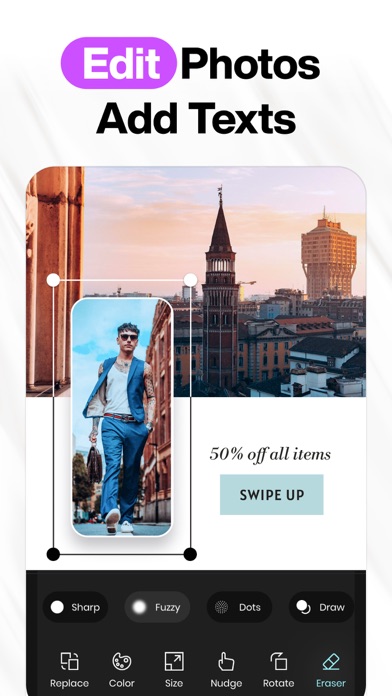
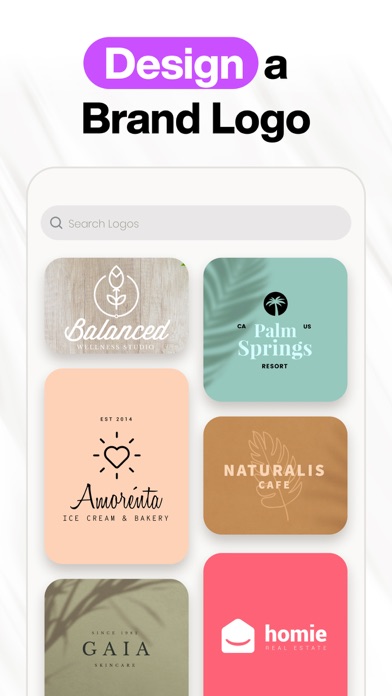
Search & select from our famous library of thousands of professionally designed templates. Organize them into customizable folders with our favoriting tool.
• PHOTO FILTERS & ADJUSTMENTS
Choose from our collection of filters to get the look you desire. Finely tune your photos with our suite of photo adjustments, including brightness, contrast, exposure, saturation, blur & more.
• ADVANCED TEXT TOOLS
Easily add multiple text layers, controlling their size, positioning, opacity, rotation, kerning, leading & color. You can also curve, bend, erase, and apply 3D transformations.
• GORGEOUS ARTWORK
DesignLab comes jam-packed with hundreds of irresistibly gorgeous illustrations, decorative ornaments, and design elements.
• FREE STOCK PHOTOGRAPHY
Search from a collection of millions of free stock photos & illustrations.
• LAYER-BASED EDITING
Tap the layer menu to select one or multiple layers to edit. You can also rearrange their orders by long-tapping and dragging to the desired position.
• CUSTOM ARTWORK
Import custom artwork or your own logo, and use it in your photos as a fully editable layer. Perfect for the mobile creative, it helps branding efforts everywhere.
• BLEND & ERASE TOOLS
Erase parts of your artwork, text, or imported photo layers & apply several different blend modes to create unique images. There is also a built in "focus mode" - which allows for great precision when the eraser is active.
• SHAPES
Create vector shapes and control their properties with ease.
• CROP TOOL
Choose from a variety of aspect ratios.
...and more!
Payment will be charged to your Apple ID account at the time of purchase confirmation. Subscription renews automatically unless it is canceled at least 24 hours before the end of the current period. Your account will be charged for renewal within 24 hours prior to the end of the current period. You can manage and cancel your subscriptions by going to your account settings on the App Store after purchase.
Privacy Policy: https://onelightapps.io/privacy-policy
Terms of Use: https://onelightapps.io/terms-of-use