

Design Studio: DIY with Cricut
Design Studio: DIY with Cricut is made and published by Muhammad Abdullah. AppBrain is an independent app data site and isn't affiliated with Muhammad Abdullah. The app name, icon, screenshots and description belong to Muhammad Abdullah and are shown as published on the App Store.
AppBrain's verdict
- Rating on App Store
- 1.00
- 1 ratings
- Last updated
- November 25, 2025
It doesn't have enough ratings yet to judge what users think.
Rankings
App Store top chartsApp Store Rankings for Design Studio: DIY with Cricut
Competitors
Similar apps and more from Muhammad AbdullahAlternatives to Design Studio: DIY with Cricut




More from Muhammad Abdullah


Releases
Updates seen on the App Store- Version
- 1.3
- Launched
- November 2025
No changelog data
User feedback
Ratings and reviews on the App StoreComments on Design Studio: DIY with Cricut for iOS
We don't have enough comments to show example comments. Please check back later.
Technology
Found in the app by AppBrain- Price
- Free
- App size
- 61.6 MB
- Content rating
- Everyone
Technologies used by Design Studio: DIY with Cricut
About the app and developer
About Design Studio: DIY with Cricut
Design Studio: DIY with Cricut is a graphics & design app developed by Muhammad Abdullah.
What is the rating of Design Studio: DIY with Cricut?
Design Studio: DIY with Cricut is rated 1.00 out of 5 stars, based on one rating ratings.
Is Design Studio: DIY with Cricut free?
Design Studio: DIY with Cricut is free. The app size is 61.58 MB. The latest version available is 1.3. The last update was on November 25, 2025.
What are the requirements for Design Studio: DIY with Cricut?
The app has a content rating of Everyone. The app has been available on the App Store since November 2025.
Developer information for Muhammad Abdullah
Address:
Frequently asked questions about Design Studio: DIY with Cricut
Is Design Studio: DIY with Cricut free?
Yes. Design Studio: DIY with Cricut is free on the App Store.
Is Design Studio: DIY with Cricut still available?
Yes. Design Studio: DIY with Cricut is on the App Store, and the last update we saw was on November 25, 2025.
How large is Design Studio: DIY with Cricut?
Design Studio: DIY with Cricut is 61.58 MB.
Is Design Studio: DIY with Cricut suitable for children?
App Store rates the content of Design Studio: DIY with Cricut as suitable for everyone.
How do people rate Design Studio: DIY with Cricut?
Design Studio: DIY with Cricut has one rating of 1.00 stars on the App Store.
Who made Design Studio: DIY with Cricut?
Design Studio: DIY with Cricut was developed by Muhammad Abdullah. It is listed in the graphics & design category on the App Store.
What are the best alternatives to Design Studio: DIY with Cricut?
People looking at Design Studio: DIY with Cricut also look at these graphics & design apps: Designs for DIY Crafts Space, Designer Studio For Cricut, Design Studio For Cut-Machines, Design Font Space, Cricut design DIY maker Course.
Store listing
By Muhammad Abdullah, from the App Store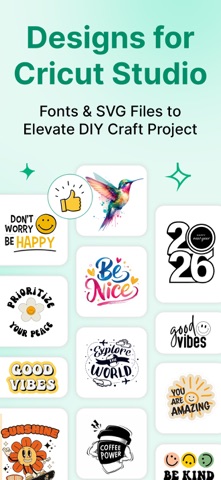


Description by Muhammad Abdullah Written by the developer, not by AppBrain. Click to read.
Whether you’re making custom T-shirts, mugs, cards, or vinyl crafts, this app gives you everything you need to bring your ideas to life.
Features:
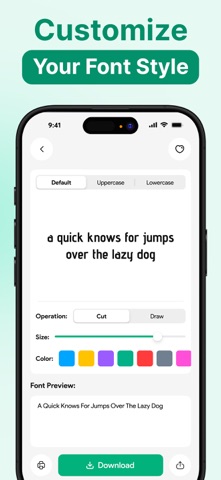
• Access 1000+ stylish fonts ready for Cricut Design Space
• Install fonts on your device for offline use
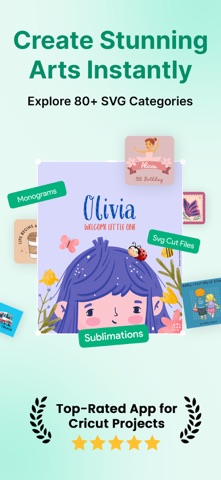
• Explore stickers, shapes, monograms, and cut files
• Get high-quality sublimation designs for print and heat transfer projects
• Organized, easy-to-navigate design library for crafters and DIY creators
• Save your favorites for quick access anytime
Note: This is a supportive app for Cricut Design Space and is not affiliated with or endorsed by Cricut, Inc. in any way.
An additional purchase is required to use this app for unlimited access.
Download this app now and start creating your next Cricut masterpiece today.
Contact Us: help.kaapps@gmail.com
Privacy Policy: https://sites.google.com/view/kaapps-privacy
Terms of Use: https://sites.google.com/view/kaapps-terms