

Designs+ for UI Design
Designs+ for UI Design is made and published by morePaths.com. AppBrain is an independent app data site and isn't affiliated with morePaths.com. The app name, icon, screenshots and description belong to morePaths.com and are shown as published on the App Store.
AppBrain's verdict
- Last updated
- December 2, 2024
- Size
- 12.2 MB
User feedback
Ratings and reviews on the App StoreComments on Designs+ for UI Design for iOS
We don't have enough comments to show example comments. Please check back later.
Store listing
By morePaths.com, from the App Store


Description by morePaths.com Written by the developer, not by AppBrain. Click to read.
Design wireframes to describe layouts, the arrangement of the content, the logic of the menus...anything.
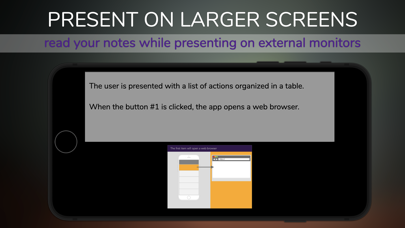
Publish and share navigable versions of your schema or start a slideshow on the external screen.
We designed this app to reduce drastically the space used on your device (less than 50 Mbytes), so you can work seamlessly on your device anywhere!
Purpose:
Describe the user interface's elements (e.g., how they interact) before developing the final version. This app is a powerful tool to enhance the potential of developers, UI designers, visual designers, business analysts.
Key features:
- Symbols and built-in mockups: more than 200 items (iPhone, iPad, basic websites, etc.) can be customized (font, size, color, text).
- Comments: you can add notes to projects, pages, elements and include them in a report.
- Reader Mode: presents on external screen while reading the contents of the storyboard.
- Sharing: Share or import projects with other people using this app.
- Publication: print or publish a navigable version of the project as a PDF or HTML file.
- Storyboard: add comments to describe the screens and pages.
- Automatic pagination: all elements in the page will resize and position automatically depending on the orientation of the iPad.
- Links map: automatically generates reports to describe the relationship between the schemas (pages, user interfaces, etc.), the user navigation's logic. Provide clear guidelines.
- Project management: organize your projects into groups, and share them.
- Versioning: projects can be examined and stored between team members. Take a snapshot of a page, add a comment and share it with your colleagues.
- Add external content: images and text can be inserted from the Clipboard as new elements on the page.
- Safe: use this app on any network, even when you're not at your desk. All sharing features support encryption with passwords.
Contact us directly for feedback, additional functionality, support, and refer to our website for more information and examples.
Thank you.
Safety and technology
Found in the app by AppBrain- Price
- $8.99
- App size
- 12.2 MB
- Content rating
- Everyone
Technologies used by Designs+ for UI Design
Releases
Updates seen on the App Store- Version
- 1.4.11
- Launched
- February 2015
No changelog data
Alternatives
Similar apps and more from morePaths.comAlternatives to Designs+ for UI Design




More from morePaths.com




Rankings
App Store top chartsApp Store Rankings for Designs+ for UI Design
About the app and developer
About Designs+ for UI Design
Designs+ for UI Design is a productivity app developed by morePaths.com.
What is the rating of Designs+ for UI Design?
Designs+ for UI Design has no ratings yet.
Is Designs+ for UI Design free?
Designs+ for UI Design costs $8.99. The app size is 12.18 MB. The latest version available is 1.4.11. The last update was on December 2, 2024.
What are the requirements for Designs+ for UI Design?
The app has a content rating of Everyone. The app has been available on the App Store since February 2015.
Developer information for morePaths.com
Address:
Frequently asked questions about Designs+ for UI Design
Is Designs+ for UI Design free?
No. Designs+ for UI Design costs $8.99 on the App Store.
Is Designs+ for UI Design still available?
Yes. Designs+ for UI Design is on the App Store, and the last update we saw was on December 2, 2024.
How large is Designs+ for UI Design?
Designs+ for UI Design is 12.18 MB.
Is Designs+ for UI Design suitable for children?
App Store rates the content of Designs+ for UI Design as suitable for everyone.
Who made Designs+ for UI Design?
Designs+ for UI Design was developed by morePaths.com. It is listed in the productivity category on the App Store.
What are the best alternatives to Designs+ for UI Design?
People looking at Designs+ for UI Design also look at these productivity apps: ToDev, Qmiix, Summarify: AI For YouTube, Double – Work Better Together, MoodWell: moody tracker diary.