

DeskX
DeskX is made and published by Giovanni Altrui. AppBrain is an independent app data site and isn't affiliated with Giovanni Altrui. The app name, icon, screenshots and description belong to Giovanni Altrui and are shown as published on the App Store.
AppBrain's verdict
- Rating on App Store
- 5.00
- 1 ratings
- Last updated
- November 21, 2025
- Size
- 217.6 MB
It doesn't have enough ratings yet to judge what users think. Its best ranking is #40 in Top Paid, Productivity in Brazil.
User feedback
Ratings and reviews on the App StoreComments on DeskX for iOS
We don't have enough comments to show example comments. Please check back later.
Store listing
By Giovanni Altrui, from the App Store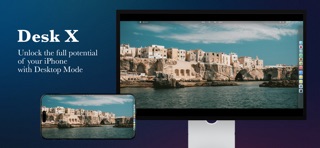


Description by Giovanni Altrui Written by the developer, not by AppBrain. Click to read.
Main features:
• Real desktop – icons, folders, and files always at hand.
• External display support – work on big screens.
• Multiple windows – open, resize, and freely overlap apps.
• Customizable Dock – quick access to your favorite apps.
• Multi-tab browser – smooth browsing with download support.
• Full File Manager – import, rename, tag, and organize without limits.
• Web Apps – turn your favorite sites into dedicated apps with icons.
• Spaces – separate desktops for work, study, creativity, or relaxation.
• Pencil Overlay (iPhone & iPad) – draw and annotate anywhere, even over windows and the browser.
• Controller support – use physical controllers in the browser and Web Apps (great for online games).
• Access password – protect the entire environment with a secure code.
• Backup & Restore – save the whole system and export it anytime.
• Fullscreen browser + gamepad – a screen-filling mode ideal for cloud gaming with controllers.
Widget:
Drag, open, organize, and save your widgets directly on the desktop. Included examples: Weather, Stocks, Calendar, Reminders, World Clocks, News & Finance, Podcasts, Music, Quick Notes, and Monitoring.
Built-in tools:
• Archive Manager – create .zip archives or extract them in a tap.
• AudioWorkFlow – convert audio files (e.g., WAV) and create albums fast.
• Glass Office Viewer – open documents, spreadsheets, and presentations in common formats.
• OpenMaps – maps based on OpenStreetMap with dedicated action buttons.
• AI WebApps – instant access to ChatGPT and Google AI Studio right from the desktop.
• VideoEditor Online – ready-made shortcuts to CapCut Online and Canva.
• Native Text Editor – write with ease and export to PDF and images.
• Calculator – always within Dock reach.
• DeskGames – a curated set of links to legitimate online games.
Personalization:
• Dynamic themes – Light, Dark, Liquid Glass, Neon, Minimal, and more.
• Custom wallpapers – import your own or use the included ones.
• Custom fonts – load and use any font across the interface.
• Color palette – tweak accents, borders, and details to craft your visual identity.
Compatibility:
• iPhone with Lightning port: supported via Lightning Digital AV Adapter (HDMI) with system mirroring.
• iPhone/iPad with USB-C: supported via USB-C → HDMI/DisplayPort adapters/docks with system mirroring.
• Resolution handling: the app automatically adapts the workspace to the external display’s resolution (when connected).
External displays:
• iPhone: Desktop mode requires an external display (HDMI/DisplayPort via adapter). Without an external display, the app returns to the start screen.
• iPad: Desktop mode is available on the built-in display and on external monitors (native mirroring).
Tips: for maximum stability, use original or certified cables/adapters. Some third-party combos may limit resolution, audio, or DRM (HDCP) in video/game WebApps.
The AI WebApps, VideoEditor Online, and DeskGames features provide links to third-party web apps/online services (e.g., ChatGPT, Google AI Studio, CapCut Online, Canva, and legitimate game portals) opened in the integrated browser. These services require an Internet connection and may require an account; they are subject to each provider’s terms of use and privacy. OpenMaps uses data from OpenStreetMap — © OpenStreetMap contributors. Glass Office Viewer enables viewing of common document formats; feature availability and compatibility may vary.
Safety and technology
Found in the app by AppBrain- Price
- $12.99
- App size
- 217.6 MB
- Content rating
- High
Technologies used by DeskX
Releases
Updates seen on the App Store- Version
- 1.0
- Launched
- November 2025
No changelog data
Alternatives
Similar apps and more from Giovanni AltruiMore from Giovanni Altrui





Rankings
App Store top charts- Highest rank
- #40
- Chart
- Top Paid
- Productivity
- Country
- Brazil
App Store Rankings for DeskX
Top rankings
| Rank | Country | Category | List |
|---|---|---|---|
| 40 | Brazil | Productivity | Top Paid |
Ranking history in Brazil
About the app and developer
About DeskX
DeskX is a productivity app developed by Giovanni Altrui.
User Ratings
DeskX is rated 5.00 out of 5 stars. The rating is based on one rating ratings.
App Information
DeskX costs $12.99. The app size is 217.56 MB. The latest version available is 1.0. The last update was on November 21, 2025.
Technical Requirements
The app has a content rating of High Maturity. The app has been available on the App Store since November 2025.
Developer information for Giovanni Altrui
Address:
Frequently asked questions about DeskX
Is DeskX free?
No. DeskX costs $12.99 on the App Store.
Is DeskX still available?
Yes. DeskX is on the App Store, and the last update we saw was on November 21, 2025.
How large is DeskX?
DeskX is 217.56 MB.
Is DeskX suitable for children?
App Store gives DeskX a high maturity rating. It is meant for adults.
How do people rate DeskX?
DeskX has one rating of 5.00 stars on the App Store.
Who made DeskX?
DeskX was developed by Giovanni Altrui. It is listed in the productivity category on the App Store.