

Dictation Pro - Voice to Text
Dictation Pro - Voice to Text is made and published by IBN Software GmbH. AppBrain is an independent app data site and isn't affiliated with IBN Software GmbH. The app name, icon, screenshots and description belong to IBN Software GmbH and are shown as published on the App Store.
AppBrain's verdict
EstablishedLoved by users- Rating on App Store
- 4.54
- 512 ratings
- Last updated
- October 4, 2026
- Size
- 40.4 MB
Users love it: 4.5 stars from 512 ratings.
User feedback
Ratings and reviews on the App StoreComments on Dictation Pro - Voice to Text for iOS
We don't have enough comments to show example comments. Please check back later.
Store listing
By IBN Software GmbH, from the App Store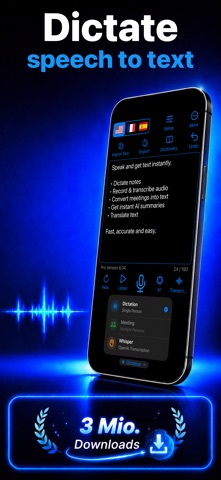


Description by IBN Software GmbH Written by the developer, not by AppBrain. Click to read.
Turn your voice into text, transcribe audio and video (even YouTube!), and translate speech in real time — all with just your voice. Save time, type less, and stay productive across all your Apple devices.
Key Features:
Smart Voice Dictation
• Dictate in real time instead of typing—perfect for writing, notes, journaling, and messaging
• Configure three independent language zones for multilingual projects
• Supports more than 40 dictation languages
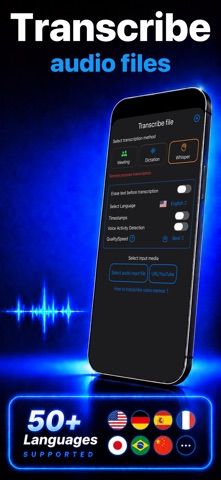
AI-Powered Transcription
• Convert voice memos, audio recordings, videos, and YouTube links into accurate text
• Uses advanced AI speech recognition for fast, high-quality results
• Supports over 100 transcription languages
Built-In Translation
• Instantly translate spoken or written text into over 40 languages
• Easily share translations across your favorite apps
Powerful File Handling and Sync
• Save and access audio and text files via the Apple Files app
• Organize, store, or export your dictation as text files or PDFs
• Seamlessly sync across iPhone, iPad and Apple Watch with iCloud
Quick Export and Sharing Options
• Share transcripts and translations via Mail, WhatsApp, Facebook, X, and more
• Use one-tap export to streamline your workflow
Accessibility Support
• Fully compatible with VoiceOver for visually impaired users
• Customize font sizes and button layout for better readability and ease of use
Additional Features:
• Apple Shortcuts support
• Undo manager for text edits
• Custom user dictionary
• Audio replay of recorded dictations
• Apple Watch integration
• Built-in backup tools
• Adjustable text sizes
• Optional dictation privacy mode (depending on device capabilities)
Safety and technology
Found in the app by AppBrain- Price
- $44.99
- App size
- 40.4 MB
- Content rating
- Everyone
Technologies used by Dictation Pro - Voice to Text
Releases
Updates seen on the App Store- Version
- 6.32
- Launched
- March 2017
No changelog data
Alternatives
Similar apps and more from IBN Software GmbHAlternatives to Dictation Pro - Voice to Text


More from IBN Software GmbH


Rankings
App Store top chartsApp Store Rankings for Dictation Pro - Voice to Text
About the app and developer
About Dictation Pro - Voice to Text
Dictation Pro - Voice to Text is a productivity app developed by IBN Software GmbH.
User Ratings
Dictation Pro - Voice to Text is rated 4.54 out of 5 stars. The rating is based on 510 ratings.
App Information
Dictation Pro - Voice to Text costs $44.99. The app size is 40.41 MB. The latest version available is 6.32. The last update was on October 4, 2026.
Technical Requirements
The app has a content rating of Everyone. The app has been available on the App Store since March 2017.
Developer information for IBN Software GmbH
Address:
Frequently asked questions about Dictation Pro - Voice to Text
Is Dictation Pro - Voice to Text free?
No. Dictation Pro - Voice to Text costs $44.99 on the App Store.
Is Dictation Pro - Voice to Text still available?
Yes. Dictation Pro - Voice to Text is on the App Store, and the last update we saw was on October 4, 2026.
How large is Dictation Pro - Voice to Text?
Dictation Pro - Voice to Text is 40.41 MB.
Is Dictation Pro - Voice to Text suitable for children?
App Store rates the content of Dictation Pro - Voice to Text as suitable for everyone.
How do people rate Dictation Pro - Voice to Text?
Dictation Pro - Voice to Text scores 4.54 out of 5 stars, from 512 ratings on the App Store.
Who made Dictation Pro - Voice to Text?
Dictation Pro - Voice to Text was developed by IBN Software GmbH. It is listed in the productivity category on the App Store.
What are the best alternatives to Dictation Pro - Voice to Text?
People looking at Dictation Pro - Voice to Text also look at these productivity apps: iWriter Pro, Anoc Pro Octave Editor, RPN-67 Pro, SemanTer Pro - Text summarizer, CostX - Work & Cost Estimate.