AppBrain
AppBrain
  • Apps
  • Apps being viewed right now Trending apps today Most popular apps All-time most installed apps Top rated apps iPhone and iPad apps
  • Intelligence ▾
    Intelligence overview → Track any Android app or your whole market
    Track & analyze
    Keyword Tracker & OptimizerTrack & improve Play rankings App Performance ReportOne-off PDF for any app StatisticsFree Android & Play market stats
    Promote your app
    Featured Apps App Links
  • Intelligence
  • Pricing
  • Dashboard
  • Sign up
  • Log in
App Store Apps > Games > Strategy Games > Digital Chess Clock
App profile & analytics · Games · Data updated 2026-10-27
Digital Chess Clock icon

Digital Chess Clock

by Philip Bevan · Free · Version 1.06
Availability On the App Store since August 2010 ↗
Rating on App Store
5.00/5
2 ratings
Rating
5.00
2 reviews
Best rank
–
not in the top lists
Last updated
December 30, 2020
1.06
AppBrain's verdict Established

It doesn't have enough ratings yet to judge what users think.

Digital Chess Clock is made and published by Philip Bevan. AppBrain is an independent app data site and isn't affiliated with Philip Bevan. The app name, icon, screenshots and description belong to Philip Bevan and are shown as published on the App Store.

About Digital Chess Clock

Digital Chess Clock is a games app developed by Philip Bevan.

User Ratings

Digital Chess Clock is rated 5.00 out of 5 stars. The rating is based on 2 ratings.

App Information

Digital Chess Clock is freely available from the App Store. The app size is 688.00 kB. The latest version available is 1.06. The last update was on December 30, 2020.

Technical Requirements

The app has a content rating of Everyone. The app has been available on the App Store since August 2010.

Description by Philip Bevan (from the App Store)
This iPhone application allows the phone to act as a chess clock.

The phone is placed to the side of the board with white being at the bottom of the phone, black at the top.

The number of moves made is displayed, with the remaining number of moves left to make displayed in brackets.
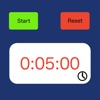
Pressing the start button causes the clock to start depending on whose turn it is to move.

Once the clock is started the clock for the person to move starts counting down and the Clock text color changes to Black. The reset button, settings button and clock adjustment buttons are not available whilst the clock is running.

Pressing the pause button whilst the clock is running will stop the clock and re-enable the settings, reset & clock adjust buttons (see the initial clock above).

There are a number of setting to control the sound, the clock delay type and the initial clock settings.
Pressing the settings button (the small letter i to the right of the start button) whilst paused brings up the setting display.


The volume of the ticking is controlled by the slider on the settings page, moving it to the left reduces the volume of the clock.

There are 3 settings for the delay type

None - the clock will count down from the time the player makes a move.

Bronstein - the clock will count down until the player makes a move at which point the delay time is added to the display. If the player takes less than the delay amount to make a move then only the amount of time taken to make the move is added.

Fisher - the Delay amount is added to the time left and then the clock starts counting down.

Each clock can be adjusted separately by pressing the adjust clock button (the small blue chevron at the bottom right of each clock).

The clock time can be adjusted by pressing the appropriate amount of time to add or subtract (scroll down to see the times to subtract).
Show more Show less

Screenshots

Digital Chess Clock Screenshot 1 of 4
Digital Chess Clock Screenshot 2 of 4
Digital Chess Clock Screenshot 3 of 4
Digital Chess Clock Screenshot 4 of 4
Screenshots by Philip Bevan, from the the App Store listing
Official page on the App Store

Alternatives to Digital Chess Clock

Chess Score Pad icon Chess Score Pad
CalcFxC, LLC
4.6
$9.99
179 ratings
Mini Chess - Quick Chess icon Mini Chess - Quick Chess
OutOfTheBit Ltd
4.6
Free
345 ratings
Chess - Pocket Board Game icon Chess - Pocket Board Game
Inlogic Software s.r.o.
4.6
Free
73 ratings
Chess Analysis icon Chess Analysis
23apps.com B.V.
3.0
Free
2 ratings
THE KING OF CHESS icon THE KING OF CHESS
MOBIRIX
4.7
Free
3 ratings
Chess World Master icon Chess World Master
MOBIRIX
4.3
Free
31 ratings
CHESS MATES ™ icon CHESS MATES ™
Robert DuBois
2.0
$0.99
2 ratings
Chess Clock by Chess.com icon Chess Clock by Chess.com
Chess.com
4.6
Free
341 ratings

More from Philip Bevan

Countdown to an Event icon Countdown to an Event
Philip Bevan
4.5
Free
45 ratings

Changelog of Digital Chess Clock

No changelog data

Developer information for Philip Bevan

Philip Bevan

Address:

Share Digital Chess Clock

Comments on Digital Chess Clock for iOS

We don't have enough comments to show example comments. Please check back later.

App Store Rankings for Digital Chess Clock

This app is not ranked

Technologies used by Digital Chess Clock

Frequently asked questions about Digital Chess Clock

Is Digital Chess Clock free?

Yes. Digital Chess Clock is free on the App Store.

Is Digital Chess Clock still available?

Yes. Digital Chess Clock is on the App Store, and the last update we saw was on December 30, 2020.

How large is Digital Chess Clock?

Digital Chess Clock is 688.00 kB.

Is Digital Chess Clock suitable for children?

App Store rates the content of Digital Chess Clock as suitable for everyone.

How do people rate Digital Chess Clock?

Digital Chess Clock scores 5.00 out of 5 stars, from 2 ratings on the App Store.

Who made Digital Chess Clock?

Digital Chess Clock was developed by Philip Bevan. It is listed in the games category on the App Store.

What are the best alternatives to Digital Chess Clock?

People looking at Digital Chess Clock also look at these games apps: Chess Score Pad, Mini Chess - Quick Chess, Chess - Pocket Board Game, Chess Analysis, THE KING OF CHESS.

Popular Games Top new apps Apps other people are watching Price drops on Google Play Today's trending apps
Chess Score Pad icon Chess Score Pad
Mini Chess - Quick Chess icon Mini Chess - Quick Chess
Chess - Pocket Board Game icon Chess - Pocket Board Game
Chess Analysis icon Chess Analysis
THE KING OF CHESS icon THE KING OF CHESS
Chess World Master icon Chess World Master
CHESS MATES ™ icon CHESS MATES ™
Chess Clock by Chess.com icon Chess Clock by Chess.com
Overview Alternatives Reviews Rankings Technology
AppBrain Intelligence premium content

Subscribe now to get full and unlimited access to AppBrain Intelligence. You'll have access to:

  • App Intelligence dashboard (performance timeline, competitor comparison, country rankings, insight cards)
  • Detailed ranking data per app
  • Full timeline per developer
  • Device market shares data per country
  • Unlimited keyword tracking
1 Month

$75/mo
(billed every month)

SAVE 0%
Subscribe
3 Months

$65/mo
($195 billed every 3 months)

SAVE 13%
Subscribe
1 Year

$57.50/mo
($690 billed every year)

SAVE 23%
Subscribe
Each subscription will automatically renew 3 days before the expiration date for the same time period. Subscriptions can be cancelled at any time before the renewal.

AppBrain is an app data site, we track rankings, ratings, installs for all apps and games on Google Play and the App Store. AppBrain doesn't host app files or APKs, all install links go directly to the official store. All trademarks are owned by their respective owners. As an Amazon Associate AppBrain earns from qualifying purchases.

More apps

  • Top Android apps being viewed
  • Group Pulse Monitor - FDI.mm
  • Weink: Read & Write Books
  • Openworld Indian Driving Game

App statistics

  • Android statistics
  • Google Play Developer stats
  • Trending Android Apps
  • Trending iOS apps
  • Top popular Apps
  • Buy the best Android phone
  • Buy & sell app businesses

About AppBrain

  • Contact
  • Privacy
  • Documentation
  • DMCA takedowns
  • Blog
  • Free App-Ads.Txt Validation
© 2010-2026 - AppBrain