AppBrain
AppBrain
  • Apps
  • Apps being viewed right now Trending apps today Most popular apps All-time most installed apps Top rated apps iPhone and iPad apps
  • Intelligence ▾
    Intelligence overview → Track any Android app or your whole market
    Track & analyze
    Keyword Tracker & OptimizerTrack & improve Play rankings App Performance ReportOne-off PDF for any app StatisticsFree Android & Play market stats
    Promote your app
    Featured Apps App Links
  • Intelligence
  • Pricing
  • Dashboard
  • Sign up
  • Log in
App Store Apps > Navigation > Digital Cockpit - CARID
Digital Cockpit - CARID icon

Digital Cockpit - CARID

by Miroslaw Kapalka · Navigation · Free
On the App Store since December 2022 · Data updated 2026-10-14
App Store

Digital Cockpit - CARID is made and published by Miroslaw Kapalka. AppBrain is an independent app data site and isn't affiliated with Miroslaw Kapalka. The app name, icon, screenshots and description belong to Miroslaw Kapalka and are shown as published on the App Store.

AppBrain's verdict

Rating on App Store
4.54
65 ratings
Last updated
October 20, 2025
Size
43.6 MB

It doesn't have enough ratings yet to judge what users think.

User feedback

Ratings and reviews on the App Store

Comments on Digital Cockpit - CARID for iOS

We don't have enough comments to show example comments. Please check back later.

Store listing

By Miroslaw Kapalka, from the App Store
Digital Cockpit - CARID Screenshot 1 of 9
Digital Cockpit - CARID Screenshot 2 of 9
Digital Cockpit - CARID Screenshot 3 of 9
Digital Cockpit - CARID Screenshot 4 of 9
Digital Cockpit - CARID Screenshot 5 of 9
Digital Cockpit - CARID Screenshot 6 of 9
Digital Cockpit - CARID Screenshot 7 of 9
Digital Cockpit - CARID Screenshot 8 of 9
Digital Cockpit - CARID Screenshot 9 of 9
Screenshots by Miroslaw Kapalka, from the the App Store listing
Description by Miroslaw Kapalka Written by the developer, not by AppBrain. Click to read.
CARID is a set of carefully selected functions that you won't find in the multimedia systems of most cars. Simply and conveniently switch between them while staying safe on the road. You don't have to waste time customizing the layout of our application for your car. Right after launching, a visually attractive application appears ready for use. Our application is one of the few that can work in portrait or landscape mode - adapting to the position of the mounted device in the car.

You will find features such as:

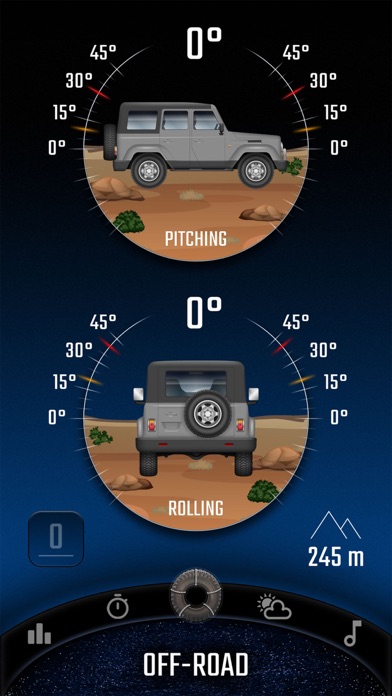
• Off-road. The inclinometer will tell you how much your vehicle is pitch/roll. You can set visual and sound warnings - necessary for driving in rough terrain. In addition, the altitude above sea level is displayed. You can customize the appearance of your vehicle and terrain.
• Statistics. Distance covered, time, average and maximum speed. You can measure all this data for three, independent routes, and then conveniently share with your friends.
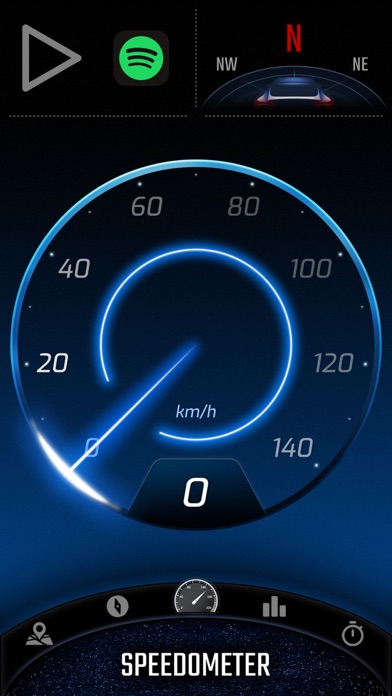
• Speedometer - an eye-catching display of your current speed. In addition, it shows the current speed limit on the road on which you are traveling (beta version).
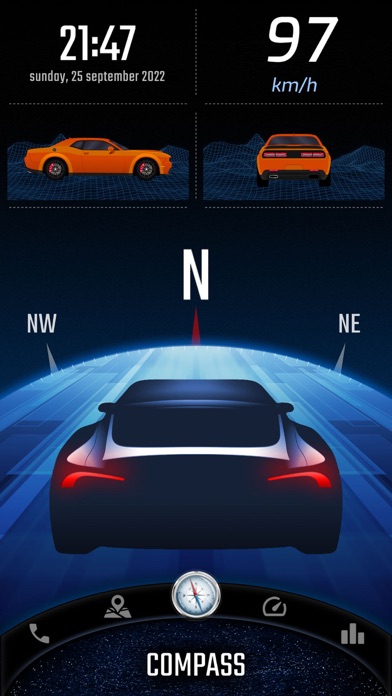
• Compass - a very reliable way (based on GPS coordinates, not a sensor from the device) to show the direction of the vehicle.
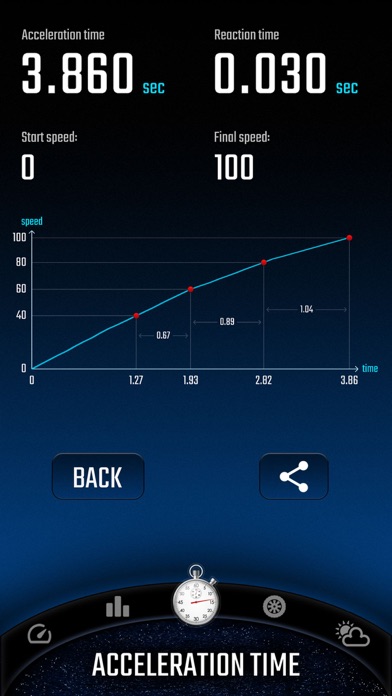
• Acceleration times - with this function you will check the acceleration parameters of your car. You can set any starting and ending speed. During the measurement you will see a graph of the speed to time ratio. An interesting feature is also the measurement of reaction time (the moment of detecting movement from the start signal).
• Speed dial - add your favorite contacts, then make phone calls with one click.
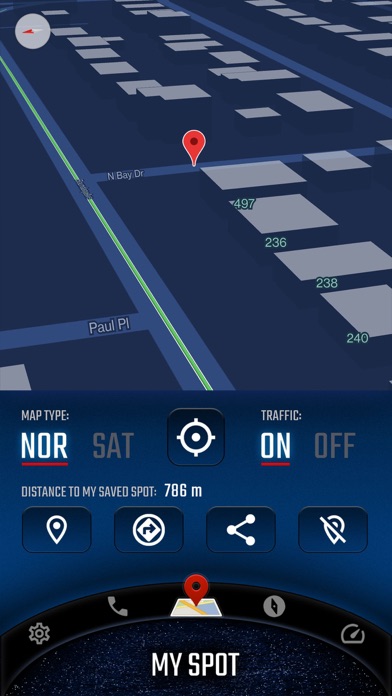
• My place. A map where you can see your current position. You can easily switch between vector view and satellite view (photos) and turn on traffic information. The most important function is to save your current position (or the position selected on the map - by holding the place with your finger for a second). A useful feature to remember the location of your car or a favorite place. Once you save a point, you can very quickly start navigation to that place or share it with friends.
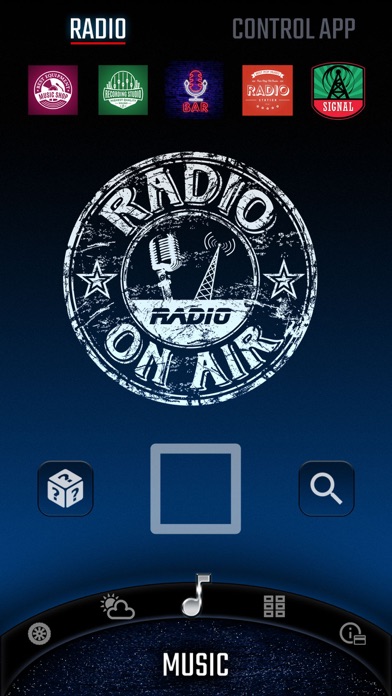
• Internet radio stations from around the world. With one click switch between stations, add them to favorites, search by country or keywords.
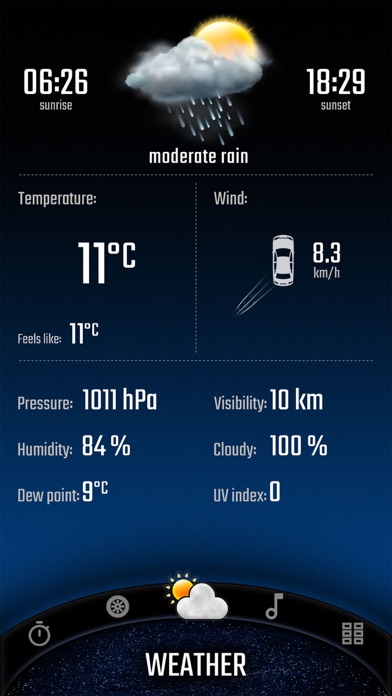
• Current weather that is automatically refreshed based on your location. The most important information for the driver is loaded, including temperature, humidity, cloud cover, visibility and wind direction in relation to the moving car.

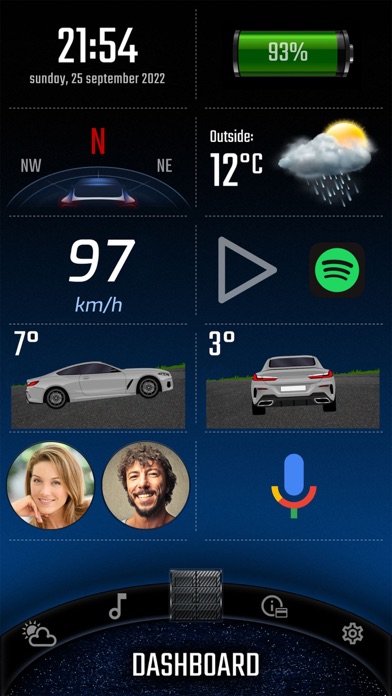
You can add widgets with the most important information on the home screen (main panel), speedometer and compass views:
• Clock (time and date),
• Battery charge status,
• Compass,
• Weather,
• Current speed,
• Tilt (pitching/rolling) of the car,
• Address of the place where you are,
• Information on the distance to the saved location,
• Statistics information,
• Speed dial (phone),
• Altitude above sea level.

Apple Terms of Use (EULA): https://www.apple.com/legal/internet-services/itunes/dev/stdeula/
Official page on the App Store

Safety and technology

Found in the app by AppBrain
Price
Free
App size
43.6 MB
Content rating
Everyone

Technologies used by Digital Cockpit - CARID

Releases

Updates seen on the App Store
Version
1.1.1
Launched
December 2022

No changelog data

Alternatives

Similar apps and more from Miroslaw Kapalka

Alternatives to Digital Cockpit - CARID

iCarMode: Drive Safe Dashboard icon iCarMode: Drive Safe Dashboard
Diego Resnik
4.0
Free
249 ratings
Virtual Dashboard icon Virtual Dashboard
Kevinnovate, LLC
4.5
Free
13 ratings
Overdrive: Car Dashboard icon Overdrive: Car Dashboard
Reed Taylor
5.0
Free
3 ratings
GPS Speedometer: Trip Tracker icon GPS Speedometer: Trip Tracker
Pratixaben Chauhan
4.4
Free
9 ratings
CFSAC (Compass - Speedometer) icon CFSAC (Compass - Speedometer)
Emin Yeritsyan
5.0
Free
4 ratings
RC Spotters icon RC Spotters
Christian Arriola
3.4
Free
5 ratings
Speedometer GPS+ icon Speedometer GPS+
Tigran Mkhitaryan
3.5
Free
2 ratings
Speedometer • icon Speedometer •
UniCom Technology
4.6
Free
1.8K ratings

More from Miroslaw Kapalka

Engines sounds of super cars icon Engines sounds of super cars
Miroslaw Kapalka
4.8
Free
6.9K ratings
Speedometers & Sounds of Cars icon Speedometers & Sounds of Cars
Miroslaw Kapalka
4.7
Free
2.1K ratings
Brain points - Connect & loop icon Brain points - Connect & loop
Miroslaw Kapalka
4.0
Free
48 ratings
Greeting Cards with Wishes icon Greeting Cards with Wishes
Miroslaw Kapalka
4.8
Free
40 ratings
Car's Speedometers & Sounds icon Car's Speedometers & Sounds
Miroslaw Kapalka
3.5
$4.99
8 ratings
Fairy Tales - Stories for Kids icon Fairy Tales - Stories for Kids
Miroslaw Kapalka
4.0
Free
4 ratings
AI Weather Buddy icon AI Weather Buddy
Miroslaw Kapalka
4.2
Free
4 ratings
Blok Ekipa na Rejonie icon Blok Ekipa na Rejonie
Miroslaw Kapalka
4.7
Free
3 ratings

Rankings

App Store top charts

App Store Rankings for Digital Cockpit - CARID

This app is not ranked

About the app and developer

About Digital Cockpit - CARID

Digital Cockpit - CARID is a navigation app developed by Miroslaw Kapalka.

User Ratings

Digital Cockpit - CARID is rated 4.54 out of 5 stars. The rating is based on 65 ratings.

App Information

Digital Cockpit - CARID is freely available from the App Store. The app size is 43.64 MB. The latest version available is 1.1.1. The last update was on October 20, 2025.

Technical Requirements

The app has a content rating of Everyone. The app has been available on the App Store since December 2022.

Developer information for Miroslaw Kapalka

Miroslaw Kapalka

Address:

Share Digital Cockpit - CARID

Today's trending apps Price drops on Google Play Popular Navigation Apps Top new apps Apps other people are watching
iCarMode: Drive Safe Dashboard icon iCarMode: Drive Safe Dashboard
Virtual Dashboard icon Virtual Dashboard
Overdrive: Car Dashboard icon Overdrive: Car Dashboard
GPS Speedometer: Trip Tracker icon GPS Speedometer: Trip Tracker
CFSAC (Compass - Speedometer) icon CFSAC (Compass - Speedometer)
RC Spotters icon RC Spotters
Speedometer GPS+ icon Speedometer GPS+
Speedometer • icon Speedometer •
Overview Alternatives Reviews Rankings Technology
AppBrain Intelligence premium content

Subscribe now to get full and unlimited access to AppBrain Intelligence. You'll have access to:

  • App Intelligence dashboard (performance timeline, competitor comparison, country rankings, insight cards)
  • Detailed ranking data per app
  • Full timeline per developer
  • Device market shares data per country
  • Unlimited keyword tracking
1 Month

$75/mo
(billed every month)

SAVE 0%
Subscribe
3 Months

$65/mo
($195 billed every 3 months)

SAVE 13%
Subscribe
1 Year

$57.50/mo
($690 billed every year)

SAVE 23%
Subscribe
Each subscription will automatically renew 3 days before the expiration date for the same time period. Subscriptions can be cancelled at any time before the renewal.

AppBrain is an app data site, we track rankings, ratings, installs for all apps and games on Google Play and the App Store. AppBrain doesn't host app files or APKs, all install links go directly to the official store. All trademarks are owned by their respective owners. As an Amazon Associate AppBrain earns from qualifying purchases.

More apps

  • Top Android apps being viewed
  • Flick Soccer 25 Android App
  • Real Car Rushing
  • Random Dice 2

App statistics

  • Android statistics
  • Google Play Developer stats
  • Trending Android Apps
  • Trending iOS apps
  • Top popular Apps
  • Buy the best Android phone
  • Buy & sell app businesses

About AppBrain

  • Contact
  • Privacy
  • Documentation
  • DMCA takedowns
  • Articles
  • Blog
  • How to improve the earnings of your ad units
© 2010-2026 - AppBrain