Diktera: Lectures & Meetings is made and published by
Ripudaman singh khurana.
AppBrain is an independent app data site and isn't affiliated with Ripudaman singh khurana.
The app name, icon, screenshots and description belong to Ripudaman singh khurana and are shown as
published on the App Store.
About Diktera: Lectures & Meetings
Diktera: Lectures & Meetings is a productivity app developed by Ripudaman singh khurana.
User Ratings
The app has no ratings yet.
App Information
Diktera: Lectures & Meetings is freely available from the App Store. The app size is 44.42 MB. The latest version available is 1.4.2. The last update was on August 17, 2026.
Technical Requirements
The app has a content rating of Everyone. The app has been available on the App Store since June 2026.
Description by Ripudaman singh khurana(from the App Store)
You followed about half of that lecture. Diktera gives you the rest, in text. Swedish or English, on your own device.
Speech becomes text on your own iPhone, iPad or Mac — Swedish or English. No account, no upload, no server, because there isn't one.
WHEN LISTENING AND WRITING AT THE SAME TIME IS HARD
Some people can take notes and follow along at once. Plenty of us can't — because the lecture is in a language you're still learning, because writing quickly is hard, or because keeping up while listening simply doesn't work that way for you.
Diktera doesn't ask you to do both. Listen, and read it back afterwards at your own pace — lecture, meeting or interview.
HOW IT WORKS
Hit record and watch the text build as the lecturer speaks. Lock the screen, put the phone in your bag, switch to your notes app — the recording keeps going and the transcript catches up when you come back. Record up to 45 minutes, depending on your device.
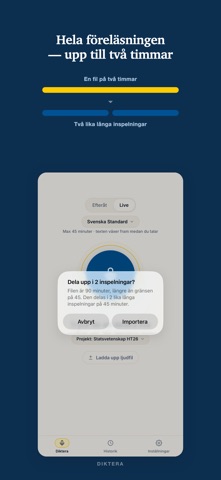
Already have the audio? Bring it in from Voice Memos, Files, or wherever it lives. M4A, MP3, AAC and WAV — full lectures up to two hours, which the app offers to split into parts.
SWEDISH AND ENGLISH — AND SWEDISH DONE PROPERLY
Swedish lecture in the morning, English seminar in the afternoon. Pick the model and go — switching takes one tap.
Where Diktera pulls ahead is Swedish. Most transcription apps run one international model across a hundred languages and treat Swedish as one of them. Diktera runs a model built for Swedish. You notice it on names, places and course-specific vocabulary — exactly the words you can't reconstruct afterwards.
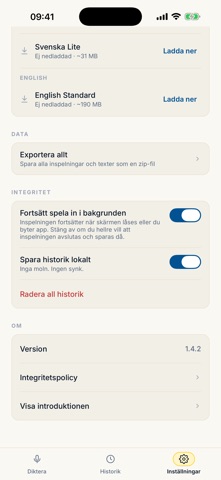
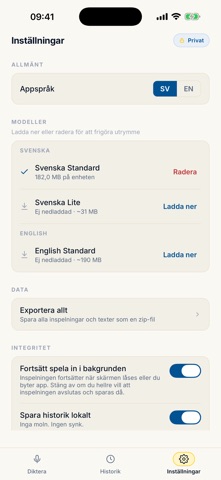
Three models, downloaded once, yours to choose: - Svenska Standard — best Swedish accuracy - Svenska Lite — fast and small, for short quick notes (lower accuracy on longer recordings) - English Standard — for English lectures, meetings and recordings
After the download, the app works in airplane mode.
NOTHING GETS LOST
Phone call halfway through? Battery gone? The audio is still there. One tap finishes the transcript.
FEATURES
- Live text while you record - Keeps recording with the screen locked or another app open — in both modes - Pause and resume mid-recording — in both modes - Rename recordings - Import audio files, and tap any sentence to hear it - Projects — group recordings by course, client or case - Share one transcript, or export everything as a zip to Files, iCloud Drive or Google Drive - Transcribes both Swedish and English - Interface in English or Swedish, following your device - iPad: runs in Split View next to your notes, with a discreet mode that hides the transcript on screen while recording continues - Mac: runs on Apple silicon Macs (microphone input)
PRIVACY YOU CAN CHECK, NOT PRIVACY YOU'RE PROMISED
Your audio and your transcripts stay on the device. There is no server to send them to, so there is nothing to take on trust. That is why the App Store privacy label reads "Data Not Collected", and why the app works with no connection at all.
It also means you can record the things you are not allowed to put in a cloud service.
Each subscription will automatically renew 3 days before the expiration date for
the same time period. Subscriptions can be cancelled at any time before the renewal.