

AppBrain's verdict
Established- Rating on App Store
- 3.00
- 1 ratings
- Last updated
- November 27, 2020
- Size
- 251.8 MB
It doesn't have enough ratings yet to judge what users think.
User feedback
Ratings and reviews on the App StoreComments on DimensionPlayer for iOS
We don't have enough comments to show example comments. Please check back later.
Store listing
By L.A.B Inc., from the App StoreDescription by L.A.B Inc. Written by the developer, not by AppBrain. Click to read.
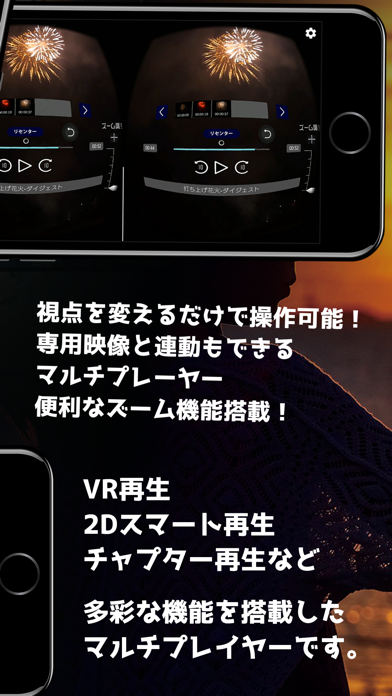
Operation is possible from the viewpoint! You can also synchronize dedicated video and goods.
It is a multiplayer equipped with various functions such as VR, 2D smart, and chapter playback.
Please be sure to connect to WiFi when watching because there is much data capacity.
If you open the menu in 2D
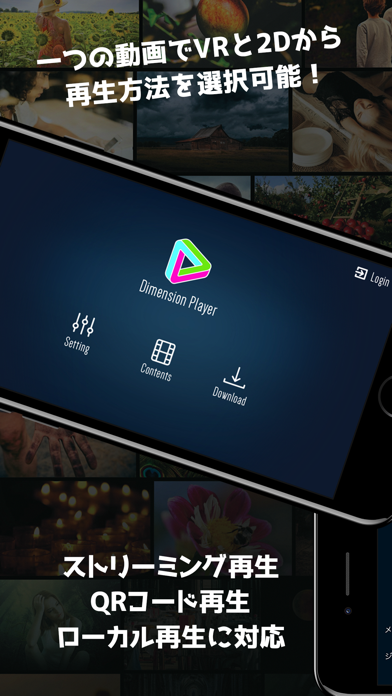
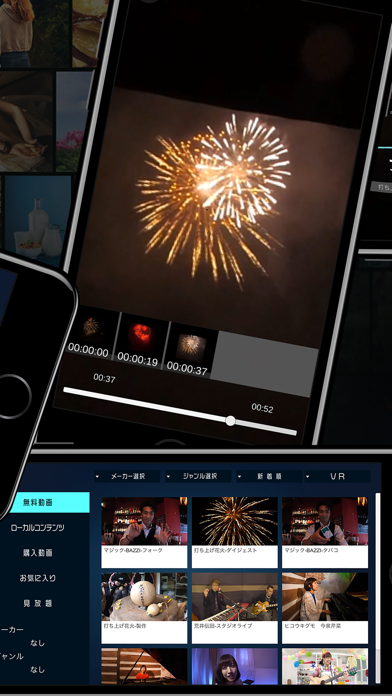
Free streaming videos, purchased videos, subscription video, will be played online streaming, local content can play videos transferred to the smartphone itself.
If you open the menu in 3D
Please adjust the viewpoint to each button and operate.
Video playback
VR playback
・Tap the screen to play the video and then attach it to the goggles. You can operate it just by changing the viewpoint and putting the pointer on the button when the video starts
・If you tap the head mount control panel during playback, the control panel appears. Please adjust the viewpoint to each button and operate.
・Jump to the scene when you put the viewpoint on the thumbnail image
・When returning to the list, please adjust the viewpoint to the return mark on the seek bar.
・Enlargement, reduction, left/right adjustment are also possible!
2D smart playback
・VR videos can also be played back as 2D.
・Just tap the thumbnail to play the scene.
・If you change the direction of the smartphone vertically and horizontally, it will be automatically resized.
Favorite
・If you register as a favorite on the site equipped with this function and log in with the account you used, the favorite video on the site will be displayed.
・You can't play about videos that have not been purchased. Or you will get an error message.
・You can operate only on the site for canceling the favorites, but not in the dimension player.
Subscription video
・If you log in with an account that has a subscription on the registered site, videos will be displayed on "Subscription Video".
・Maker/Category selection, switching between 2D video and VR video is possible.
Maker/Category selection
・Select maker/category selection at the top of the video list. If you select your favorite maker/category, it will return to the video list.
・The currently selected maker/category is displayed at the bottom left.
・You can reset the selected maker/category at the top left of the menu "cancel the search criteria".
Local content
・Download the purchased video to your PC.
・Connect your smartphone and PC to transfer videos to the video folder in the smartphone.
・Launch the Dimension Player and select "Local Content" from "Contents" to view it.
・Support MP4 format ※ CODEC depends on the model used.
・Long press the file to delete it.
・Device interlocking is connected to an external device with "SEARCH" button from "Peripheral device" in the main menu "Setting".
・It is recommended that you turn off the power if there is a Bluetooth compatible device other than the device you want to connect.
・Requires a device compatible with Bluetooth and a dedicated video. Please check each site for details.
・Please turn on the Bluetooth setting of the main unit.
・If you don't connect well, please confirm that the Dimension Player is turned on from the authority "location information" of the smartphone setting application.
・You can delete videos displayed in local content by long press.
QR code reading
・If the camera does not start, please confirm that the Dimension Player is turned on from the authority "Camera" of the smartphone setting application.
URL download
・Select "URL" from the main menu "Download".
・Please long-press the file you want to download on the product page or download page of the site where you purchased the product and copy the URL. The download starts when the URL starts with "http//…" and the "DONE" button is pressed.
About contact
Please contact us with detailed information such as smartphone model, file name, file type from the following URL.
https://4dch.com/help_inq_form.php
L.A.B Inc
Safety and technology
Found in the app by AppBrain- Price
- Free
- App size
- 251.8 MB
- Content rating
- Everyone
Technologies used by DimensionPlayer
Releases
Updates seen on the App Store- Version
- 1.21
- Launched
- May 2019
No changelog data
Alternatives
Similar apps and more from L.A.B Inc.





Rankings
App Store top chartsApp Store Rankings for DimensionPlayer
About the app and developer
About DimensionPlayer
DimensionPlayer is an entertainment app developed by L.A.B Inc.
User Ratings
DimensionPlayer is rated 3.00 out of 5 stars. The rating is based on one rating ratings.
App Information
DimensionPlayer is freely available from the App Store. The app size is 251.82 MB. The latest version available is 1.21. The last update was on November 27, 2020.
Technical Requirements
The app has a content rating of Everyone. The app has been available on the App Store since May 2019.
DimensionPlayer is made and published by L.A.B Inc. AppBrain is an independent app data site and isn't affiliated with L.A.B Inc. The app name, icon, screenshots and description belong to L.A.B Inc. and are shown as published on the App Store.
Developer information for L.A.B Inc.
Address: