
Dimmer -Adjust LCD brightness-
Dimmer -Adjust LCD brightness- is made and published by newforestar co,.ltd. AppBrain is an independent app data site and isn't affiliated with newforestar co,.ltd. The app name, icon, screenshots and description belong to newforestar co,.ltd and are shown as published on the App Store.
AppBrain's verdict
EstablishedPoorly rated- Rating on App Store
- 2.74
- 405 ratings
- Last updated
- June 5, 2023
- Size
- 7.79 MB
Users are critical: 2.7 stars from 405 ratings.
User feedback
Ratings and reviews on the App StoreComments on Dimmer -Adjust LCD brightness- for iOS
We don't have enough comments to show example comments. Please check back later.
Store listing
By newforestar co,.ltd, from the App Store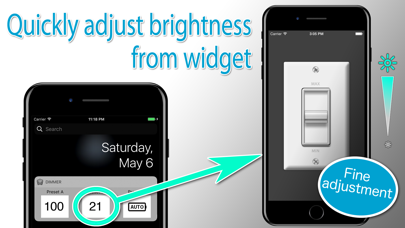
Description by newforestar co,.ltd Written by the developer, not by AppBrain. Click to read.
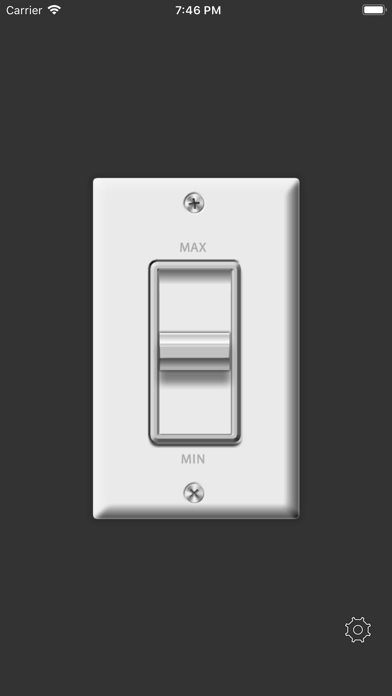
iPhone back light can be adjusted in favorite luminosity very quickly.
You can start it with the brightness specified by a shortcut from the widget.
Because your iPhone life becomes comfortable ”epoch-makingly".
*** Convenient features ***
● Launch from widget
You can add brightness presets to widgets.You can quickly access presets with fine brightness.
Register a preset in advance from the application, then "Edit" on the widget screen, register the “Dimmer" application from the + button, and you are done.
●Advanced Mode
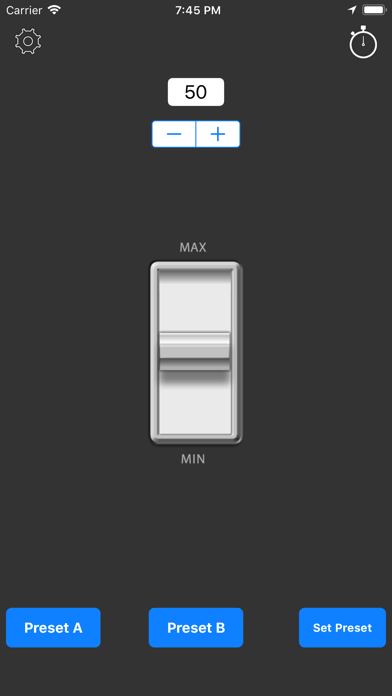
Advanced mode can perform preset function, numerical value fine adjustment and Timer function.
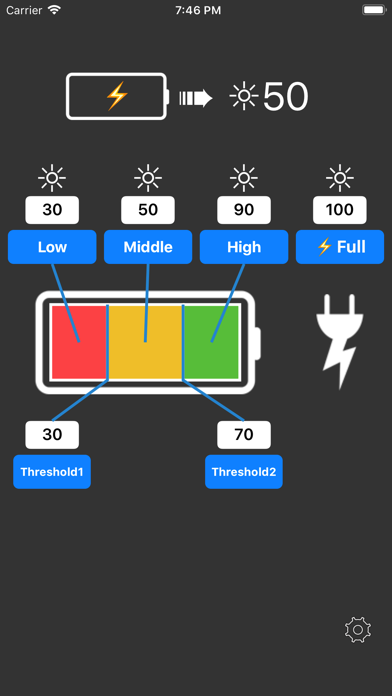
● Battery mode
Automatically adjusts to the preset brightness according to the current battery level.
Fine pre-adjustment is possible, such as maximum brightness while charging and re-low brightness when the battery level is low.
Combined use with widgets makes it even more convenient!
●Preset function
Two presets, Preset A and Preset B, can be stored.
●Timer function
When the set time elapses, there is an alarm notification, and when you tap on the notification you can set the brightness preset.
●Color bars function
Displays a color bar in the background for brightness adjustment.
●Start & Preset Function
Upon application startup, the screen brightness is set to the value set in Preset A.
●Start & Preset A ◀▶ B
For example, if you set a high brightness for Preset A and a low brightness for Preset B, each time the application is launched, it will switch between Preset A>B>A>B, which is useful when temporarily brightening or dimming the screen.
※If you have the iOS setting automatic and make a setting change through this app, it reverts back to automatic iOS setting once you sleep/wake.
--- URL schema ---
brightness://brightness.newforestar.com?XXX (brightness 0~100)
Safety and technology
Found in the app by AppBrain- Price
- Free
- App size
- 7.79 MB
- Content rating
- Everyone
Technologies used by Dimmer -Adjust LCD brightness-
Releases
Updates seen on the App Store- Version
- 2.2
- Launched
- October 2011
No changelog data
Alternatives
Similar apps and more from newforestar co,.ltdAlternatives to Dimmer -Adjust LCD brightness-


More from newforestar co,.ltd



Rankings
App Store top chartsApp Store Rankings for Dimmer -Adjust LCD brightness-
About the app and developer
About Dimmer -Adjust LCD brightness-
Dimmer -Adjust LCD brightness- is an utilities app developed by newforestar co,.ltd.
User Ratings
Dimmer -Adjust LCD brightness- is rated 2.74 out of 5 stars. The rating is based on 410 ratings.
App Information
Dimmer -Adjust LCD brightness- is freely available from the App Store. The app size is 7.79 MB. The latest version available is 2.2. The last update was on June 5, 2023.
Technical Requirements
The app has a content rating of Everyone. The app has been available on the App Store since October 2011.
Developer information for newforestar co,.ltd
Address: