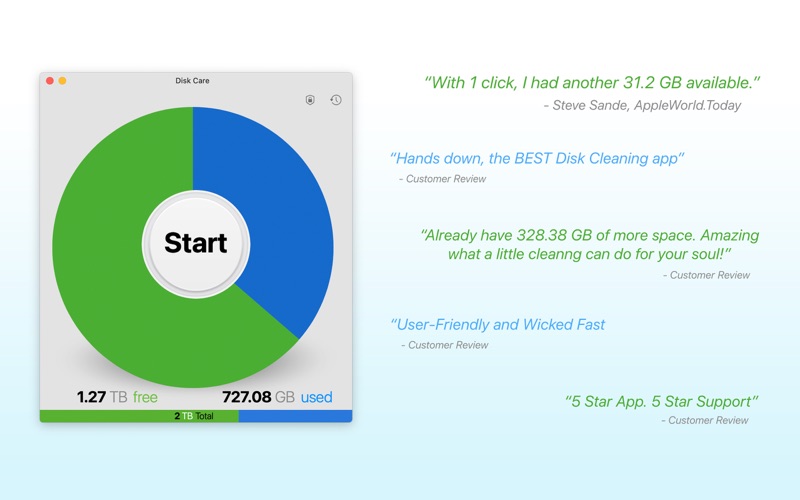
Disk Care: Drive Space Cleaner is an overall app developed by Appgrammers LLC.
How many times has Disk Care: Drive Space Cleaner been downloaded?
What is the rating of Disk Care: Drive Space Cleaner?
Disk Care: Drive Space Cleaner has no ratings yet.
Is Disk Care: Drive Space Cleaner free?
Disk Care: Drive Space Cleaner is free to download. The APK download size is 23.73 MB. The latest version available is 3.0.2. The last update was on May 11, 2021.
What are the requirements for Disk Care: Drive Space Cleaner?
The app has a content rating of Everyone. The app has been available on Google Play September 2014.
Description
*** #1 DISK CLEANER APP *** Apple: Apps We Love
This 5-star app has saved thousands of people space on their drive - The reviews are in and they are unanimously positive!
"Within a minute I had found an additional 31.34 GB to delete." - Engadget - Steve Sande "Featuring a clean, minimalistic interface that looks like it was created by Apple’s own design team, Disk Care is incredibly easy to use. It’s also very powerful." - AppAdvice - Bryan Wolfe "Disk Care is just about cleaning up space on your hard drive and it does so as simply as possible." - LifeHacker - Thorin Klosowski
Most powerful and beautiful disk space saving app on the Mac app store. Time to find you much needed space on your drive.
Clean & create gigabytes of unneeded and unwanted files on your drive in a few clicks.
- Disk Care optimizes the following folders: • App Hidden Support Files • Cache • App Logs • Messages Attachments • iOS Updates • iOS Backups • Downloads • Mail Downloads • Browser Data • Trash • Developer
- In addition, in one click, view Large Files over 100 MB organized by largest to smallest. • Built-in theater to view file selected • Add any large files to clear space
- Also delete any Application and its annoying Supporting Files everywhere
- Exclude items or folders • To make sure you never delete an item or a folder, in Preferences, add excluded items. • Excluded items will not be listed in the Large Files view. • Excluded items will not be deleted if they are in a folder listed above.
- Schedule Cleanings • Choose days of the weekly or every certain number of days to auto-open Disk Care to clean. App WILL NOT auto-delete, just auto-open
- Lock Disk Care • Lock the app just incase someone accidentally opens the app and doesn't know what they are doing.
- New macOS inspired interface - incredibly simple and powerful. • Optimized for Apple Silicon
- Tutorial and warning before cleaning your drive • Don't be scared, we guide you through everything that's happening and warn you before cleaning your drive. You can opt out of viewing the tutorial but not the warning before cleaning your drive.
Note: Please, please, please backup your drive just incase you accidentally remove files you wish you didn't. There is no way to undo once you clean your drive.
Each subscription will automatically renew 3 days before the expiration date for
the same time period. Subscriptions can be cancelled at any time before the renewal.