
Docs² | for Microsoft Office
Docs² | for Microsoft Office is made and published by Docs Squared, LLC. AppBrain is an independent app data site and isn't affiliated with Docs Squared, LLC. The app name, icon, screenshots and description belong to Docs Squared, LLC and are shown as published on the App Store.
AppBrain's verdict
EstablishedLoved by users- Rating on App Store
- 4.55
- 691 ratings
- Last updated
- March 7, 2018
- Size
- 83.1 MB
Users love it: 4.6 stars from 691 ratings. Its best ranking is #24 in Top Paid, Business in Indonesia.
User feedback
Ratings and reviews on the App StoreComments on Docs² | for Microsoft Office for iOS
We don't have enough comments to show example comments. Please check back later.
Store listing
By Docs Squared, LLC, from the App Store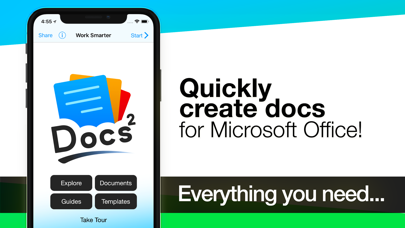
Description by Docs Squared, LLC Written by the developer, not by AppBrain. Click to read.
• Start working smarter, online and on the go with the Office apps that you know and love.
• Quickly create Microsoft Word, Excel and PowerPoint documents, or email with Outlook.
• Complete with the best documents, guides and templates for Office.
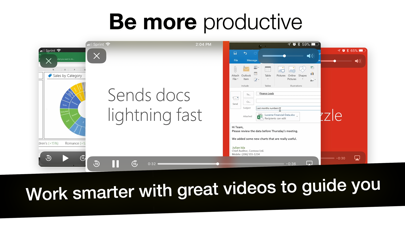
Get Docs² for everything you need to begin quickly creating Microsoft Office docs! Work smarter with great videos to guide you through the essentials, a convenient document browser to edit online and on the go with your favorite apps, plus free templates to help you create beautiful docs. All together in the smartest bundle for Microsoft Office!
FEATURES
– Explore the essentials of Microsoft Office with helpful videos & content to guide you.
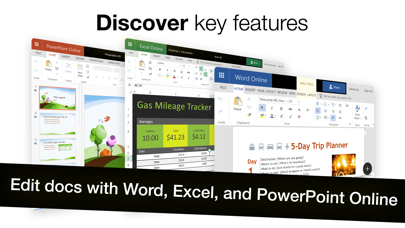
– Create and share docs online with convenient shortcuts for your favorite Office apps, including:
–– Word, Excel, PowerPoint, Outlook, OneNote & OneDrive.
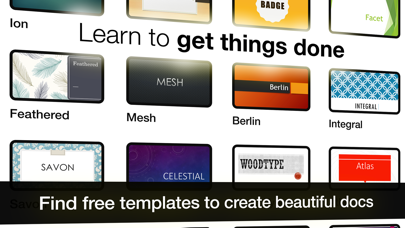
– Discover free templates to create beautiful documents.
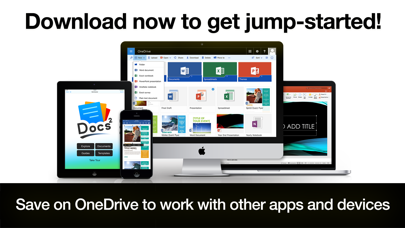
– Save docs offline or in OneDrive to work with other apps and devices.
QUICKLY LEARN TO:
– Create Word, Excel and PowerPoint documents.
– Update your calendar and manage mail with Outlook.
– Edit and add comments to documents.
– Save, print, publish and share documents.
– Add charts, pictures, animations and effects.
– Insert a table of contents, headers, and footers.
– Create and print custom labels and PDFs.
– Work with documents while on the go.
– And so much more...
DEVELOP YOUR SKILLS WITH THE BEST DOCUMENT BROWSER
– Enjoy streamlined steps to work with documents in OneDrive.
– Work with the most popular document types and formats.
– Avoid frustrating file incompatibility, and "View Only" headaches of other apps.
– Secure your files with Face ID, Touch ID, or passcode.
– Type what you want to do, and the new Tell Me feature will show you how!
SAVE YOUR WORK ONLINE FOR USE ACROSS YOUR DEVICES
– Because working without the cloud is so 1999...
– Simply save your files to OneDrive to edit them everywhere.
– Automatically sync documents for use across your devices.
– Easily share your documents with friends and colleagues.
– Enjoy greater freedom with online and mobile editing.
EXPLORE HUNDREDS OF PROFESSIONAL QUALITY TEMPLATES
– Browse a free treasure trove of time saving templates.
– Select the perfect layout or theme, and edit online or save offline.
– Start creating beautiful documents in no time!
LEARN FROM THE MASTERS
– The included guides show you everything you need to be more productive, discover key features, and learn to get things done fast.
Download now to get jump-started!
____________
NOTICE: Microsoft Office 365, Word, Excel, PowerPoint, Outlook, OneNote, and OneDrive are property or trademarks of Microsoft Corporation. Docs² is a property and trademark of Docs Squared, and is neither produced by, endorsed by, nor affiliated with Microsoft Corporation. Access to Microsoft Office functionality and templates is available for free through Microsoft Office Online, or you can work offline with even more features via an Office 365 trial subscription. © 2013-2018 Docs Squared, LLC. All rights reserved.
Safety and technology
Found in the app by AppBrain- Price
- $9.99
- App size
- 83.1 MB
- Content rating
- Everyone
Technologies used by Docs² | for Microsoft Office
Releases
Updates seen on the App Store- Version
- 5.0
- Launched
- December 2013
No changelog data
Alternatives
Similar apps and more from Docs Squared, LLCAlternatives to Docs² | for Microsoft Office



More from Docs Squared, LLC
Rankings
App Store top charts- Highest rank
- #24
- Chart
- Top Paid
- Business
- Country
- Indonesia
App Store Rankings for Docs² | for Microsoft Office
Top rankings
| Rank | Country | Category | List |
|---|---|---|---|
| 24 | Indonesia | Business | Top Paid |
| 24 | Saudi Arabia | Business | Top Paid |
| 29 | Finland | Business | Top Paid |
| 31 | Slovakia | Business | Top Paid |
| 63 | Canada | Business | Top Paid |
| 63 | France | Business | Top Paid |
| 32 | Mexico | Business | Top Paid |
| 35 | India | Business | Top Paid |
| 41 | Belgium | Business | Top Paid |
| 41 | Portugal | Business | Top Paid |
Ranking history in Indonesia
About the app and developer
About Docs² | for Microsoft Office
Docs² | for Microsoft Office is a business app developed by Docs Squared, LLC.
What is the rating of Docs² | for Microsoft Office?
Docs² | for Microsoft Office is rated 4.55 out of 5 stars, based on 690 ratings.
Is Docs² | for Microsoft Office free?
Docs² | for Microsoft Office costs $9.99. The app size is 83.09 MB. The latest version available is 5.0. The last update was on March 7, 2018.
What are the requirements for Docs² | for Microsoft Office?
The app has a content rating of Everyone. The app has been available on the App Store since December 2013.
Developer information for Docs Squared, LLC
Address:
Frequently asked questions about Docs² | for Microsoft Office
Is Docs² | for Microsoft Office free?
No. Docs² | for Microsoft Office costs $9.99 on the App Store.
Is Docs² | for Microsoft Office still available?
Yes. Docs² | for Microsoft Office is on the App Store, and the last update we saw was on March 7, 2018.
How large is Docs² | for Microsoft Office?
Docs² | for Microsoft Office is 83.09 MB.
Is Docs² | for Microsoft Office suitable for children?
App Store rates the content of Docs² | for Microsoft Office as suitable for everyone.
How do people rate Docs² | for Microsoft Office?
Docs² | for Microsoft Office scores 4.55 out of 5 stars, from 691 ratings on the App Store.
Who made Docs² | for Microsoft Office?
Docs² | for Microsoft Office was developed by Docs Squared, LLC. It is listed in the business category on the App Store.
What are the best alternatives to Docs² | for Microsoft Office?
People looking at Docs² | for Microsoft Office also look at these business apps: File Manager - Folder Plus, stock-crypto-predictor, Attendant Pro for Zoom, Ewing Oil, Documents Pro.