

Doculla: AI Document Scanner
Doculla: AI Document Scanner is made and published by Philipp Baldauf. AppBrain is an independent app data site and isn't affiliated with Philipp Baldauf. The app name, icon, screenshots and description belong to Philipp Baldauf and are shown as published on the App Store.
AppBrain's verdict
- Last updated
- September 8, 2026
Rankings
App Store top chartsApp Store Rankings for Doculla: AI Document Scanner
Competitors
Similar apps and more from Philipp BaldaufAlternatives to Doculla: AI Document Scanner





More from Philipp Baldauf





Releases
Updates seen on the App Store- Version
- 2.0.0
- Launched
- November 2024
No changelog data
User feedback
Ratings and reviews on the App StoreComments on Doculla: AI Document Scanner for iOS
We don't have enough comments to show example comments. Please check back later.
Technology
Found in the app by AppBrain- Price
- Free
- App size
- 12.0 MB
- Content rating
- Everyone
Technologies used by Doculla: AI Document Scanner
About the app and developer
About Doculla: AI Document Scanner
Doculla: AI Document Scanner is an utilities app developed by Philipp Baldauf.
What is the rating of Doculla: AI Document Scanner?
Doculla: AI Document Scanner has no ratings yet.
Is Doculla: AI Document Scanner free?
Doculla: AI Document Scanner is free. The app size is 11.97 MB. The latest version available is 2.0.0. The last update was on September 8, 2026.
What are the requirements for Doculla: AI Document Scanner?
The app has a content rating of Everyone. The app has been available on the App Store since November 2024.
Developer information for Philipp Baldauf
Address:
Frequently asked questions about Doculla: AI Document Scanner
Is Doculla: AI Document Scanner free?
Yes. Doculla: AI Document Scanner is free on the App Store.
Is Doculla: AI Document Scanner still available?
Yes. Doculla: AI Document Scanner is on the App Store, and the last update we saw was on September 8, 2026.
How large is Doculla: AI Document Scanner?
Doculla: AI Document Scanner is 11.97 MB.
Is Doculla: AI Document Scanner suitable for children?
App Store rates the content of Doculla: AI Document Scanner as suitable for everyone.
Who made Doculla: AI Document Scanner?
Doculla: AI Document Scanner was developed by Philipp Baldauf. It is listed in the utilities category on the App Store.
What are the best alternatives to Doculla: AI Document Scanner?
People looking at Doculla: AI Document Scanner also look at these utilities apps: GPS Phone Locator: FamLocate, Cryptnox: FIDO2 Card Manager, TidySpace: Links, Photos, Docs, Summify - AI Text Summary, Dubbing AI Video Translator.
Store listing
By Philipp Baldauf, from the App Store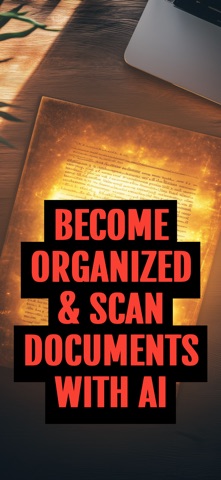

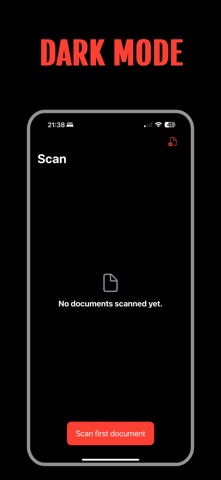
Description by Philipp Baldauf Written by the developer, not by AppBrain. Click to read.
With Doculla’s AI-powered scanner, scanning documents has never been easier. Whether you need to scan business reports, academic papers, or receipts, our high-quality scan capabilities capture every detail with clarity. The mobile scanner allows you to scan documents on the go, perfect for professionals, students, and anyone needing efficient document management from anywhere.
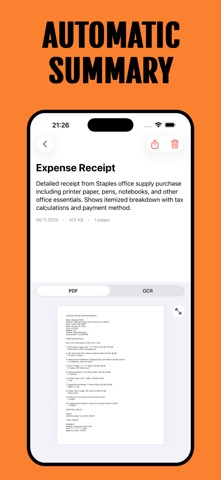
Create PDFs seamlessly with Doculla’s intuitive interface. Our PDF scanner converts your scanned documents into high-quality PDFs and offers powerful OCR scanner technology to extract and edit text from images or documents. Say goodbye to manual typing—Doculla automates the process, saving you time.
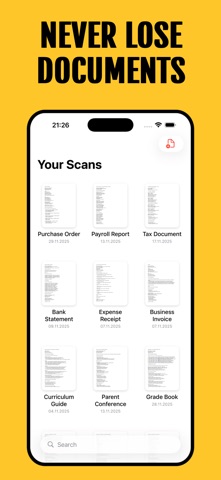
Doculla excels in document scanning and organizing by automatically naming your files with accurate and descriptive titles. Whether you’re digitizing invoices, contracts, or school assignments, Doculla keeps your files organized and accessible.
Export PDF files effortlessly to cloud services or share them directly from the app. With secure cloud sync, your documents are safe and accessible across all your devices. Doculla’s robust security measures protect your information, giving you peace of mind.
Key Features:
- AI-Powered Scanner: Fast and accurate document scanning with AI.
- High-Quality Scan: Capture details with crystal-clear scans.
- PDF Scanner: Convert documents into high-quality PDFs.
- OCR Scanner: Extract and edit text effortlessly.
- Organize Documents: Automatically name and categorize your files.
- Mobile Scanner: Scan documents anytime, anywhere.
- Create PDFs: Generate professional PDFs easily.
- Export PDF Files: Share or store PDFs securely.
- Secure Cloud Sync: Keep documents synchronized across devices.
Why Choose Doculla?
Doculla is more than just a document scanner—it’s a comprehensive solution for all your document management needs. Combining AI with user-friendly features, Doculla simplifies your workflow, allowing you to focus on what truly matters.
Use Cases:
- Professionals: Organize business reports and contracts with ease.
- Students: Manage class notes and assignments effortlessly.
- Home Users: Track receipts and personal documents securely.
- Freelancers: Manage client documents efficiently.
- Researchers: Organize and summarize lengthy articles.
Experience the future of scanning and organization today!
Download Doculla now and take control of your documents with the most advanced AI-powered scanner. Simplify your workflow, save time, and enjoy a clutter-free digital workspace. Start organizing your documents smarter with Doculla!
Payment and subscriptions
After the trial period, payment will be charged to your Apple Account. Subscriptions automatically renew unless auto-renew is turned off at least 24-hours before the end of the current period. If you do not turn off auto-renew, your account will be charged for renewal within 24-hours prior to the end of the current period. Cancellation of the current subscription during the active period is not possible.
You can read more about our terms and conditions here: https://philippbaldauf.com/terms
And about our privacy policy here: https://philippbaldauf.com/privacy