

Document Signer: SimpleSign
Document Signer: SimpleSign is made and published by Zion Studios LLC. AppBrain is an independent app data site and isn't affiliated with Zion Studios LLC. The app name, icon, screenshots and description belong to Zion Studios LLC and are shown as published on the App Store.
AppBrain's verdict
- Rating on App Store
- 4.65
- 26 ratings
- Last updated
- February 7, 2026
It doesn't have enough ratings yet to judge what users think.
Rankings
App Store top chartsApp Store Rankings for Document Signer: SimpleSign
Competitors
Similar apps and more from Zion Studios LLCAlternatives to Document Signer: SimpleSign



More from Zion Studios LLC


Releases
Updates seen on the App Store- Version
- 1.3.2
- Launched
- May 2024
No changelog data
User feedback
Ratings and reviews on the App StoreComments on Document Signer: SimpleSign for iOS
We don't have enough comments to show example comments. Please check back later.
Technology
Found in the app by AppBrain- Price
- Free
- App size
- 47.2 MB
- Content rating
- Everyone
Technologies used by Document Signer: SimpleSign
About the app and developer
About Document Signer: SimpleSign
Document Signer: SimpleSign is a productivity app developed by Zion Studios LLC.
What is the rating of Document Signer: SimpleSign?
Document Signer: SimpleSign is rated 4.65 out of 5 stars, based on 26 ratings.
Is Document Signer: SimpleSign free?
Document Signer: SimpleSign is free. The app size is 47.23 MB. The latest version available is 1.3.2. The last update was on February 7, 2026.
What are the requirements for Document Signer: SimpleSign?
The app has a content rating of Everyone. The app has been available on the App Store since May 2024.
Developer information for Zion Studios LLC
Address:
Frequently asked questions about Document Signer: SimpleSign
Is Document Signer: SimpleSign free?
Yes. Document Signer: SimpleSign is free on the App Store.
Is Document Signer: SimpleSign still available?
Yes. Document Signer: SimpleSign is on the App Store, and the last update we saw was on February 7, 2026.
How large is Document Signer: SimpleSign?
Document Signer: SimpleSign is 47.23 MB.
Is Document Signer: SimpleSign suitable for children?
App Store rates the content of Document Signer: SimpleSign as suitable for everyone.
How do people rate Document Signer: SimpleSign?
Document Signer: SimpleSign scores 4.65 out of 5 stars, from 26 ratings on the App Store.
Who made Document Signer: SimpleSign?
Document Signer: SimpleSign was developed by Zion Studios LLC. It is listed in the productivity category on the App Store.
What are the best alternatives to Document Signer: SimpleSign?
People looking at Document Signer: SimpleSign also look at these productivity apps: eSign - Easy Sign Documents, Find Bluetooth: Device Locator, Router Admin Wifi Analyzer, Union Alert, DocuScan - AI Document Scanner.
Store listing
By Zion Studios LLC, from the App Store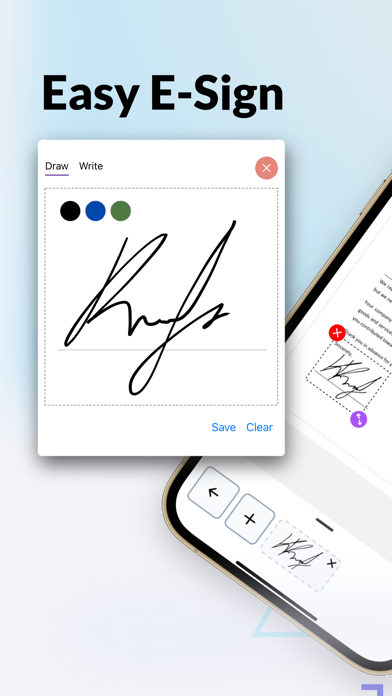


Description by Zion Studios LLC Written by the developer, not by AppBrain. Click to read.
Effortless Document Signing and Editing
SimpleSign simplifies the process of signing documents electronically. With a user-friendly interface and intuitive design, you can sign PDFs and image files seamlessly. Utilize the free e-signature feature to sign documents quickly and securely. For full access to premium tools, templates, and advanced editing features, an upgrade to SimpleSign Pro is available.
Versatile Editing Tools
Enhance your documents with multiple editing tools available in SimpleSign. Customize texts, import images, add checkboxes, and insert initials wherever necessary. Some advanced editing features require a Pro subscription.
Comprehensive Document Management
Manage your documents effectively with SimpleSign’s integrated features. Use the free camera scanner to capture physical documents and convert them into digital files. Organize your documents within the app, making it easy to access and retrieve important information. Pro users can unlock additional tools for improved workflow efficiency.
Ready-to-Use Templates
Save time with SimpleSign’s extensive library of templates. Choose from over 15+ pre-designed templates for contracts, forms, and more. Some templates are available for free, while premium templates require a Pro subscription.
Secure and Private
Rest assured that your documents are secure with SimpleSign’s local storage feature. No account is required to start signing. Your documents remain on your device for maximum privacy.
Integration and Google Drive Syncing
With its brand new feature, SimpleSign can now backup all your scanned and signed documents with the connection of your Google account. It seamlessly integrates with your workflow giving you the ability to never loose your documents and easily recover them to a new phone!
Upgrade to SimpleSign Pro
Unlock premium features with a SimpleSign Pro subscription, including:
- Access to all templates
- Advanced editing tools
- Unlimited document storage
- Priority support
- More customization options
SimpleSign Pro offers a 3-day free trial for new users, followed by a paid subscription.
Privacy Policy: https://sites.google.com/view/simplesign/privacy-policy
Terms of Use: https://sites.google.com/view/simplesign/terms-conditions
Support: zionstudiosapps@gmail.com
All rights reserved, Zion Studios LLC, 2024