

Documint
Documint is made and published by Edwing H Santos Mena. AppBrain is an independent app data site and isn't affiliated with Edwing H Santos Mena. The app name, icon, screenshots and description belong to Edwing H Santos Mena and are shown as published on the App Store.
AppBrain's verdict
- Rating on App Store
- 5.00
- 3 ratings
- Last updated
- November 24, 2025
It doesn't have enough ratings yet to judge what users think.
Rankings
App Store top chartsApp Store Rankings for Documint
Competitors
Similar apps and more from Edwing H Santos MenaAlternatives to Documint


More from Edwing H Santos Mena






Releases
Updates seen on the App Store- Version
- 2.0.0
- Launched
- September 2025
No changelog data
User feedback
Ratings and reviews on the App StoreComments on Documint for iOS
We don't have enough comments to show example comments. Please check back later.
Technology
Found in the app by AppBrain- Price
- Free
- App size
- 11.9 MB
- Content rating
- Everyone
Technologies used by Documint
About the app and developer
About Documint
Documint is an utilities app developed by Edwing H Santos Mena.
User Ratings
Documint is rated 5.00 out of 5 stars. The rating is based on 3 ratings.
App Information
Documint is freely available from the App Store. The app size is 11.91 MB. The latest version available is 2.0.0. The last update was on November 24, 2025.
Technical Requirements
The app has a content rating of Everyone. The app has been available on the App Store since September 2025.
Developer information for Edwing H Santos Mena
Address:
Store listing
By Edwing H Santos Mena, from the App Store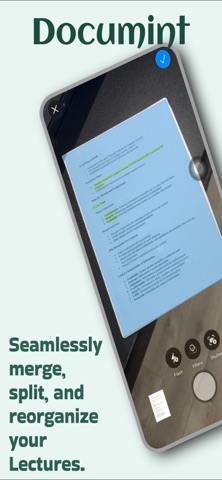




Description by Edwing H Santos Mena Written by the developer, not by AppBrain. Click to read.
Transform any document into high-quality PDF instantly with your iPhone camera. Import from Photos, Files, or iCloud for complete document workflow freedom.
ADVANCED SCANNING & CONVERSION
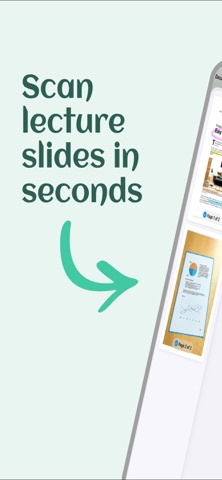
- Multi-page document scanning with auto-enhancement
- Convert photos, images, and files to PDF in seconds
- Professional quality results with sharp, clean output
- Batch conversion for multiple documents
APPLE PENCIL INTEGRATION
- Natural handwriting and drawing with Apple Pencil support
- Professional markup tools for annotations and highlights
- Add signatures, text, and drawings directly to PDFs
- Edit with precision using familiar iOS tools
COMPLETE DOCUMENT MANAGEMENT
- Merge multiple PDFs into single documents
- Remove, reorder, and organize pages effortlessly
- Import from device storage, iCloud, Photos, or Files app
- Secure iCloud sync keeps documents updated across devices
PRIVACY-FIRST DESIGN
- All processing happens locally on your device
- Secure iCloud backup with no third-party access
- Your sensitive documents stay completely private
- Professional-grade security for confidential files
PERFECT FOR PROFESSIONALS & STUDENTS
Scan contracts, receipts, homework, notes, ID cards, and more. Whether you're working remotely, studying, or managing business documents, Documint delivers enterprise-quality results.
KEY FEATURES
- High-quality scanning with auto document detection
- Instant PDF conversion and editing
- Apple Pencil integration for natural markup
- Document merging and page management
- Digital signature capability
- Direct sharing via email, messages, or any app
- Professional printing options
- Intuitive, user-friendly interface
Experience the most advanced mobile document solution. Download Documint and transform how you handle documents.
SUBSCRIPTION DETAILS
Core features require subscription. Auto-renewable with iTunes account billing.
Manage subscriptions in iTunes Account Settings.
Privacy Policy: https://pdfconverterapp.wordpress.com/privacy-policy
Terms of Use: https://pdfconverterapp.wordpress.com/terms-of-use
Please report any bugs to: nullptr0x@proton.me