

DoE Toolkit
DoE Toolkit is made and published by Kal-El Software. AppBrain is an independent app data site and isn't affiliated with Kal-El Software. The app name, icon, screenshots and description belong to Kal-El Software and are shown as published on the App Store.
AppBrain's verdict
- Rating on App Store
- 5.00
- 1 ratings
- Last updated
- September 24, 2025
It doesn't have enough ratings yet to judge what users think.
Rankings
App Store top chartsApp Store Rankings for DoE Toolkit
Competitors
Similar apps and more from Kal-El SoftwareMore from Kal-El Software


Releases
Updates seen on the App Store- Version
- 1.2
- Launched
- March 2022
No changelog data
User feedback
Ratings and reviews on the App StoreComments on DoE Toolkit for iOS
We don't have enough comments to show example comments. Please check back later.
Technology
Found in the app by AppBrain- Price
- $9.99
- App size
- 12.8 MB
- Content rating
- Everyone
Technologies used by DoE Toolkit
About the app and developer
About DoE Toolkit
DoE Toolkit is a productivity app developed by Kal-El Software.
What is the rating of DoE Toolkit?
DoE Toolkit is rated 5.00 out of 5 stars, based on one rating ratings.
Is DoE Toolkit free?
DoE Toolkit costs $9.99. The app size is 12.80 MB. The latest version available is 1.2. The last update was on September 24, 2025.
What are the requirements for DoE Toolkit?
The app has a content rating of Everyone. The app has been available on the App Store since March 2022.
Developer information for Kal-El Software
Address:
Store listing
By Kal-El Software, from the App Store




Description by Kal-El Software Written by the developer, not by AppBrain. Click to read.
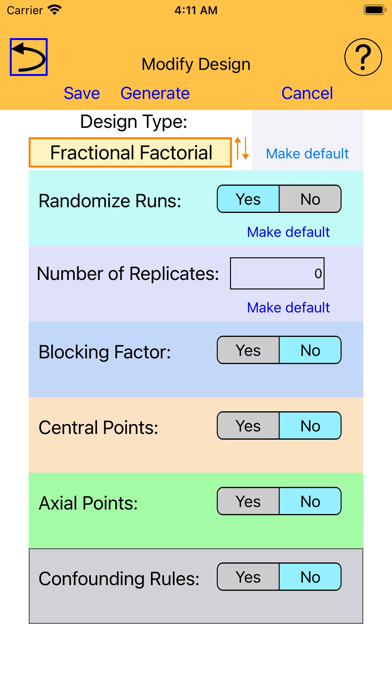
Screening: Full Factorial and Fractional Factorial
Response Surface: Central Composite and Box-Behnken
Mixture
Orthogonal
In addition, the DoE Toolkit includes an optimizer tool, which allows you to find an optimal subset of runs based on a design already generated using one of the designer tools.
The DoE Toolkit allows you to augment any design by randomizing, replicating, and/or blocking. You can also add central points as well as axial points.
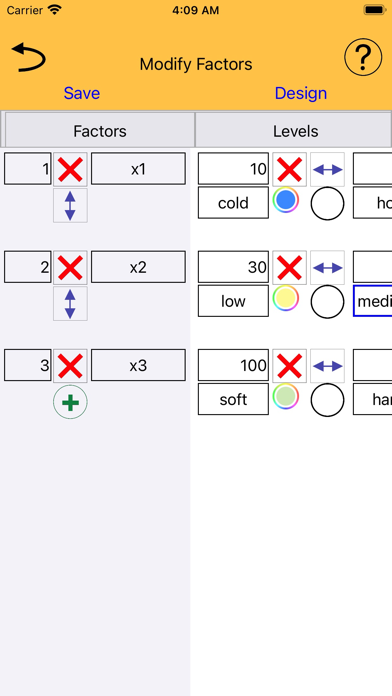
You can control the way in which a generated design is displayed in the usual ways, by displaying factor levels as values or as factor level indices. Unique to the DoE Toolkit , you can also assign colors to factor levels and display a generated design using colors to represent factor levels.
You can export any generated design to text (comma-separated value form), thereby making it easy to import your design into any spreadsheet or statistical analysis app.