

Domus One
Domus One is made and published by SELMO S.N.C. DI FANTIN ALESSANDRO & C. AppBrain is an independent app data site and isn't affiliated with SELMO S.N.C. DI FANTIN ALESSANDRO & C. The app name, icon, screenshots and description belong to SELMO S.N.C. DI FANTIN ALESSANDRO & C. and are shown as published on the App Store.
AppBrain's verdict
Established- Rating on App Store
- 1.00
- 2 ratings
- Last updated
- February 12, 2026
It doesn't have enough ratings yet to judge what users think.
Rankings
App Store top chartsApp Store Rankings for Domus One
Competitors
Similar apps and more from SELMO S.N.C. DI FANTIN ALESSANDRO & C.Alternatives to Domus One








More from SELMO S.N.C. DI FANTIN ALESSANDRO & C.


Releases
Updates seen on the App Store- Version
- 3.3.3
- Launched
- September 2018
No changelog data
User feedback
Ratings and reviews on the App StoreComments on Domus One for iOS
We don't have enough comments to show example comments. Please check back later.
Technology
Found in the app by AppBrain- Price
- Free
- App size
- 28.4 MB
- Content rating
- Everyone
Technologies used by Domus One
About the app and developer
About Domus One
Domus One is an utilities app developed by SELMO S.N.C. DI FANTIN ALESSANDRO & C.
User Ratings
Domus One is rated 1.00 out of 5 stars. The rating is based on 2 ratings.
App Information
Domus One is freely available from the App Store. The app size is 28.45 MB. The latest version available is 3.3.3. The last update was on February 12, 2026.
Technical Requirements
The app has a content rating of Everyone. The app has been available on the App Store since September 2018.
Developer information for SELMO S.N.C. DI FANTIN ALESSANDRO & C.
Frequently asked questions about Domus One
Is Domus One free?
Yes. Domus One is free on the App Store.
Is Domus One still available?
Yes. Domus One is on the App Store, and the last update we saw was on February 12, 2026.
How large is Domus One?
Domus One is 28.45 MB.
Is Domus One suitable for children?
App Store rates the content of Domus One as suitable for everyone.
How do people rate Domus One?
Domus One scores 1.00 out of 5 stars, from 2 ratings on the App Store.
Who made Domus One?
Domus One was developed by SELMO S.N.C. DI FANTIN ALESSANDRO & C. It is listed in the utilities category on the App Store.
What are the best alternatives to Domus One?
People looking at Domus One also look at these utilities apps: ThermoICE 2.0, Haverland App, Smart Coballes, Dominus, EHT Termostato wifi.
Store listing
By SELMO S.N.C. DI FANTIN ALESSANDRO & C., from the App Store


Description by SELMO S.N.C. DI FANTIN ALESSANDRO & C. Written by the developer, not by AppBrain. Click to read.
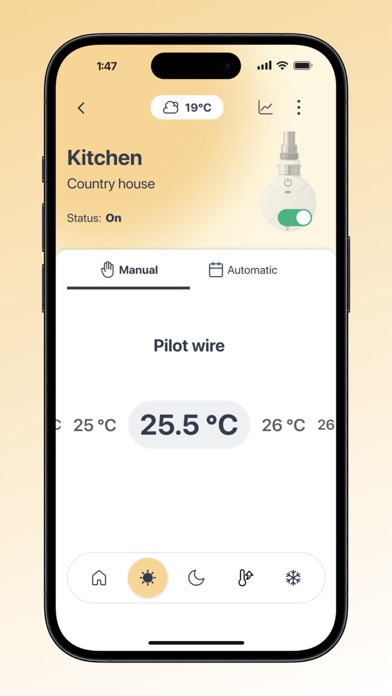
- Set the temperatures of each operative mode
- Set the operative mode among those available on your thermostat
- Set a weekly schedule for each thermostat
- Turn on and off all functions of each thermostat
- Conveniently organize your thermostats into groups
Connect all your thermostats to your home Wi-Fi network: you’ll be able to effortlessly control them directly from the app anytime and anywhere, adding them to your personal account.
How do you configure a new thermostat?
- Once you have downloaded the app, make sure you are connected to the Internet and create your personal account by entering your email address and choose a password
- Start the configuration procedure directly from the app tapping on the [+ Add New Thermostat] key
- Follow the on-screen instructions carefully, step by step
- Connect the thermostat to your home Wi-Fi network
- Link the thermostat to your account through the thermostat QR code
- Give the thermostat a name and place it in a group and it will appear in your list of devices
- Now you have full control of the thermostat. Enjoy.
You can locally control all compatible thermostats like the One thermostat through the app:
- Tap on the [+ Add new thermostat] key and then on the “Bluetooth” tab to begin the search. Make sure that Location Services and Bluetooth are active
- Tap on any detected thermostat to give it a name
- The thermostat will be added to your list of thermostats and you’ll be able to control it when you’re in its proximity.
This app can be used with compatible Selmo thermostats. You will need a wireless network with Internet access to take advantage of the thermostat remote control functionality of the app.