

Dont Touch My Phone: Antitheft
Dont Touch My Phone: Antitheft is made and published by Fitness Training Global. AppBrain is an independent app data site and isn't affiliated with Fitness Training Global. The app name, icon, screenshots and description belong to Fitness Training Global and are shown as published on the App Store.
AppBrain's verdict
Loved by users- Best rank
- #53
- Top Free, United Kingdom
- Rating on App Store
- 4.67
- 30,770 ratings
- Last updated
- October 16, 2026
Users love it: 4.7 stars from 30,770 ratings. Its best ranking is #53 in Top Free, Utilities in United Kingdom.
Rankings
App Store top charts- Highest rank
- #53
- Chart
- Top Free
- Utilities
- Country
- United Kingdom
App Store Rankings for Dont Touch My Phone: Antitheft
Top rankings
| Rank | Country | Category | List |
|---|---|---|---|
| 74 | United States | Utilities | Top Free |
| 53 | United Kingdom | Utilities | Top Free |
| 74 | Iran | Utilities | Top Free |
| 99 | Australia | Utilities | Top Free |
Ranking history in United States
Competitors
Similar apps and more from Fitness Training GlobalMore from Fitness Training Global






Releases
Updates seen on the App Store- Version
- 1.4.1
- Launched
- August 2024
No changelog data
User feedback
Ratings and reviews on the App StoreComments on Dont Touch My Phone: Antitheft for iOS
We don't have enough comments to show example comments. Please check back later.
Technology
Found in the app by AppBrain- Price
- Free
- App size
- 117.2 MB
- Content rating
- Everyone
Technologies used by Dont Touch My Phone: Antitheft
About the app and developer
About Dont Touch My Phone: Antitheft
Dont Touch My Phone: Antitheft is an utilities app developed by Fitness Training Global.
User Ratings
Dont Touch My Phone: Antitheft is rated 4.67 out of 5 stars. The rating is based on 31 thousand ratings.
App Information
Dont Touch My Phone: Antitheft is freely available from the App Store. The app size is 117.20 MB. The latest version available is 1.4.1. The last update was on October 16, 2026.
Technical Requirements
The app has a content rating of Everyone. The app has been available on the App Store since August 2024.
Developer information for Fitness Training Global
Address:
Store listing
By Fitness Training Global, from the App Store


Description by Fitness Training Global Written by the developer, not by AppBrain. Click to read.
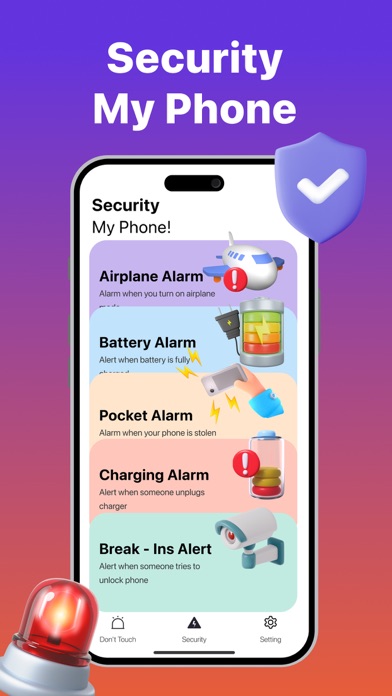
Don't Touch My Phone is an app designed to provide a suite of features to protect your phone from unauthorized access and theft.
Download Don't Touch My Phone now to explore more features.
MAIN FEATURES of Don't Touch My Phone:
- Protect your device from unwanted users
- Intruder Alarm
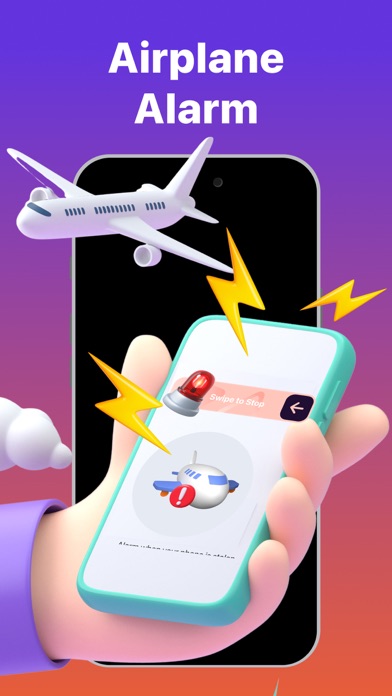
- Airplane Alarm
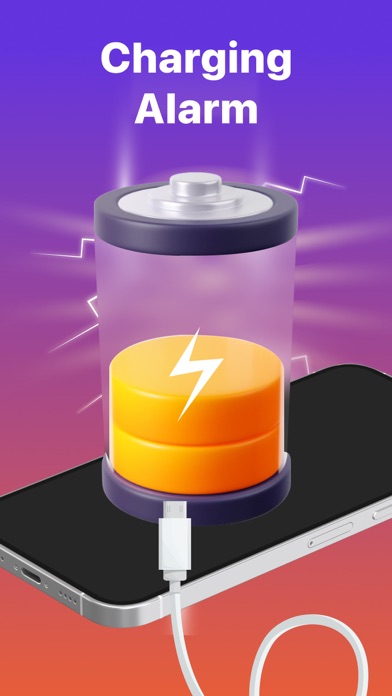
- Charging Alarm
Don't Touch My Phone: This feature triggers a loud alarm if anyone tries to move or touch your device, ensuring your phone stays safe in any setting.
Intruder Alarm: Detects multiple unsuccessful unlock attempts and activates an alarm while capturing a photo of the intruder, giving you evidence of who tried to access your device.
Airplane Alarm: Prevents hackers from isolating your device by sounding an alarm when Airplane Mode is activated, ensuring your phone remains connected and trackable.
Charging Alarm: Activates an alarm if your phone is unplugged from the charger without your permission, perfect for preventing theft while your device is charging in public or at the office.
"Don't Touch My Phone" offers advanced security features to protect your phone in any situation. Download the app today for ultimate mobile security and peace of mind.
HOW TO USE Don't Touch My Phone:
1. Download “Don't Touch My Phone” on the App Store and open this app.
2. Create your passcode
3. Swipe the “Active” button.
4. Set up other features for your phone alarm: Sound alert, flash, etc.
5. This app will help you to prevent someone else from touching your device.
SUBSCRIPTION PRICING & TERMS
Payment is charged to your iTunes account upon confirmation.
Manage subscriptions and turn off auto-renewal in Account Settings.
Auto-renewal is charged 24 hours before the end of the current period unless canceled.
Canceled subscriptions remain active until the period ends; no refunds are issued.
Unused portions of free trials are forfeited upon subscription purchase
Terms of service: https://fitnesstrainingglobal.com/terms_conditions.html
Privacy policy: https://fitnesstrainingglobal.com/privacy_policy.html