DoubleTake - Multicam video is made and published by
Bending Spoons Apps ApS.
AppBrain is an independent app data site and isn't affiliated with Bending Spoons Apps ApS.
The app name, icon, screenshots and description belong to Bending Spoons Apps ApS and are shown as
published on the App Store.
About DoubleTake - Multicam video
DoubleTake - Multicam video is a photo & video app developed by Bending Spoons Apps ApS.
User Ratings
DoubleTake - Multicam video is rated 3.44 out of 5 stars. The rating is based on 500 ratings.
App Information
DoubleTake - Multicam video is freely available from the App Store. The app size is 64.56 MB. The latest version available is 3.1.2. The last update was on March 10, 2025.
Technical Requirements
The app has a content rating of Everyone. The app has been available on the App Store since January 2020.
Description by Bending Spoons Apps ApS(from the App Store)
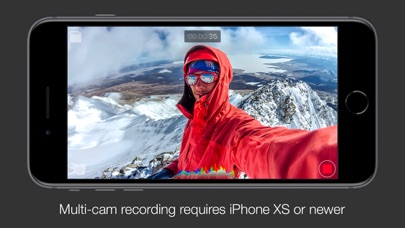
DoubleTake transforms your iPhone into a multi-cam studio allowing you to capture video from two cameras at the same time on recent devices*
*NOTE: Per iOS 15 capabilities, multi-cam video is restricted to the following devices only: iPhone 13 series devices, iPhone 12 series devices, iPhone 11 Pro Max, 11 Pro, 11, Xs Max, Xs, Xr, SE 2. iPad Pro 2018 and newer. While this app will install and function on all devices supported by iOS 15, all devices outside of this list will be restricted to recording video from on a single camera.
Use DoubleTake to record video in new ways:
- Camera Visualization: Better than a director’s viewfinder! Use DoubleTake’s camera picker view to visualize all available cameras for your device. Use this view to help decide how to frame your shot and which cameras you will select.
- Shot/Reverse shot: To capture all the organic and intimate interaction between two actors or interviewer and interviewee. Traditionally, filmmakers would need to employ two cameras and place these in cumbersome ‘over the shoulder’ locations. With DoubleTake you can place one device in between your actors and place the audience right in the middle of the conversation.
- Multi-cam: Capture two different focal lengths of the same subject at the same time. Use DoubleTake with the Ultra Wide lens (iPhone 11 Pro Max, 11 Pro and 11 only) and the Tele to capture both an establishing shot and a punch-in on your subject simultaneously. Or use any other combination of front and rear lenses for unrivaled multi-cam capture.
- PiP or Discreet: The DoubleTake interface allows you to see both cameras of your video capture at the same time through the use of a Picture in Picture (PiP) window. You can move this PiP around the screen, tap to zoom in, or swipe it away if it’s distracting (the second video will continue to record). With DoubleTake you can decide if you want to record your videos as separate discrete files or if you want the video recorded as a composite video that includes the PiP window animated as you see it on the screen.
- Split-screen: Doubletake also allows you to use any two cameras to create a 50/50 split-screen effect that is saved as a single video. This is great for capturing engaging interviews, or any scenario where two sides of the story need equal weighting on screen.
- Focus & Exposure Controls: DoubleTake allows you to set and lock your focus and exposure on both cameras during multi-cam capture with our unified reticle. Just tap anywhere to set an area of interest with the reticle, then tap again to lock or unlock. Our easy to use camera switcher lets you effortlessly move between your A and B cams during a recording to adjust the focus and exposure for each independently of one another.
Video Specs: - Full frame focus and exposure for smooth and easy automated focus and exposure adjustments.
- Selectable broadcast frame rates: 24fps, 25fps, and 30fps depending on your project requirements.
- 1080p video at high bitrate encoding for maximum quality. (note: 1080p video is the maximum resolution supported by the Apple API for multi-cam capture).
- Composited PiP or separate discreet video files recorded as .h264 .mov files are saved to DoubleTake’s internal library which supports batch export to the Camera Roll.
Terms of Use: https://support.bendingspoons.com/tos.html?app=436577167
Each subscription will automatically renew 3 days before the expiration date for
the same time period. Subscriptions can be cancelled at any time before the renewal.




 Protake - Mobile Cinema Camera