


AppBrain's verdict
Established- Rating on App Store
- 4.00
- 4 ratings
- Last updated
- November 23, 2022
- Size
- 30.7 MB
It doesn't have enough ratings yet to judge what users think.
User feedback
Ratings and reviews on the App StoreComments on DPA MMA-A for iOS
We don't have enough comments to show example comments. Please check back later.
Store listing
By DPA Microphones A/S, from the App StoreDescription by DPA Microphones A/S Written by the developer, not by AppBrain. Click to read.
DPA Microphones
DESCRIPTION
The MMA-A App allows you to optimize the audio you capture with the DPA Microphones MMA-A Digital Audio Interface and use its features with your favorite recording apps. While the MMA-A can be used right out of the box to capture crystal-clear audio, to take full advantage of it we suggest downloading and using the MMA-A App.
The App gives you more control over the sound you are recording / transmitting, so you are sure you end up with the end results you are looking for. The MMA-A App allows you to control the following settings:
GAIN
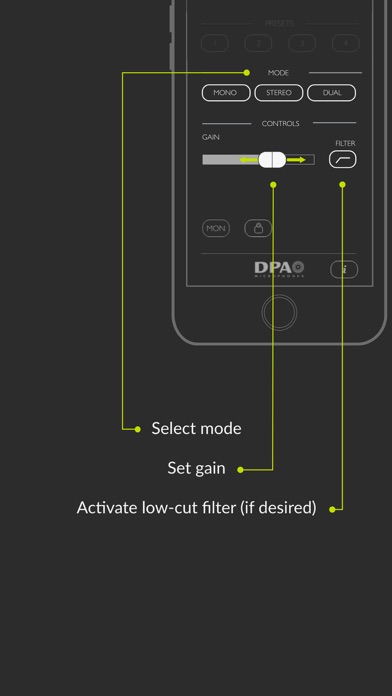
Use the GAIN slider to adjust input levels. Slide to the right to increase amplification, to the left to decrease. Make sure to keep an eye on the level meters when you are adjusting gain. The meters should stay in the green and yellow areas.
FILTER
The FILTER button (low cut) cuts out unwanted, low-end frequencies (rumble) that can decrease the intelligibility of your recorded audio. In most cases we suggest using the FILTER button and if, for example, you are recording outside near a road with traffic, this setting is essential.
MONITOR
Use the MON button to send audio to your headphones so you can hear what you are recording. Please note that a headphone must be connected to the iOS device, otherwise the button will not activate and you’ll be prompted to connect a headset. If the headset includes a microphone it must be connected prior to connecting the MMA-A via the Lightning connector. This is due to the iOS ‘last entry active’ nature of operation. (We recommend using a wireless headset when using an iPhone 7 or newer model without the minijack headphone output)
LOCK
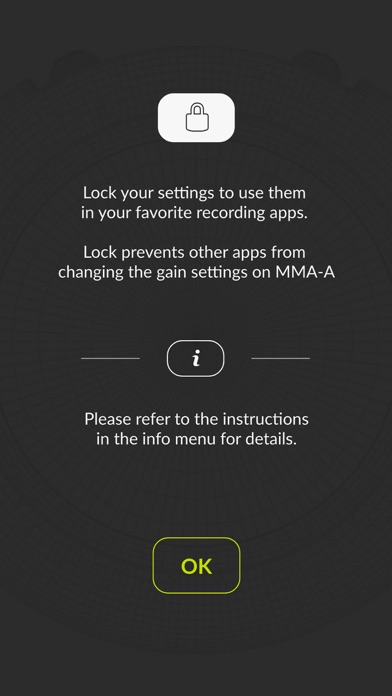
Use the LOCK button to block 3rd party apps from controlling gain. Gain settings can be controlled and saved on the MMA-A for use in your favorite recording / broadcasting apps. The lock button also controls the setting of the low cut filter. Saved locked settings are automatically activated the next time you connect to the MMA-A.
PRESETS
Presets store your preferred settings for specific microphone(s) and make your set up easier. After choosing your settings, create the preset by pushing the numbered preset button of your choice for three seconds. The next time you plug in the same mics, push your preset button and you are ready to go – no adjustments necessary.
OTHER FEATURES
These features ensure that your MMA-A experience is tailored to your needs:
MONO
If only one microphone is connected to either input I or II, MONO is chosen automatically. The mic input will be routed to both left and right output. Only one GAIN slider and FILTER button will be available in this mode.
STEREO
Use STEREO when you need to capture sound sources in stereo. Both microphones are controlled with one GAIN slider. Example: Ambiance sounds can be recorded in stereo using two mics that have the same sensitivity.
DUAL
Use DUAL when the gain must be set individually for input I and II (for example, with two different microphone types or in situations where two people with different voice levels are to be recorded). The FILTER buttons are also individual in this situation.
SUM
Use SUM to make a mix of the two input channels. When two microphones are connected, the MONO button changes to SUM. This means that the two inputs will be sent to both output channels.
Individual gain can be set for each input.
ABOUT the MMA-A
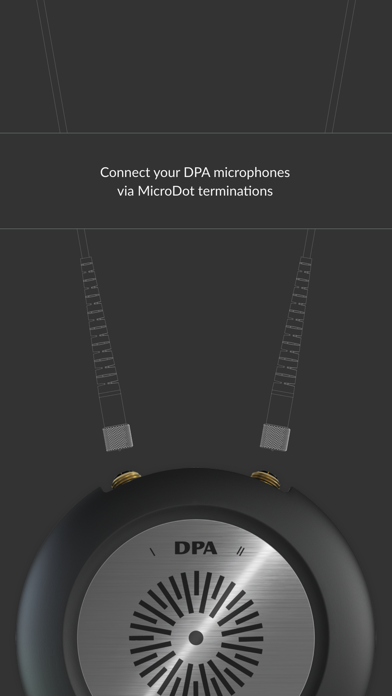
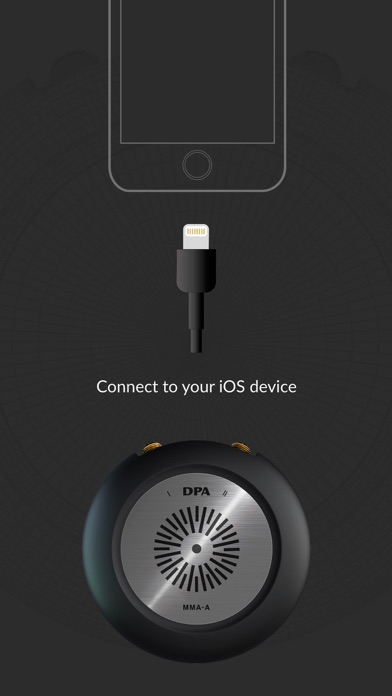
The MMA-A Digital Audio Interface is a high-quality dual-channel microphone preamplifier and A/D converter. It allows you to capture crystal-clear audio via your favorite recording / broadcasting apps. The MMA-A can be used with all DPA microphones with a MicroDot adapter.
Safety and technology
Found in the app by AppBrain- Price
- Free
- App size
- 30.7 MB
- Content rating
- Everyone
Technologies used by DPA MMA-A
Releases
Updates seen on the App Store- Version
- 1.0.4
- Launched
- June 2017
No changelog data
Alternatives
Similar apps and more from DPA Microphones A/SAlternatives to DPA MMA-A





Rankings
App Store top chartsApp Store Rankings for DPA MMA-A
About the app and developer
About DPA MMA-A
DPA MMA-A is a photo & video app developed by DPA Microphones A/S.
User Ratings
DPA MMA-A is rated 4.00 out of 5 stars. The rating is based on 4 ratings.
App Information
DPA MMA-A is freely available from the App Store. The app size is 30.74 MB. The latest version available is 1.0.4. The last update was on November 23, 2022.
Technical Requirements
The app has a content rating of Everyone. The app has been available on the App Store since June 2017.
DPA MMA-A is made and published by DPA Microphones A/S. AppBrain is an independent app data site and isn't affiliated with DPA Microphones A/S. The app name, icon, screenshots and description belong to DPA Microphones A/S and are shown as published on the App Store.
Developer information for DPA Microphones A/S
Address:
Frequently asked questions about DPA MMA-A
Is DPA MMA-A free?
Yes. DPA MMA-A is free on the App Store.
Is DPA MMA-A still available?
Yes. DPA MMA-A is on the App Store, and the last update we saw was on November 23, 2022.
How large is DPA MMA-A?
DPA MMA-A is 30.74 MB.
Is DPA MMA-A suitable for children?
App Store rates the content of DPA MMA-A as suitable for everyone.
How do people rate DPA MMA-A?
DPA MMA-A scores 4.00 out of 5 stars, from 4 ratings on the App Store.
Who made DPA MMA-A?
DPA MMA-A was developed by DPA Microphones A/S. It is listed in the photo & video category on the App Store.
What are the best alternatives to DPA MMA-A?
People looking at DPA MMA-A also look at these photo & video apps: Timecode Audio Recorder, Denoise Audio - Remove Noise, Instamic Remote, AI Culling — PhotoPicker Pro, Second Shooter Remote.