

Dr.MUSIC 3
Dr.MUSIC 3 is made and published by SmartMedicalDevice Co., Ltd. AppBrain is an independent app data site and isn't affiliated with SmartMedicalDevice Co., Ltd. The app name, icon, screenshots and description belong to SmartMedicalDevice Co., Ltd. and are shown as published on the App Store.
AppBrain's verdict
Established- Rating on App Store
- 3.00
- 2 ratings
- Last updated
- May 7, 2026
It doesn't have enough ratings yet to judge what users think.
Rankings
App Store top chartsApp Store Rankings for Dr.MUSIC 3
Competitors
Similar apps and more from SmartMedicalDevice Co., Ltd.Alternatives to Dr.MUSIC 3


More from SmartMedicalDevice Co., Ltd.

Releases
Updates seen on the App Store- Version
- 1.3.2
- Launched
- April 2016
No changelog data
User feedback
Ratings and reviews on the App StoreComments on Dr.MUSIC 3 for iOS
We don't have enough comments to show example comments. Please check back later.
Technology
Found in the app by AppBrain- Price
- Free
- App size
- 40.8 MB
- Content rating
- Medium
Technologies used by Dr.MUSIC 3
About the app and developer
About Dr.MUSIC 3
Dr.MUSIC 3 is a medical app developed by SmartMedicalDevice Co., Ltd.
What is the rating of Dr.MUSIC 3?
Dr.MUSIC 3 is rated 3.00 out of 5 stars, based on 2 ratings.
Is Dr.MUSIC 3 free?
Dr.MUSIC 3 is free. The app size is 40.85 MB. The latest version available is 1.3.2. The last update was on May 7, 2026.
What are the requirements for Dr.MUSIC 3?
The app has a content rating of Medium Maturity. The app has been available on the App Store since April 2016.
Developer information for SmartMedicalDevice Co., Ltd.
Address:
Frequently asked questions about Dr.MUSIC 3
Is Dr.MUSIC 3 free?
Yes. Dr.MUSIC 3 is free on the App Store.
Is Dr.MUSIC 3 still available?
Yes. Dr.MUSIC 3 is on the App Store, and the last update we saw was on May 7, 2026.
How large is Dr.MUSIC 3?
Dr.MUSIC 3 is 40.85 MB.
Is Dr.MUSIC 3 suitable for children?
App Store gives Dr.MUSIC 3 a medium maturity rating, so it is not meant for young children.
How do people rate Dr.MUSIC 3?
Dr.MUSIC 3 scores 3.00 out of 5 stars, from 2 ratings on the App Store.
Who made Dr.MUSIC 3?
Dr.MUSIC 3 was developed by SmartMedicalDevice Co., Ltd. It is listed in the medical category on the App Store.
What are the best alternatives to Dr.MUSIC 3?
People looking at Dr.MUSIC 3 also look at these medical apps: 리본 패밀리, Simply5x5, WIRobotics WIM 기업용, 스마트DUR+, 힐디넥 EGG.
Store listing
By SmartMedicalDevice Co., Ltd., from the App Store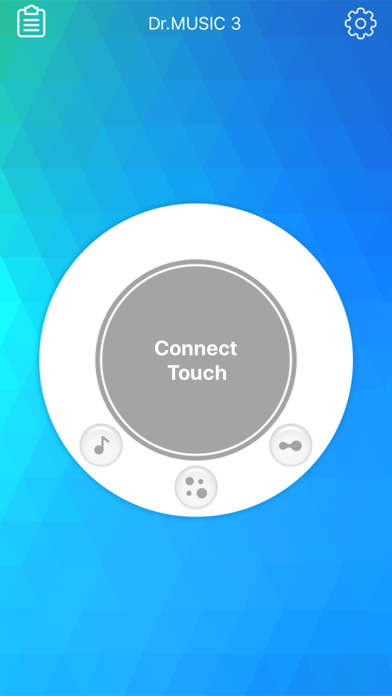
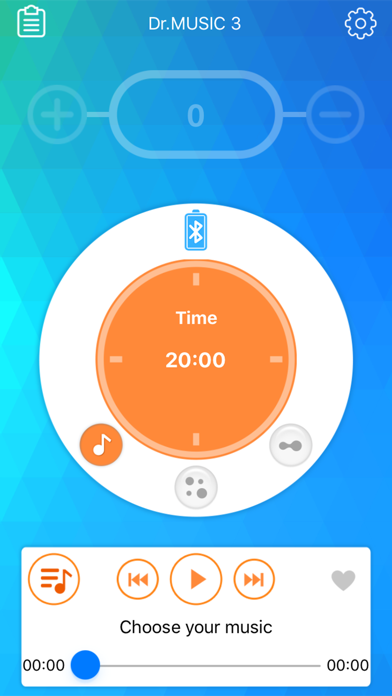
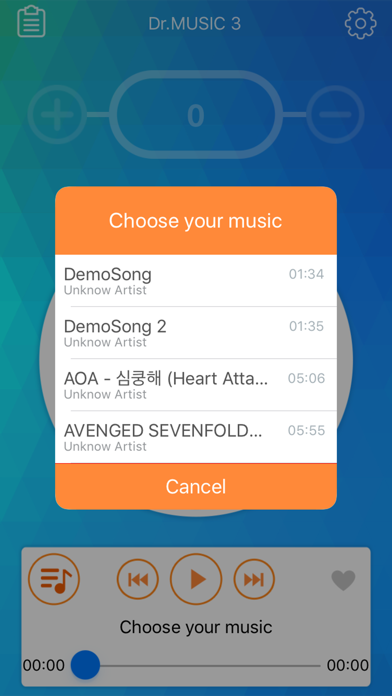
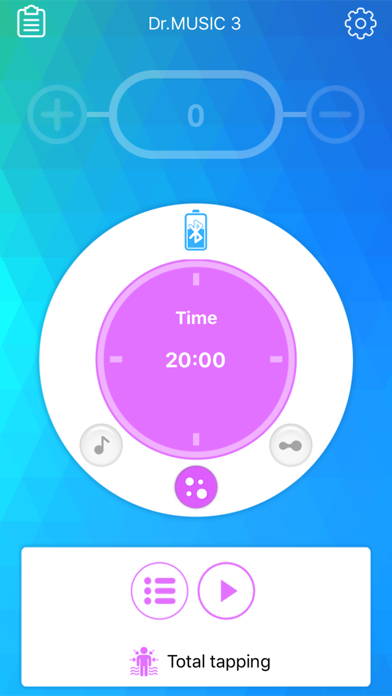
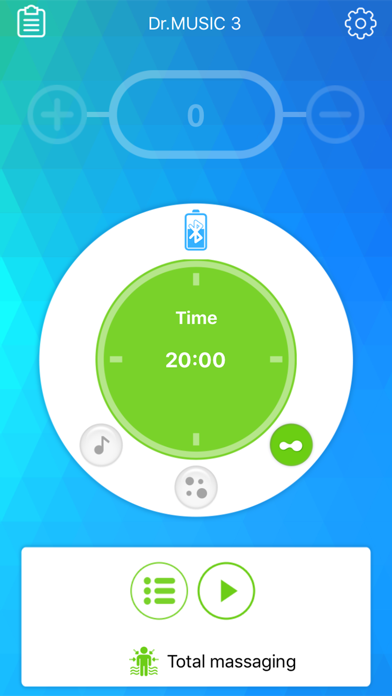
Description by SmartMedicalDevice Co., Ltd. Written by the developer, not by AppBrain. Click to read.
• Product Introduction
Dr.MUSIC 3 provides various electrical pulses for muscle and nerve stimulation through basic wave modes like Tapping and Kneading, as well as a unique Music Sync mode that syncs with your music. This stimulation can help relieve pain, soothe temporarily paralyzed areas, and provide massage and acupressure-like effects. With continuous use, the electrical stimulation, delivered transcutaneously (through the skin), can help alleviate pain in targeted areas.
The device is especially convenient to use with a mobile app optimized for iOS devices, allowing easy access anytime, anywhere. Its slim and lightweight wireless design makes it easy to attach under clothing for discreet, on-the-go use.
• Key Features
1. Design: A clean and stylish white color gives the device a modern, smart accessory look.
2. Uniqueness: The Music Sync mode lets you experience diverse stimulation that syncs with your favorite music.
3. Portability: Dr.MUSIC 3’s wireless design allows you to comfortably use the device during activities.
4. Efficiency: Compact yet capable of delivering strong yet gentle stimulation for satisfying results.
5. Convenience: Its slim, compact size makes it easy to store and carry, even when attached to its holder.
6. Safety: Automatically stops if separated from the body or if the electrodes become detached.
7. Ease of Use: Basic functions can be controlled on the device itself, and the mobile app provides simple wireless control for iOS devices.
• How Dr.MUSIC 3 Works
1. TENS (Transcutaneous Electrical Nerve Stimulation): Sends electrical pulses through the skin to help relieve pain.
2. EMS (Electrical Muscle Stimulation): Uses electrical pulses to stimulate muscle contractions.
3. Dr.MUSIC 3 transmits pulses through hydrogel electrodes and uses a rechargeable battery. Users can operate the device via the mobile app or directly from the device itself to select the desired mode and settings.
• Modes
1. Music Sync Mode: Provides stimulation that adjusts with the chosen music’s rhythm.
- Pulse width: 50us ~ 150us
- Pulse period: 700us ~ 900us
2. Tapping Mode: Provides short, low-frequency pulses to tap muscles.
- Pulse width: 50us
- Pulse period: 300us
3. Kneading Mode: Provides longer low-frequency pulses to knead muscles.
• How to Use Dr.MUSIC 3
1. Using the Device Independently
- Connect the detachable connector: Attach the detachable connector to the Micro USB charging port to use the device.
- Connect the electrodes: Connect the low-frequency stimulation electrodes to the output port.
- Attach electrodes to the body: Place the electrodes on the desired area (such as shoulders, legs, arms).
- Turn on the device: Press and hold the power/mode button to turn it on.
- Select mode: Press the power/mode button briefly to cycle through modes: Music Sync → Tapping → Kneading.
- Adjust intensity: Use the intensity adjustment button to control the stimulation level. (Operation time is 15 minutes.)
- Stop operation: Press the power/mode button to stop, and press the intensity button to restart if needed.
2. Using the Mobile App
- Connect the detachable connector: Attach the detachable connector to the Micro USB charging port.
- Connect the electrodes: Connect the low-frequency stimulation electrodes to the output port.
- Attach electrodes to the body: Place the electrodes on the desired area.
- Turn on the device: Press and hold the power/mode button to turn it on.
- Launch the mobile app: Enable Bluetooth on your mobile device and open the app.
- Pairing: Pair the device with the app.
- End session: When finished, press HOME or BACK on your mobile platform to exit the app.