

DraftPlanar: PDF Plan Viewer
DraftPlanar: PDF Plan Viewer is made and published by Draft Planar LLC. AppBrain is an independent app data site and isn't affiliated with Draft Planar LLC. The app name, icon, screenshots and description belong to Draft Planar LLC and are shown as published on the App Store.
AppBrain's verdict
- Rating on App Store
- 5.00
- 2 ratings
- Last updated
- October 24, 2026
- Size
- 82.5 MB
It doesn't have enough ratings yet to judge what users think.
User feedback
Ratings and reviews on the App StoreComments on DraftPlanar: PDF Plan Viewer for iOS
We don't have enough comments to show example comments. Please check back later.
Store listing
By Draft Planar LLC, from the App Store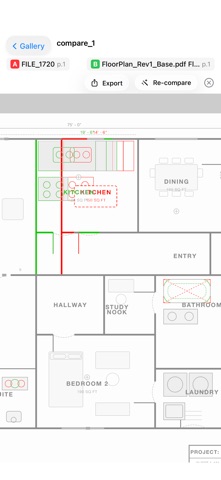

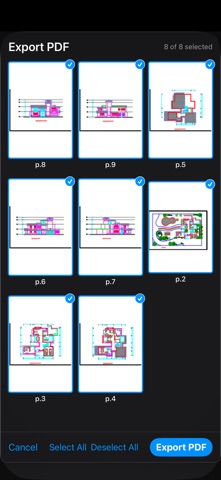
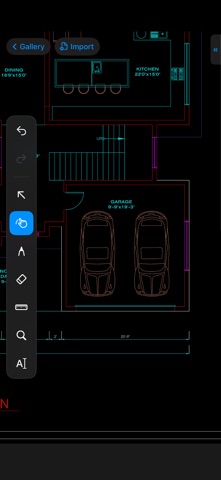
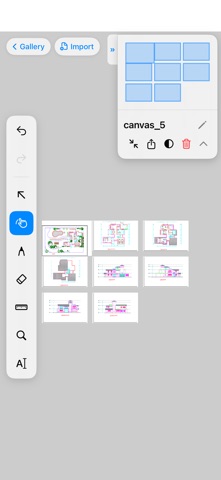
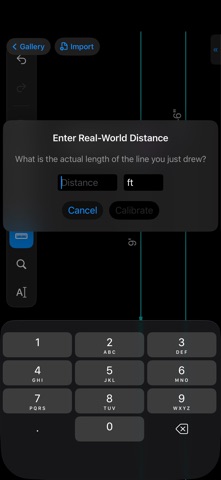
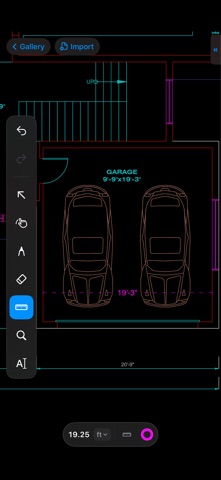
Description by Draft Planar LLC Written by the developer, not by AppBrain. Click to read.
IF YOUR PDF READER IS SLOW ON DRAWINGS
A single construction sheet can hold hundreds of thousands of lines, hatches and text runs. Readers built for ordinary documents lag, blur or stall on them. DraftPlanar was built from the ground up for drawings, from reading the file to drawing it on screen, so large sets stay smooth on Mac and iPad.
AT THE DESK ON MAC. IN THE FIELD ON IPAD.
• Mac: lay the whole set out on a large display, use a single-letter shortcut for every tool, take off quantities precisely with a trackpad or mouse, and present to the room over AirPlay.
• iPad: mark up with Apple Pencil, measure by touch with a magnifier that shows the exact point under your finger, pin notes with a photo or voice memo, and keep working with no signal.
One subscription covers Mac, iPad and iPhone.
WHAT YOU CAN DO
• Takeoff
Length chains, area and perimeter, angles with a 15° snap, and count series that total across sheets. Points snap to the PDF's own vector lines, and every sheet keeps its own scale. DraftPlanar reads the scale printed in the title block and checks it against dimensions on the drawing. Totals sit in a list beside the plan, and export to PDF or CSV.
• Markup
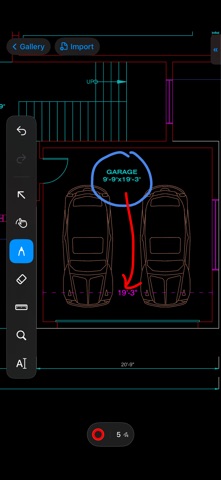
Draw and redline with Apple Pencil. The ink is vector, so it stays sharp when you zoom in. An eraser that removes only your strokes, text boxes (including Chinese, Japanese and Korean input) and text highlighting.
• Copy & Export Drawing Details
Select part of a PDF drawing and copy its vector lines and text, or export the selection as SVG or a one-page PDF. Vector details stay sharp; scanned regions copy as images.
• Notes & Punch Lists
Drop numbered notes on the exact spot on the drawing, with category, priority, status, assignee and due date. Add a photo or voice memo, filter the list, and export a punch-list PDF report anyone can read.
• Search
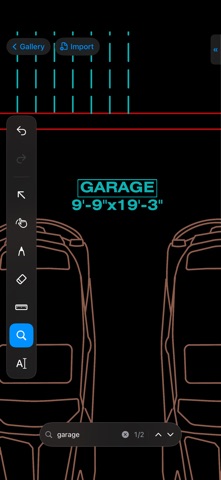
Find any word in native PDFs, in scans and photos (text recognition runs on your device), and in text you typed.
• Compare Revisions
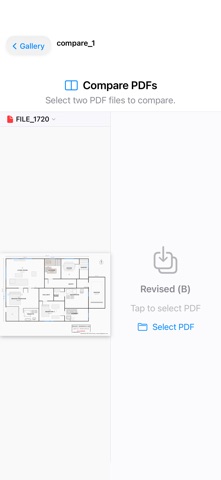
Overlay two versions of a PDF page by page, so what changed stands out.
• PDF Layers
Turn individual layers on and off, such as architecture, structure or MEP, and filter long layer lists by name.
• And more
Adaptive dark mode, AirPlay presenting with a pointer, PDF export, and a built-in Feature Guide with every shortcut.
100% PRIVATE & OFFLINE
- All processing happens on your device. No cloud uploads. No tracking.
- Works without Wi-Fi or internet, on the job site and in the air.
- No account required.
PRICING
DraftPlanar is free to download and includes a 14-day free trial of every Pro tool. DraftPlanar Pro unlocks importing documents, markup, takeoff and measurement, compare, search, layers, notes and export. Without Pro you can still open and view the canvases you created.
SUBSCRIPTION INFORMATION
• DraftPlanar Pro Monthly — auto-renewable, 1 month
• DraftPlanar Pro Annual — auto-renewable, 1 year
• Payment will be charged to your Apple Account at confirmation of purchase
• Subscriptions automatically renew unless canceled at least 24 hours before the end of the current period
• You can manage and cancel subscriptions in your Account Settings
Measurements are approximate and depend on the PDF and its scale. Verify critical dimensions before relying on them.
Terms of Use: https://www.draftplanar.com/terms
Privacy Policy: https://www.draftplanar.com/privacy
Safety and technology
Found in the app by AppBrain- Price
- Free
- App size
- 82.5 MB
- Content rating
- Everyone
Technologies used by DraftPlanar: PDF Plan Viewer
Releases
Updates seen on the App Store- Version
- 1.5.8
- Launched
- March 2026
No changelog data
Rankings
App Store top chartsApp Store Rankings for DraftPlanar: PDF Plan Viewer
About the app and developer
About DraftPlanar: PDF Plan Viewer
DraftPlanar: PDF Plan Viewer is a productivity app developed by Draft Planar LLC.
What is the rating of DraftPlanar: PDF Plan Viewer?
DraftPlanar: PDF Plan Viewer is rated 5.00 out of 5 stars, based on 2 ratings.
Is DraftPlanar: PDF Plan Viewer free?
DraftPlanar: PDF Plan Viewer is free. The app size is 82.49 MB. The latest version available is 1.5.8. The last update was on October 24, 2026.
What are the requirements for DraftPlanar: PDF Plan Viewer?
The app has a content rating of Everyone. The app has been available on the App Store since March 2026.
Developer information for Draft Planar LLC
Address: