AppBrain
AppBrain
  • Apps
  • Apps being viewed right now Trending apps today Most popular apps All-time most installed apps Top rated apps iPhone and iPad apps
  • Intelligence ▾
    Intelligence overview → Track any Android app or your whole market
    Track & analyze
    Keyword Tracker & OptimizerTrack & improve Play rankings App Performance ReportOne-off PDF for any app StatisticsFree Android & Play market stats
    Promote your app
    Featured Apps App Links
  • Intelligence
  • Pricing
  • Dashboard
  • Sign up
  • Log in
App Store Apps > Utilities > Draw Easy AI: AR Trace Sketch
Draw Easy AI: AR Trace Sketch icon

Draw Easy AI: AR Trace Sketch

by Kushal Patel · Utilities · Free
On the App Store since July 2023 · Data updated 2026-10-02
App Store

Draw Easy AI: AR Trace Sketch is made and published by Kushal Patel. AppBrain is an independent app data site and isn't affiliated with Kushal Patel. The app name, icon, screenshots and description belong to Kushal Patel and are shown as published on the App Store.

AppBrain's verdict

Rating on App Store
3.06
96 ratings
Last updated
September 8, 2026

It doesn't have enough ratings yet to judge what users think.

Rankings

App Store top charts

App Store Rankings for Draw Easy AI: AR Trace Sketch

This app is not ranked

Competitors

Similar apps and more from Kushal Patel

Alternatives to Draw Easy AI: AR Trace Sketch

Sticker Maker - Top Stickers icon Sticker Maker - Top Stickers
Xiaoyao Apps
4.7
Free
2.1K ratings
WifiPass Map icon WifiPass Map
SPIDER SERVICE SRL
0.0
Free
Fonts Master - Keyboard icon Fonts Master - Keyboard
STARLORD SG PTE.
4.1
Free
60 ratings
Fonts Keyboard - Art Fonts icon Fonts Keyboard - Art Fonts
Secure VPN
4.2
Free
68 ratings
PlayMode icon PlayMode
Neslihan Cinkavuk
4.4
Free
3.1K ratings
Laban Key: Gõ tiếng Việt icon Laban Key: Gõ tiếng Việt
Zalo Group
4.0
Free
289 ratings
Fonts Art & Keyboard Set icon Fonts Art & Keyboard Set
Hot VPN
4.3
Free
45 ratings
Cool Fonts+ icon Cool Fonts+
Hoang Nguyen
4.5
Free
581 ratings

More from Kushal Patel

TV File Transfer icon TV File Transfer
Kushal Patel
3.3
Free
66 ratings
Phone Tester icon Phone Tester
Kushal Patel
4.3
Free
16 ratings
Voice Changer : Live effects icon Voice Changer : Live effects
Kushal Patel
3.1
Free
14 ratings
Pronunciation & Spell Checker icon Pronunciation & Spell Checker
Kushal Patel
3.7
Free
12 ratings
NFC Tag Reader and Writer icon NFC Tag Reader and Writer
Kushal Patel
2.2
Free
6 ratings
Dual Vlog Camera: Front & Back icon Dual Vlog Camera: Front & Back
Kushal Patel
5.0
Free
3 ratings
Spanish English Translators icon Spanish English Translators
Kushal Patel
2.3
Free
3 ratings
Solar And Sun Position Tracker icon Solar And Sun Position Tracker
Kushal Patel
3.0
Free
2 ratings

Releases

Updates seen on the App Store
Version
2.1.3
Launched
July 2023

No changelog data

User feedback

Ratings and reviews on the App Store

Comments on Draw Easy AI: AR Trace Sketch for iOS

We don't have enough comments to show example comments. Please check back later.

Technology

Found in the app by AppBrain
Price
Free
App size
110.0 MB
Content rating
Everyone

Technologies used by Draw Easy AI: AR Trace Sketch

About the app and developer

About Draw Easy AI: AR Trace Sketch

Draw Easy AI: AR Trace Sketch is an utilities app developed by Kushal Patel.

User Ratings

Draw Easy AI: AR Trace Sketch is rated 3.06 out of 5 stars. The rating is based on 96 ratings.

App Information

Draw Easy AI: AR Trace Sketch is freely available from the App Store. The app size is 110.03 MB. The latest version available is 2.1.3. The last update was on September 8, 2026.

Technical Requirements

The app has a content rating of Everyone. The app has been available on the App Store since July 2023.

Developer information for Kushal Patel

Kushal Patel

Address:

Share Draw Easy AI: AR Trace Sketch

Store listing

By Kushal Patel, from the App Store
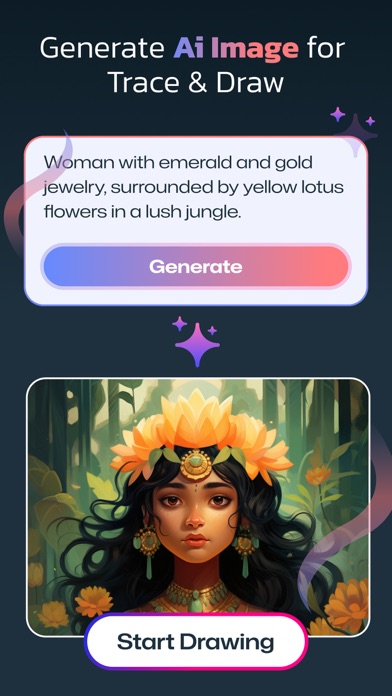
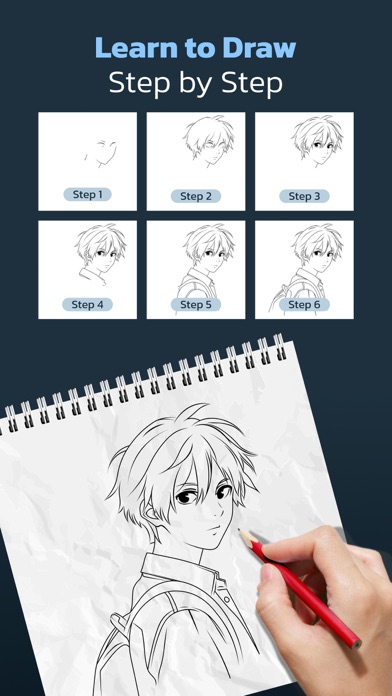
Draw Easy AI: AR Trace Sketch Screenshot 1 of 9
Draw Easy AI: AR Trace Sketch Screenshot 2 of 9
Draw Easy AI: AR Trace Sketch Screenshot 3 of 9
Draw Easy AI: AR Trace Sketch Screenshot 4 of 9
Draw Easy AI: AR Trace Sketch Screenshot 5 of 9
Draw Easy AI: AR Trace Sketch Screenshot 6 of 9
Draw Easy AI: AR Trace Sketch Screenshot 7 of 9
Draw Easy AI: AR Trace Sketch Screenshot 8 of 9
Draw Easy AI: AR Trace Sketch Screenshot 9 of 9
Screenshots by Kushal Patel, from the the App Store listing
Description by Kushal Patel Written by the developer, not by AppBrain. Click to read.
Draw Easy AI: AR Trace Sketch

-> AI Drawing:
- Describe what you want to draw using a prompt, tap "Generate" to instantly create an AI-made image for trace and sketch.

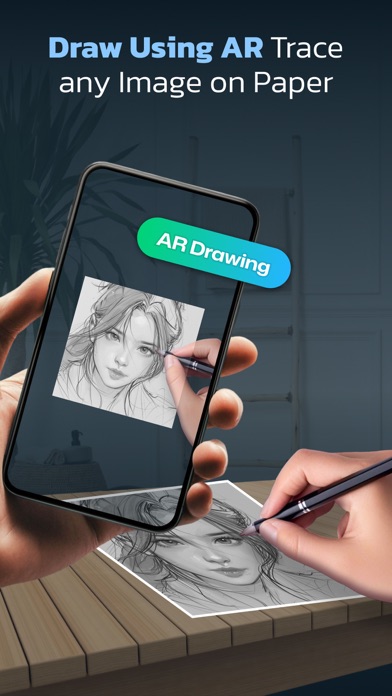
-> AR Drawing:
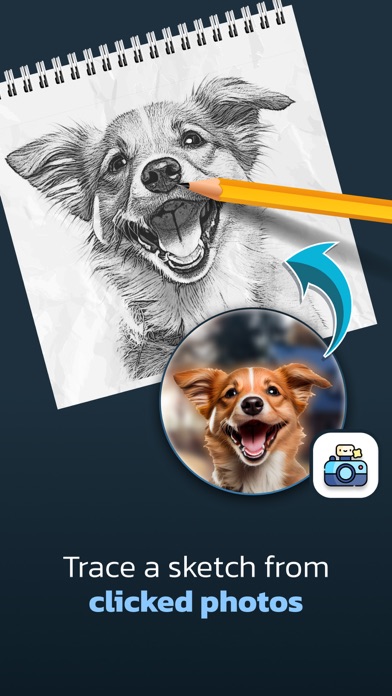
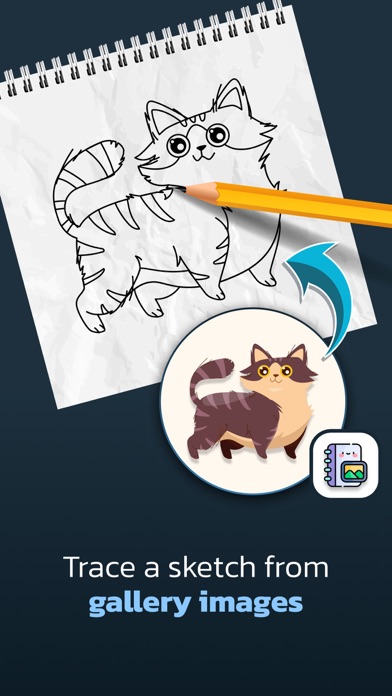
- Select any image from camera, gallery, or ready-made categories
- Adjust edges or apply filters if needed
- Place the image on a surface through your phone's camera view
- Follow real-time AR outlines to trace accurately

->What is Tracing?
- Tracing is used to transfer an image into line work from a photo or artwork. Simply place your tracing paper over the image and let your creativity flow as you trace the lines. So, Trace it & Sketch it.
- Using this app you can learn drawing or tracing.

-Whether you're a beginner or an aspiring artist, this app is your perfect companion for learning drawing and tracing.

-> So how does it works?
- Select an image from the gallery or capture an image with a camera, then simply apply the filter. Once applied, you will see the filtered image on the camera screen with transparency. Now, place a drawing paper or any desired surface on which you want to trace and draw. The image will not appear on the paper directly, but as a transparent overlay on the camera, allowing you to trace it accurately onto the paper.

- Draw on paper by looking at the phone with a transparent image.
- Select any image and convert it to a tracing image.

->Advance Filters.

1. Edge level : With Edge Level filter, you can control the sharpness and definition of edges in your drawings, giving them a different and professional look. Adjusting the Edge Level can help you achieve different artistic styles and emphasise specific details.

2. Contrast :The Contrast filter lets you enhance the tonal range in your drawings, making the colors appear more vibrant and the shadows and highlights more pronounced. It adds depth and richness to your artwork.

3. Noise: To tackle any unwanted noise in your drawings or images, we have included a Noise filter. This feature helps reduce graininess or pixelation, resulting in cleaner and smoother lines and surfaces.

4. Sharpness : The Sharpness filter enables you to enhance the overall clarity and crispness of your drawings. By adjusting the sharpness level, you can achieve a more defined and polished look, making your artwork stand out.

Enjoy Drawing....

Privacy Policy : https://sites.google.com/view/draweasy
Terms of Use : http://cloudsync.xyz:8081/consent/policy/TermsOfUse
Official page on the App Store
Popular Utilities Apps Price drops on Google Play Top new apps Apps other people are watching Today's trending apps
Sticker Maker - Top Stickers icon Sticker Maker - Top Stickers
WifiPass Map icon WifiPass Map
Fonts Master - Keyboard icon Fonts Master - Keyboard
Fonts Keyboard - Art Fonts icon Fonts Keyboard - Art Fonts
PlayMode icon PlayMode
Laban Key: Gõ tiếng Việt icon Laban Key: Gõ tiếng Việt
Fonts Art & Keyboard Set icon Fonts Art & Keyboard Set
Cool Fonts+ icon Cool Fonts+
Overview Alternatives Reviews Rankings Technology
AppBrain Intelligence premium content

Subscribe now to get full and unlimited access to AppBrain Intelligence. You'll have access to:

  • App Intelligence dashboard (performance timeline, competitor comparison, country rankings, insight cards)
  • Detailed ranking data per app
  • Full timeline per developer
  • Device market shares data per country
  • Unlimited keyword tracking
1 Month

$75/mo
(billed every month)

SAVE 0%
Subscribe
3 Months

$65/mo
($195 billed every 3 months)

SAVE 13%
Subscribe
1 Year

$57.50/mo
($690 billed every year)

SAVE 23%
Subscribe
Each subscription will automatically renew 3 days before the expiration date for the same time period. Subscriptions can be cancelled at any time before the renewal.

AppBrain is an app data site, we track rankings, ratings, installs for all apps and games on Google Play and the App Store. AppBrain doesn't host app files or APKs, all install links go directly to the official store. All trademarks are owned by their respective owners.

More apps

  • Top Android apps being viewed
  • Stellarium - Star Map for Android
  • Brave Hero: Rescue Mission
  • Winning Jackpot Slots Casino

App statistics

  • Android statistics
  • Google Play Developer stats
  • Trending Android Apps
  • Trending iOS apps
  • Top popular Apps
  • Buy the best Android phone
  • Buy & sell app businesses

About AppBrain

  • Contact
  • Privacy
  • Documentation
  • DMCA takedowns
  • Articles
  • Blog
  • How to improve the earnings of your ad units
© 2010-2026 - AppBrain