
Drawing Photo Editor
Drawing Photo Editor is made and published by Quantis,Inc. AppBrain is an independent app data site and isn't affiliated with Quantis,Inc. The app name, icon, screenshots and description belong to Quantis,Inc. and are shown as published on the App Store.
AppBrain's verdict
Established- Rating on App Store
- 3.92
- 622 ratings
- Last updated
- July 24, 2024
- Size
- 7.34 MB
Users are divided: 3.9 stars from 622 ratings.
User feedback
Ratings and reviews on the App StoreComments on Drawing Photo Editor for iOS
We don't have enough comments to show example comments. Please check back later.
Store listing
By Quantis,Inc., from the App Store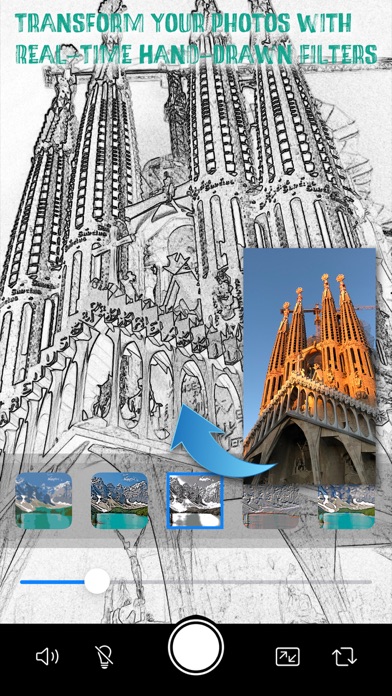
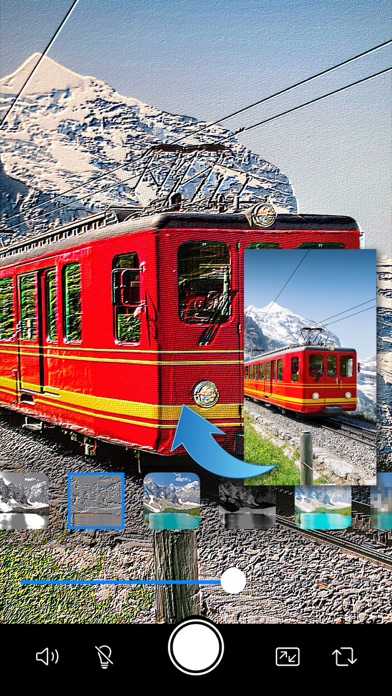
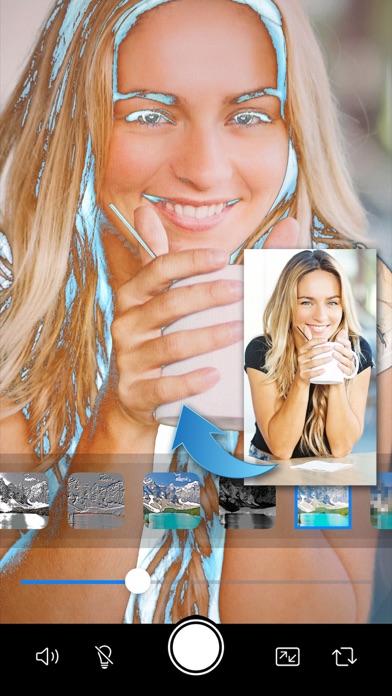
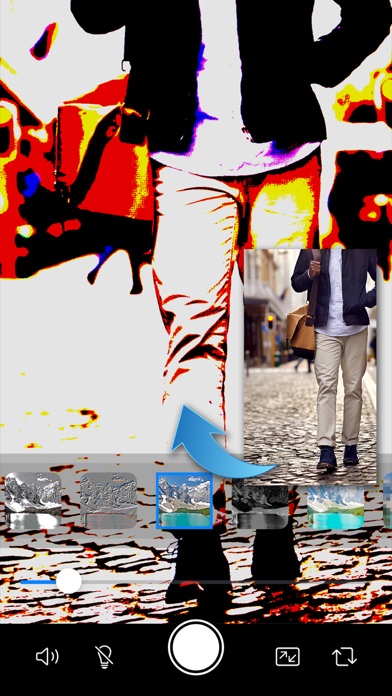
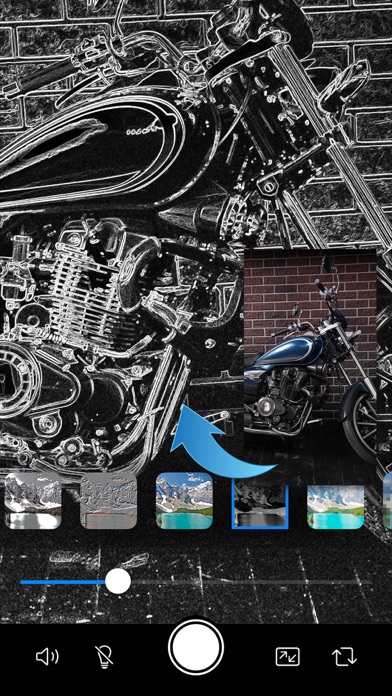
Description by Quantis,Inc. Written by the developer, not by AppBrain. Click to read.
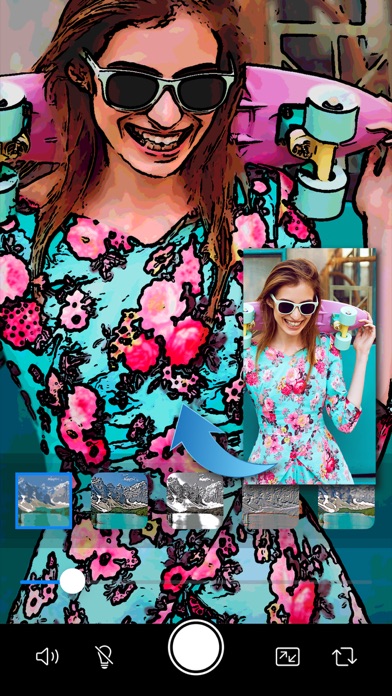
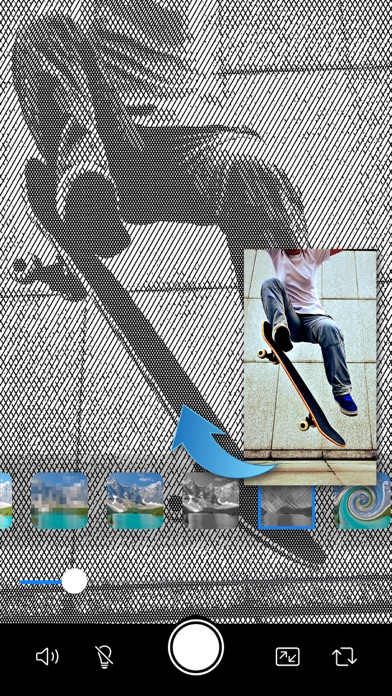
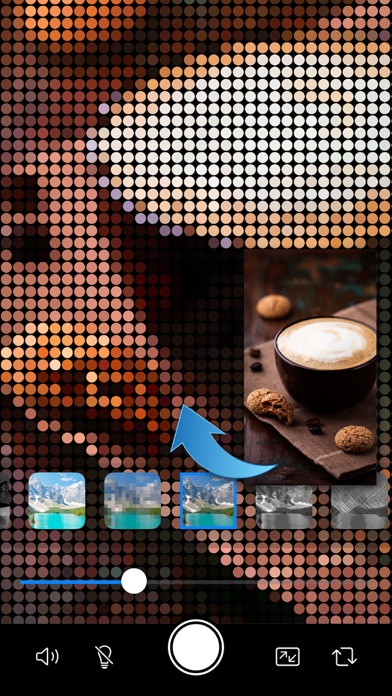
Experience the fusion of photography and art with Drawing Photo Editor, the ultimate camera app designed to turn your photos into stunning hand-drawn artworks. This innovative app comes equipped with live filters that allow you to adjust effects in real-time, giving you full control over your creative vision with just a swipe of your finger. From intricate sketches to vibrant cartoons, oil paintings, poster art, woodblock prints, and fabric canvas images, Drawing Photo Editor offers a wide range of filters that cater to every artistic style.
Key Features:
1. Live Filter Adjustment:
Drawing Photo Editor features real-time filter adjustments, enabling you to see the effects as you shoot. Simply swipe the slider to fine-tune the intensity of the filter, ensuring that every shot is perfect.
2. Extensive Collection of Hand-Drawn Filters:
Explore a vast array of hand-drawn style filters that add a unique artistic touch to your photos. Whether you want to create detailed sketches, comic book styles, bold oil paintings, intricate poster art, or fabric canvas images, Drawing Photo Editor has the perfect filter for you.
3. Unique Artistic Filters Beyond Hand-Drawn Effects:
In addition to hand-drawn filters, Drawing Photo Editor offers a plethora of unique filters such as pixel art, CGA graphics, distorted images, grid layouts, and more. These filters provide a creative twist to your photos, making them truly stand out.
4. Silent Shutter Mode:
The silent shutter mode is perfect for capturing candid moments without disturbing your subject. Whether you're photographing wildlife, a sleeping baby, or a quiet environment, the silent shutter ensures that you can shoot discreetly and confidently.
5. Adjustable Aspect Ratios:
Customize your photos to fit your desired aspect ratio with ease. Drawing Photo Editor allows you to switch effortlessly between portrait and landscape modes, providing the flexibility to suit your composition needs.
6. Built-In Lighting for Low Light Conditions:
Capture clear and detailed photos even in low light conditions with the app's built-in lighting feature. Illuminate your subjects and bring out their best features, regardless of the lighting environment.
7. Front and Rear Camera Support:
Seamlessly switch between the front and rear cameras to take selfies or capture the world around you. Both cameras are fully supported with all the app's features, ensuring high-quality photos from any angle.
8. Intuitive User Interface:
Drawing Photo Editor boasts an intuitive and user-friendly interface that makes navigating the app a breeze. Whether you're a seasoned photographer or a casual user, you'll find it easy to access and utilize all the powerful features this app has to offer.
9. High-Quality Output:
All photos taken with Drawing Photo Editor maintain high resolution and quality, ensuring that your hand-drawn masterpieces look professional and polished.
Why Drawing Photo Editor Stands Out:
Drawing Photo Editor is crafted for those who love to infuse their photos with artistic flair and creativity. Whether you're a professional photographer seeking new tools to enhance your work or a casual user looking to have fun with your photos, this app provides everything you need to create stunning visuals effortlessly. The wide range of filters and effects ensures that there's always something new to explore, while the real-time adjustments give you complete control over your artistic expression.
Drawing Photo Editor is your gateway to transforming ordinary photos into extraordinary hand-drawn artworks. Download now and start creating your masterpieces today!
Safety and technology
Found in the app by AppBrain- Price
- $4.99
- App size
- 7.34 MB
- Content rating
- Everyone
Technologies used by Drawing Photo Editor
Releases
Updates seen on the App Store- Version
- 6.1
- Launched
- December 2015
No changelog data
Alternatives
Similar apps and more from Quantis,Inc.Alternatives to Drawing Photo Editor



More from Quantis,Inc.






Rankings
App Store top chartsApp Store Rankings for Drawing Photo Editor
About the app and developer
About Drawing Photo Editor
Drawing Photo Editor is a photo & video app developed by Quantis,Inc.
User Ratings
Drawing Photo Editor is rated 3.92 out of 5 stars. The rating is based on 620 ratings.
App Information
Drawing Photo Editor costs $4.99. The app size is 7.34 MB. The latest version available is 6.1. The last update was on July 24, 2024.
Technical Requirements
The app has a content rating of Everyone. The app has been available on the App Store since December 2015.
Developer information for Quantis,Inc.
Address: