Drawland - Learn how to draw is made and published by
Martin Mitrevski.
AppBrain is an independent app data site and isn't affiliated with Martin Mitrevski.
The app name, icon, screenshots and description belong to Martin Mitrevski and are shown as
published on the App Store.
About Drawland - Learn how to draw
Drawland - Learn how to draw is an education app developed by Martin Mitrevski.
User Ratings
Drawland - Learn how to draw is rated 4.25 out of 5 stars. The rating is based on 170 ratings.
App Information
Drawland - Learn how to draw is freely available from the App Store. The app size is 84.77 MB. The latest version available is 2.1.4. The last update was on September 20, 2026.
Technical Requirements
The app has a content rating of Everyone. The app has been available on the App Store since October 2019.
Description by Martin Mitrevski(from the App Store)
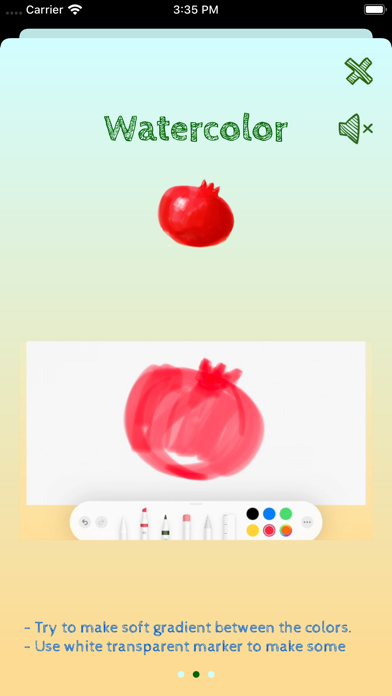
Drawland helps you learn how to draw and write step by step, in a fun and easy way. It instantly checks your drawings and gives continuous feedback about your progress.
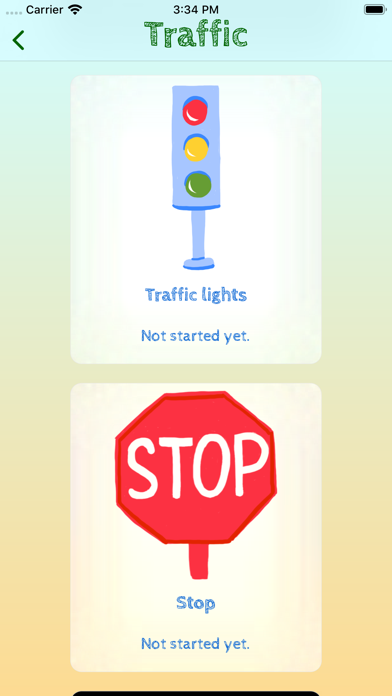
Choose from over 200 different sketches, ranging from numbers and letters, to beautiful drawings of animals, fruits, vegetables, space and much more.
Perfect for kids and anyone who wants to learn to draw. With the shapes, numbers and alphabet drawings, the pre-schoolers can practice and improve their motor skills. For the more talented drawers, the advanced drawings and in-depth steps, can take your drawing skills to the next level.
Use SharePlay to draw together with your friends and family.
Using simple tools and palettes, you will learn the following three drawing techniques: - water colour - flat design - colour pencil
Drawing with Drawland is fun, easy and interactive, for everyone from kids to adults. Enter Drawland and boost your drawing skills and creativity!
Payments and Renewal:
Payment will be charged to iTunes Account at confirmation of purchase. Subscription automatically renews unless auto-renew is turned off at least 24-hours before the end of the current period.
Account will be charged for renewal within 24-hours prior to the end of the current period.
You can manage or turn off auto-renew in your Account settings at any time after purchase
No cancellation of the current subscription is allowed during the active period.
Terms of use: https://www.apple.com/legal/internet-services/itunes/dev/stdeula/
Each subscription will automatically renew 3 days before the expiration date for
the same time period. Subscriptions can be cancelled at any time before the renewal.