

DRM Cast
DRM Cast is made and published by AlgorKorea Co., Ltd. AppBrain is an independent app data site and isn't affiliated with AlgorKorea Co., Ltd. The app name, icon, screenshots and description belong to AlgorKorea Co., Ltd. and are shown as published on the App Store.
AppBrain's verdict
- Last updated
- April 4, 2025
Rankings
App Store top chartsApp Store Rankings for DRM Cast
Competitors
Similar apps and more from AlgorKorea Co., Ltd.More from AlgorKorea Co., Ltd.







Also available on Google Play

Releases
Updates seen on the App Store- Version
- 1.0.1
- Launched
- April 2025
No changelog data
User feedback
Ratings and reviews on the App StoreComments on DRM Cast for iOS
We don't have enough comments to show example comments. Please check back later.
Technology
Found in the app by AppBrain- Price
- $9.99
- App size
- 1.45 MB
- Content rating
- Everyone
Technologies used by DRM Cast
About the app and developer
About DRM Cast
DRM Cast is a lifestyle app developed by AlgorKorea Co., Ltd.
What is the rating of DRM Cast?
DRM Cast has no ratings yet.
Is DRM Cast free?
DRM Cast costs $9.99. The app size is 1.45 MB. The latest version available is 1.0.1. The last update was on April 4, 2025.
What are the requirements for DRM Cast?
The app has a content rating of Everyone. The app has been available on the App Store since April 2025.
Developer information for AlgorKorea Co., Ltd.
Address:
Frequently asked questions about DRM Cast
Is DRM Cast free?
No. DRM Cast costs $9.99 on the App Store.
Is DRM Cast still available?
Yes. DRM Cast is on the App Store, and the last update we saw was on April 4, 2025.
How large is DRM Cast?
DRM Cast is 1.45 MB.
Is DRM Cast suitable for children?
App Store rates the content of DRM Cast as suitable for everyone.
Who made DRM Cast?
DRM Cast was developed by AlgorKorea Co., Ltd. It is listed in the lifestyle category on the App Store.
Store listing
By AlgorKorea Co., Ltd., from the App Store
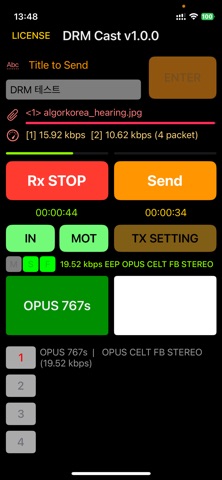
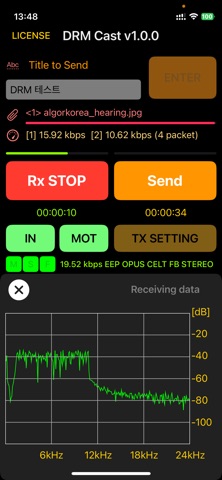
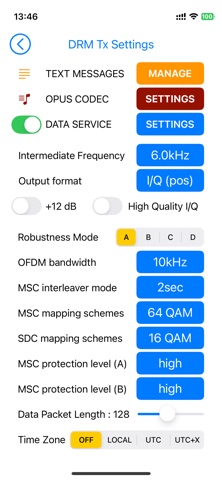
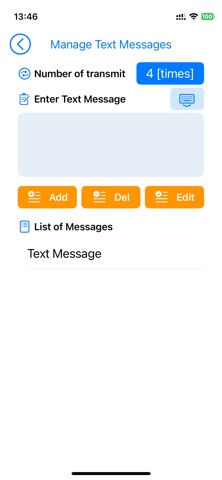
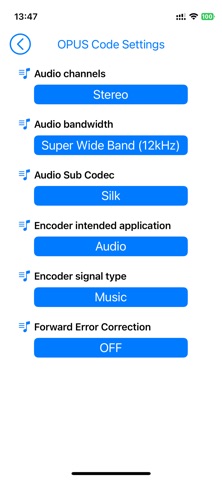
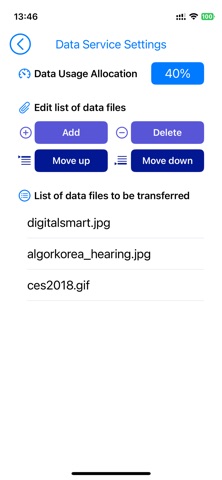
Description by AlgorKorea Co., Ltd. Written by the developer, not by AppBrain. Click to read.
** Rx (Receive Mode)
- Receives DRM30 signals from an audio input device and decodes them using the OPUS codec
- Outputs audio and displays received data
** Tx (Transmit Mode)
- Captures voice input from the smartphone’s microphone and encodes it into a DRM30 signal
- Allows attaching photos, documents, and other data for transmission via an audio output device
** Additional Features & Requirements
- Easily switch between Rx and Tx modes (cannot run simultaneously)
- Supports wired audio input/output by default
- For wireless transmission, a device supporting DRM30 signal with 10kHz bandwidth is required
- Due to the lack of built-in audio ports on modern smartphones, an external USB-C audio device is needed
Experience seamless DRM30 signal transmission and reception with this app!