

DSLR Assistant
DSLR Assistant is made and published by Alexander Khripunov. AppBrain is an independent app data site and isn't affiliated with Alexander Khripunov. The app name, icon, screenshots and description belong to Alexander Khripunov and are shown as published on the App Store.
AppBrain's verdict
- Last updated
- September 22, 2025
Rankings
App Store top chartsApp Store Rankings for DSLR Assistant
Competitors
Similar apps and more from Alexander KhripunovMore from Alexander Khripunov

Releases
Updates seen on the App Store- Version
- 3.9.5
- Launched
- October 2019
No changelog data
User feedback
Ratings and reviews on the App StoreComments on DSLR Assistant for iOS
We don't have enough comments to show example comments. Please check back later.
Technology
Found in the app by AppBrain- Price
- Free
- App size
- 10.7 MB
- Content rating
- Everyone
Technologies used by DSLR Assistant
About the app and developer
About DSLR Assistant
DSLR Assistant is a photo & video app developed by Alexander Khripunov.
User Ratings
The app has no ratings yet.
App Information
DSLR Assistant is freely available from the App Store. The app size is 10.65 MB. The latest version available is 3.9.5. The last update was on September 22, 2025.
Technical Requirements
The app has a content rating of Everyone. The app has been available on the App Store since October 2019.
Developer information for Alexander Khripunov
Address:
Store listing
By Alexander Khripunov, from the App Store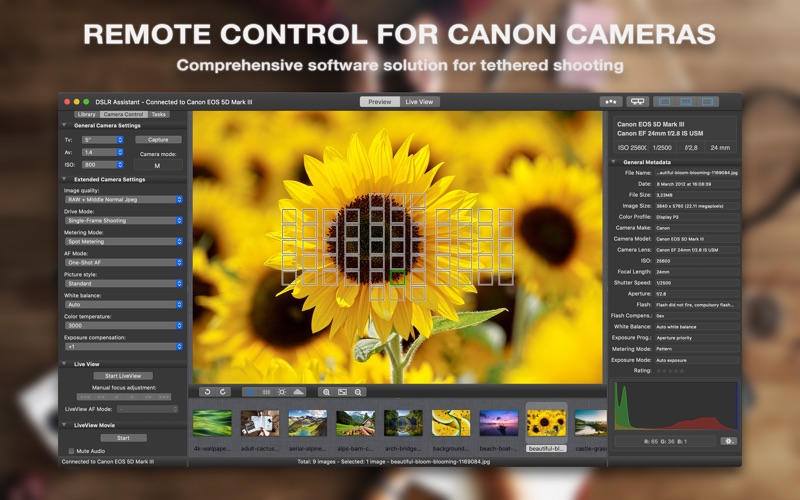
Description by Alexander Khripunov Written by the developer, not by AppBrain. Click to read.
WHY SHOOT TETHERED?
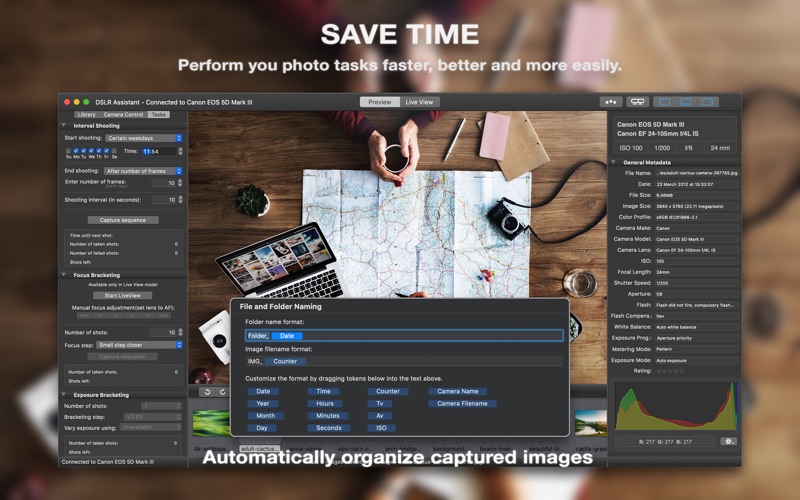
• Save Time. Perform you photo tasks faster, better and more easily. Reduce the amount of post processing workflow.
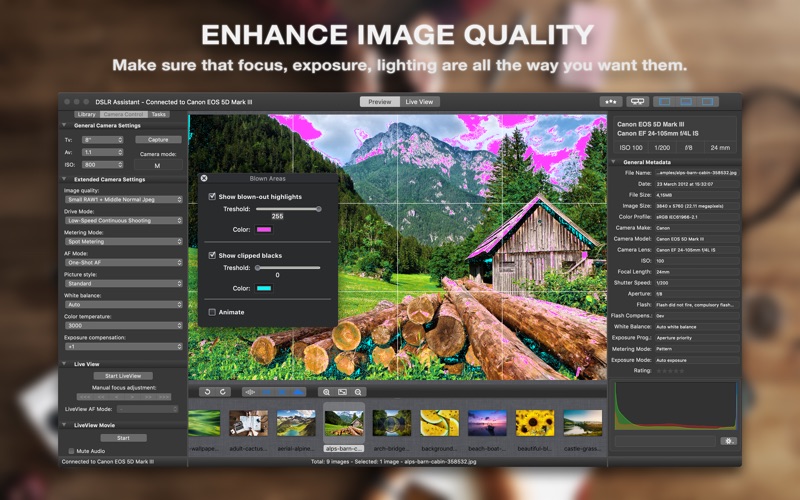
• Enhance Image Quality. Make sure that focus, exposure, lighting, and of course composition are all the way you want them.
• Get immediate feedback from the client and/or model. Make on-the-spot decisions which would benefit both of you.
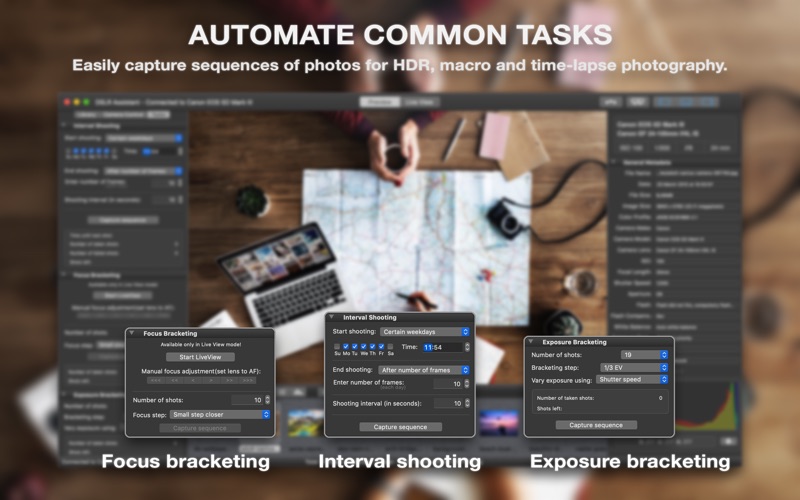
• Automate Common Tasks. Easily capture sequences of photos for HDR, macro and time-lapse photography.
FEATURES:
TETHERED SHOOTING
• Control practically all camera parameters, key settings and shooting functions remotely. With only a few clicks you may change aperture, shutter speed, ISO, image size and quality, control lens focus and more. While it is still possible to set all options in the camera, it often makes more sense to make the changes remotely.
• Release the shutter by pressing the release button on a camera body or remotely from the app.
• Automatically transfer all captured images to your Mac.
• See a live view from a camera on a large screen while shooting.
• Adjust lens focus precisely when shooting at a shallow depth of field.
• Record high quality native video stream into a file.
IMAGE LIBRARY
• Automatically organise captured images.
• Support for tokens in file and folder names.
• Rate images from within the app.
INSTANT IMAGE PREVIEW
• Preview captured images instantly on a large screen while shooting.
• Image histogram with red, green and blue channels.
• Identify overexposed and underexposed areas of the image.
• Review the focus points used by the camera when recording the picture.
• Examine EXIF information describing different parameters digital camera used while taking a shot.
LIVE VIEW
• Frame the shot without the need to look through the camera's viewfinder, you may use the Mac screen instead.
• Precisely adjust lens focus.
• Zoom LiveView image in and out.
• Flip live preview image horizontally.
• Record LiveView video stream into a file.
NIGHT MODE
• Dim the screen to preserve your eyesight in a darkened environment.
• Make your screen red to preserve your night vision even better.
INTERVAL SHOOTING
• Arbitrary number of shots in the sequence.
• User-defined time interval between shots.
• Start and finish shooting at the predefined time.
• Shooting on certain weekdays.
FOCUS BRACKETING
• Automatically capture images with different positions of the focal plane to increase depth of field in your macro shots.
• User-defined focus step between sequential shots.
EXPOSURE BRACKETING
• Automatic capture of bracketed series of images for high dynamic range photography.
• Far greater dynamic range.
• User-defined bracketing step.
BULB MODE
• Set your shutter speed for longer than 30 seconds.
SUPPORTED CANON EOS CAMERAS
40D, 50D, 60D, 70D, 77D, 80D, 90D, 100D, 200D, 250D, 450D, 500D, 550D, 600D, 650D, 700D, 750D, 760D, 800D, 850D, 1000D, 1100D, 1200D, 1300D, 2000D, R, RP, R5, R6, 1D Mark III, 1Ds Mark III, 1D Mark IV, 1D X, 1D X Mark II, 5D Mark II, 5D Mark III, 5D Mark IV, 5DS, 6D, 6D Mark II, 7D, 7D Mark II
Rebel XSi, T1i, T2i, T3i, T4i, T5i, T6i, T6s, T7i, SL1, SL2, SL3, XS, T3, T5, T6, T7
Kiss X2, X3, X4, X5, X6i, X7, X7i, X9, X9i, F, X50, X70
LEGAL
Duration and price of each subscription are displayed in DSLR Assistant storefront at the time of purchase. Payment will be charged to iTunes account at confirmation of purchase. Subscriptions will automatically renew unless canceled within 24-hours before the end of the current period. You can cancel anytime with your iTunes account settings. Any unused portion of a free trial period is forfeited as soon as a subscription is purchased.
Terms of Use: https://www.dslrassistant.com/termsofuse
Privacy Policy: https://www.dslrassistant.com/privacy