
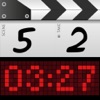
DSLR Clapperboard is made and published by Daniele Morelli. AppBrain is an independent app data site and isn't affiliated with Daniele Morelli. The app name, icon, screenshots and description belong to Daniele Morelli and are shown as published on the App Store.
AppBrain's verdict
Removed- Rating on App Store
- 3.36
- 22 ratings
- Last updated
- February 22, 2024
- Size
- 71.6 MB
DSLR Clapperboard is no longer on the App Store. It had too few ratings to say what users thought.
User feedback
Ratings and reviews on the App StoreComments on DSLR Clapperboard for iOS
We don't have enough comments to show example comments. Please check back later.
Store listing
By Daniele Morelli, from the App StoreSimilar apps
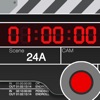


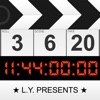
Description by Daniele Morelli Written by the developer, not by AppBrain. Click to read.
Features' list:
CLAPPERBOARD
• Full customization of the clapboard: design your own slate with a few touches. (IPad version)
• Project based clapboard: start, stop and recall your work at your needs.
• Switch from timer to timecode (24, 25, 30, 50 and 60 fps).
• Choose among 3 different clap sounds.
• Auto takes advance, to update the take after each shot.
• Stopwatch, to have time under your control.
• Full customization, to have a clapperboard exactly the way you like.
• Remarks, allows you to add notes during the shooting.
• Log history, to keep everything under your eyes.
• Summary e-mail report, to send the result of your shooting in your inbox (in-app purchase).
• NEW Multi-camera clapboard: you can synchronize up to 8 devices to execute the clapboard simultaneously on all of them.
In-App Purchase (for a short period of time at a very competitive price):
PROMPTER (IPad version)
• Unlimited number of scripts.
• Bookmarks, to jump directly to the point.
• Remote control, with full preview at your fingertips.
• Easy connection, over bluetooth or wi-fi.
• Speed wheel, for an innovative user interaction.
• Change font size from the remote control.
• Flip text on the fly.
• Drag text on the remote control, the prompter will follow accordingly.
• Auto prompter: set up your speed and then start playing it.
STORYBOARD (IPad version)
• Import any image or picture you have as a frame of your storyboard.
• Give it a number (also 12B-2C#2) and a description.
• You can automatically import you storyboard with the new DSLR Template available for download at your fingertip.
• Synchronize your storyboard with the clapperboard (scene number and final summary email).
---
To ask for new features and to report bugs, please refer to dslrslate.com and visit the page "customer care".
Safety and technology
Found in the app by AppBrain- Price
- Free
- App size
- 71.6 MB
- Content rating
- Everyone
Technologies used by DSLR Clapperboard
Releases
Updates seen on the App Store- Version
- 5.7
- Launched
- June 2018
No changelog data
About the app and developer
About DSLR Clapperboard
DSLR Clapperboard was a photo & video app developed by Daniele Morelli. It was removed from the App Store Sep 12, 2024.
User Ratings
DSLR Clapperboard was rated 3.36 out of 5 stars, based on 22 ratings.
App Information
DSLR Clapperboard was free. The app size was 71.59 MB. The last available version was 5.7. The last update was on February 22, 2024.
Technical Requirements
The app had a content rating of Everyone. The app had been available on the App Store since June 2018.
Developer information for Daniele Morelli
Address: