

dThing: Memo with Pics & Voice
dThing: Memo with Pics & Voice is made and published by Wild Brains LLC. AppBrain is an independent app data site and isn't affiliated with Wild Brains LLC. The app name, icon, screenshots and description belong to Wild Brains LLC and are shown as published on the App Store.
AppBrain's verdict
Established- Rating on App Store
- 4.11
- 9 ratings
- Last updated
- November 15, 2020
It doesn't have enough ratings yet to judge what users think.
Rankings
App Store top chartsApp Store Rankings for dThing: Memo with Pics & Voice
Competitors
Similar apps and more from Wild Brains LLCAlternatives to dThing: Memo with Pics & Voice








More from Wild Brains LLC




Also available on Google Play

Releases
Updates seen on the App Store- Version
- 1.1.9
- Launched
- June 2019
No changelog data
User feedback
Ratings and reviews on the App StoreComments on dThing: Memo with Pics & Voice for iOS
We don't have enough comments to show example comments. Please check back later.
Technology
Found in the app by AppBrain- Price
- Free
- App size
- 60.9 MB
- Content rating
- Everyone
Technologies used by dThing: Memo with Pics & Voice
About the app and developer
About dThing: Memo with Pics & Voice
dThing: Memo with Pics & Voice is a productivity app developed by Wild Brains LLC.
User Ratings
dThing: Memo with Pics & Voice is rated 4.11 out of 5 stars. The rating is based on 9 ratings.
App Information
dThing: Memo with Pics & Voice is freely available from the App Store. The app size is 60.87 MB. The latest version available is 1.1.9. The last update was on November 15, 2020.
Technical Requirements
The app has a content rating of Everyone. The app has been available on the App Store since June 2019.
Developer information for Wild Brains LLC
Address:
Store listing
By Wild Brains LLC, from the App Store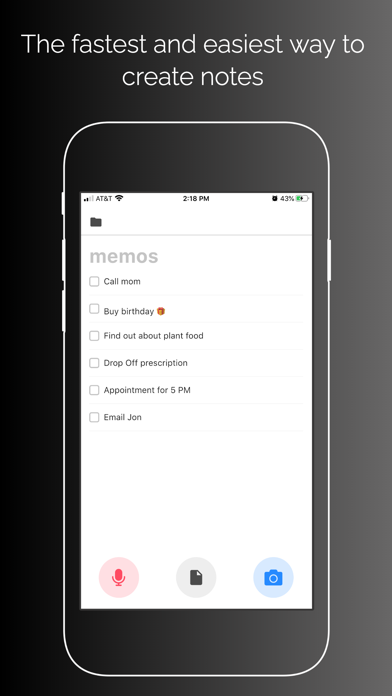
Description by Wild Brains LLC Written by the developer, not by AppBrain. Click to read.
FEATURES OF dThing:
• NO ADS! Free yourself from distraction or intrusion from ads. Use our app for FREE and ADFREE.
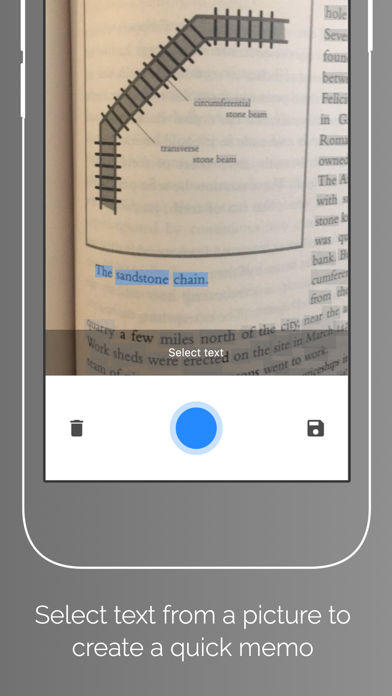
• IMAGE TO TEXT: Aside from using your voice, you can also take a picture with the camera. We will transcribe the text in the image into text in the list. Very simple but powerful features that not every note taking app have.
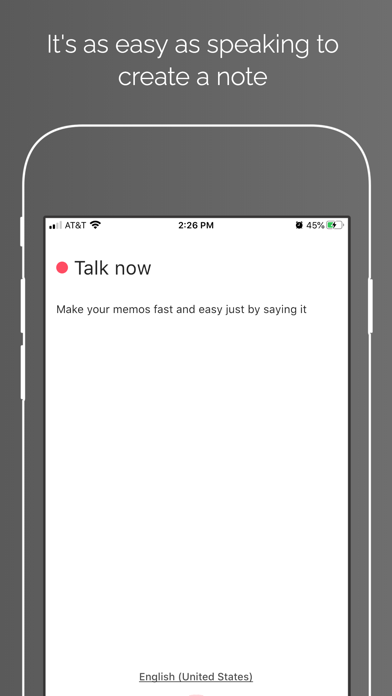
• VOICE TO TEXT: Create lists quickly with your voice. Simply speak up and create lists you need. Our speech recognition will transcribe your words into text and you can create lists just with your voice.
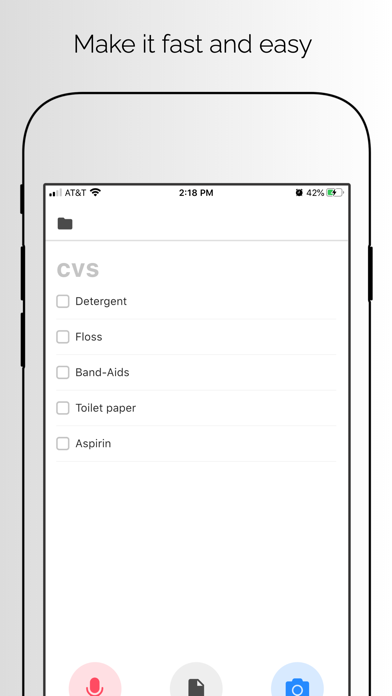
• SIMPLE USER INTERFACE: There’s no need to worry about how to use this app. Everything is simple and straightforward. Simply create a list with the title, press the Mic button and start speaking. We will create a list based on what you speak.
• LIGHTWEIGHT AND FAST: We value your limited storage space. dThing is super lightweight and fast. Because we store the data in text format, you also save a lot of space.
How to use:
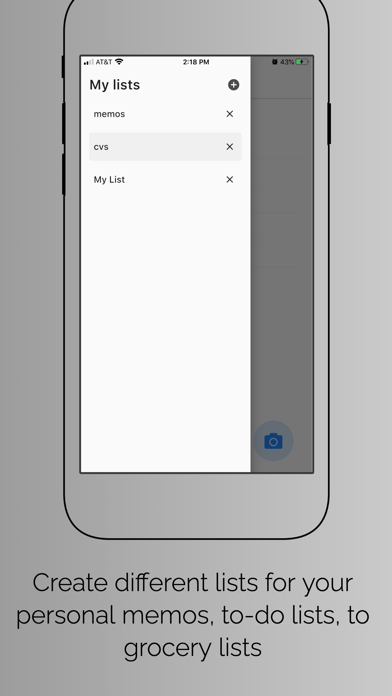
1. Tap on the Folder icon and create a list.
2. Name the list. (e.g Grocery List, Things To Do, Ideas, etc).
3. Tap on the list, then tap on the Mic to start dictating
4. The app will transcribe the speech into text. Press OK if the word is correct.
5. We will add the item you just said into the list.
6. Continue until you’re satisfied.
7. You can also press the Camera button to transcribe text image into text.
8. Select the part of text you want to include in the list.
9. We will add the word into the list.
10. Press Setting button to modify a list
11. Create as many lists as you want!
Note: To use our app, please give permission for our app to access Speech Recognition, microphone, features in your iOS device. The data will be used to transcribe your input unto ToDo Entries. If you want to use your camera to take notes and create lists, you also need to allow our app to access your device’ Camera. To change the language for the speech detection, please go to the Main Setting on your Device and change the primary language for your device.
Simple, isn’t it? Most of us don’t need complicated List taking app. We just need a lightweight, simple, fast, and functional app that we can reliably use every day. That’s why you should download and try dThing now!
Thank you for supporting dThing by downloading and using our app. If you have any problem when using our app, please allow us to fix it as soon as we can by sending us an email and let us know about it. We also appreciate if you can help us our by giving a supportive review or rating on the Appstore share it to your colleagues.