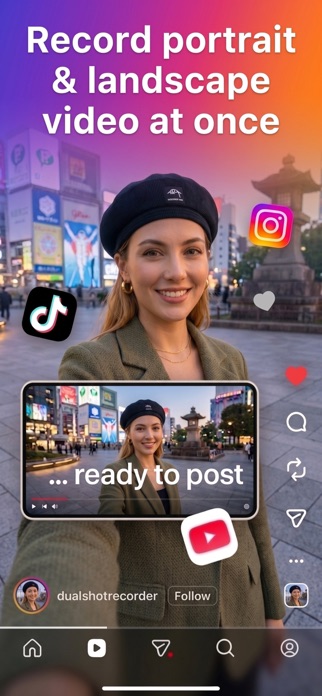
Dual Camera: Front & Back is an overall app developed by Truong Pham Quang.
Download Statistics
User Ratings
The app has no ratings yet.
App Information
Dual Camera: Front & Back is FREE to download. The APK download size is 13.41 MB. The latest version available is 1.6.0. The last update was on June 23, 2026.
Technical Requirements
The app has a content rating of Everyone. The app has been available on Google Play April 2026.
Description
One tap. Two cameras. Two finished videos — one for TikTok, one for YouTube.
Stop switching apps, re-recording, or wasting hours editing. Hit record once. Walk away with both formats ready to post.
KEY FEATURES
Dual-Lens Recording Record from your front and rear cameras simultaneously. Show your reaction alongside the action. Works in real time with live Picture-in-Picture preview so you always see both feeds before you commit.
Simultaneous Multi-Format Output Every recording session produces two finished video files: a 9:16 portrait video optimized for TikTok, Instagram Reels, and Shorts, plus a 16:9 landscape video ready for YouTube and traditional video platforms. No editing required.
Single Lens Hybrid Mode Only need one camera? Use hybrid mode to record from a single lens and let Dual automatically crop and export both the portrait and landscape versions. Same efficiency, half the hardware.
Real-Time Picture-in-Picture Preview Monitor both camera feeds live on screen before and during recording. Know exactly what you are capturing from every angle with no surprises in post.
Lens Selector Pick the exact wide, ultrawide, or telephoto lens for each camera before recording. Match the look you need for every shot.
Professional Quality Control Choose your resolution (1080p or 4K), frame rate (24, 30, or 60 fps), and output format (MOV or MP4) before every session. Consistent, broadcast-quality output every time.
PERFECT FOR
- Content creators who post across TikTok, YouTube, and Instagram - Vloggers who want to capture both front and wide-angle perspectives - Reaction creators who need front and back footage in sync - Social media managers producing content at volume - YouTubers who also maintain a short-form presence on Reels or Shorts - Anyone tired of recording the same moment twice for different platforms
HOW IT WORKS
1. Open Dual and choose dual-lens or single-lens hybrid mode 2. Set your resolution, frame rate, and file format 3. Hit record - both cameras capture simultaneously with live PiP preview 4. Stop recording - portrait and landscape videos save automatically to your Camera Roll 5. Post portrait to TikTok and landscape to YouTube. Done.
DEVICE REQUIREMENTS
Dual camera mode requires an iPhone XS or later (A12 chip or newer) for simultaneous multi-camera capture. Single lens hybrid mode works on any supported iOS device.
Each subscription will automatically renew 3 days before the expiration date for
the same time period. Subscriptions can be cancelled at any time before the renewal.