Duo: Split Screen Dual Window is made and published by
Mikalai Kuts.
AppBrain is an independent app data site and isn't affiliated with Mikalai Kuts.
The app name, icon, screenshots and description belong to Mikalai Kuts and are shown as
published on the App Store.
About Duo: Split Screen Dual Window
Duo: Split Screen Dual Window is a productivity app developed by Mikalai Kuts.
User Ratings
The app has no ratings yet.
App Information
Duo: Split Screen Dual Window is freely available from the App Store. The app size is 4.09 MB. The latest version available is 1.3. The last update was on September 23, 2026.
Technical Requirements
The app has a content rating of High Maturity. The app has been available on the App Store since September 2026.
Description by Mikalai Kuts(from the App Store)
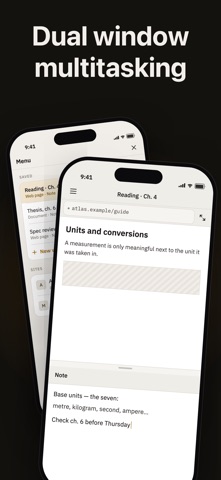
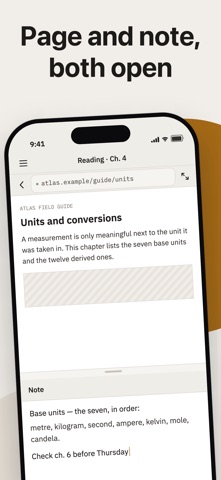
TwoUp puts two things on one iPhone screen at the same time: a web page, a PDF and a plain-text note, in any combination you need.
Read a PDF above and write your notes below. Keep a reference page open beside the document you are working through. Both panes stay live — scroll one and the other keeps its place.
SAVE THE PAIR A pair of panes is a workspace. Name it, and it reopens exactly as you left it: the same document, the same page, the same note text, the same divider position.
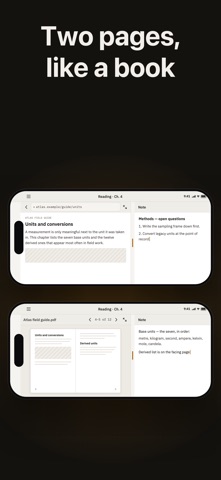
MADE FOR READING Drag the divider to give either pane more room, or send one pane full screen and back. Turn the phone sideways and a PDF opens as a two-page spread, like a book, with your note still beside it.
YOUR OWN SITES — WITH PRO Save the pages you keep coming back to, with their titles and icons, and open one into a pane without typing an address.
IT ALL STAYS ON YOUR PHONE No account, no sign-in, and no server of ours. Your notes, your documents and your saved sites never leave the device — there is nowhere for them to go. The app asks for no permissions at all: no camera, no photos, no contacts, no location.
The app sends anonymous usage statistics so we can see which screens people reach and where they get stuck. None of your content is ever included — not your notes, not the addresses you open. You can switch it off in Menu > App > Share usage data.
TwoUp Pro adds two things: keeping more than one saved workspace, and saving your own sites as shortcuts.
Terms of Use: https://nikolaykutsbr.github.io/twoup-support/terms.html Privacy Policy: https://nikolaykutsbr.github.io/twoup-support/privacy-policy.html
Each subscription will automatically renew 3 days before the expiration date for
the same time period. Subscriptions can be cancelled at any time before the renewal.