

Dyslexia & ADHD: dys reading
Dyslexia & ADHD: dys reading is made and published by michael dardol. AppBrain is an independent app data site and isn't affiliated with michael dardol. The app name, icon, screenshots and description belong to michael dardol and are shown as published on the App Store.
AppBrain's verdict
Established- Rating on App Store
- 4.46
- 98 ratings
- Last updated
- August 24, 2026
It doesn't have enough ratings yet to judge what users think.
Rankings
App Store top chartsApp Store Rankings for Dyslexia & ADHD: dys reading
Competitors
Similar apps and more from michael dardolAlternatives to Dyslexia & ADHD: dys reading


More from michael dardol


Releases
Updates seen on the App Store- Version
- 2.0.3
- Launched
- March 2021
No changelog data
User feedback
Ratings and reviews on the App StoreComments on Dyslexia & ADHD: dys reading for iOS
We don't have enough comments to show example comments. Please check back later.
Technology
Found in the app by AppBrain- Price
- Free
- App size
- 3.87 MB
- Content rating
- Everyone
Technologies used by Dyslexia & ADHD: dys reading
About the app and developer
About Dyslexia & ADHD: dys reading
Dyslexia & ADHD: dys reading is an education app developed by michael dardol.
What is the rating of Dyslexia & ADHD: dys reading?
Dyslexia & ADHD: dys reading is rated 4.46 out of 5 stars, based on 98 ratings.
Is Dyslexia & ADHD: dys reading free?
Dyslexia & ADHD: dys reading is free. The app size is 3.87 MB. The latest version available is 2.0.3. The last update was on August 24, 2026.
What are the requirements for Dyslexia & ADHD: dys reading?
The app has a content rating of Everyone. The app has been available on the App Store since March 2021.
Developer information for michael dardol
Address:
Frequently asked questions about Dyslexia & ADHD: dys reading
Is Dyslexia & ADHD: dys reading free?
Yes. Dyslexia & ADHD: dys reading is free on the App Store.
Is Dyslexia & ADHD: dys reading still available?
Yes. Dyslexia & ADHD: dys reading is on the App Store, and the last update we saw was on August 24, 2026.
How large is Dyslexia & ADHD: dys reading?
Dyslexia & ADHD: dys reading is 3.87 MB.
Is Dyslexia & ADHD: dys reading suitable for children?
App Store rates the content of Dyslexia & ADHD: dys reading as suitable for everyone.
How do people rate Dyslexia & ADHD: dys reading?
Dyslexia & ADHD: dys reading scores 4.46 out of 5 stars, from 98 ratings on the App Store.
Who made Dyslexia & ADHD: dys reading?
Dyslexia & ADHD: dys reading was developed by michael dardol. It is listed in the education category on the App Store.
What are the best alternatives to Dyslexia & ADHD: dys reading?
People looking at Dyslexia & ADHD: dys reading also look at these education apps: Leksa - Dyslexia Helper, Lexy: Dyslexia Reading Tutor, Dyslexia Font - AI Tutor & Pal, Dyslexia Test: School & Pro, Dyslexia Screening Test App.
Store listing
By michael dardol, from the App Store
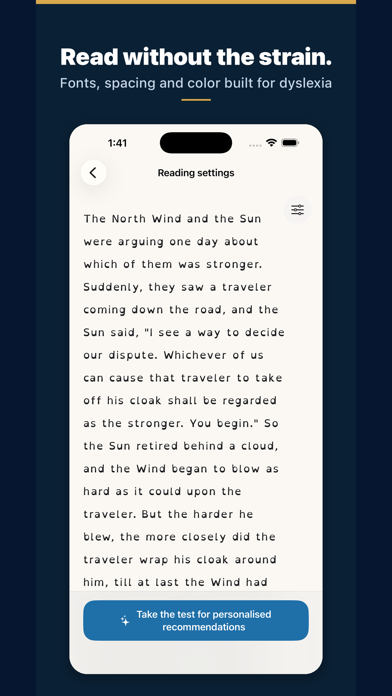

Description by michael dardol Written by the developer, not by AppBrain. Click to read.
For dyslexic and ADHD readers, children and adults alike — and for anyone who tires quickly on screen.
This app is a settings lab: experiment with fonts (including OpenDyslexic), text size, letter and line spacing, and colors on a sample text — and see the result instantly.
IMPORTANT — This app is not a screening or diagnostic tool. Dyslexia is diagnosed by a qualified professional (speech-language pathologist). This app only helps you explore display preferences.
WHY SPACING MATTERS
In a controlled study published in PNAS (Zorzi et al., 2012), increasing the space between letters immediately improved reading accuracy in children with dyslexia — with no training. Effects vary from reader to reader, which is exactly why testing your own settings matters.
WHAT YOU CAN DO
- Try different fonts and compare them on the same text
- Adjust text size, letter spacing and line spacing
- Test text and background colors for your visual comfort
- Send feedback and suggest new settings
Once you know what works for you, apply your preferences in our other apps (Scandys, Navidys, School tool) or in your device's accessibility settings.