

Ear Training L3 - The Moons
Ear Training L3 - The Moons is made and published by Paul Russell. AppBrain is an independent app data site and isn't affiliated with Paul Russell. The app name, icon, screenshots and description belong to Paul Russell and are shown as published on the App Store.
AppBrain's verdict
- Rating on App Store
- 5.00
- 3 ratings
- Last updated
- October 7, 2026
- Size
- 31.8 MB
It doesn't have enough ratings yet to judge what users think.
User feedback
Ratings and reviews on the App StoreComments on Ear Training L3 - The Moons for iOS
We don't have enough comments to show example comments. Please check back later.
Store listing
By Paul Russell, from the App Store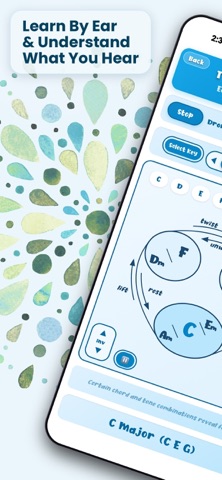


Description by Paul Russell Written by the developer, not by AppBrain. Click to read.
Features:
12 tonal centers (all keys)
7 modes: Major, Mixolydian, Lydian, Natural Minor, Harmonic Minor, Dorian, Phrygian
7 diatonic chords with roles displayed visually
Fun and challenging test mode
MIDI Visualizer - see what you play displayed
Male and female choirs
Real Acoustic Cello
Adjustable drone/chord mix balance
Function and note name label modes
Works offline — no internet required
How it works:
Chords Mode: Start the drone, then tap spheres of the moons to hear chords. Use the arrow selector to shift to the closest inversion either up or down. In male choir mode, the radio buttons above sound melody tones. In female choir mode, the same buttons trigger a bass tone below.
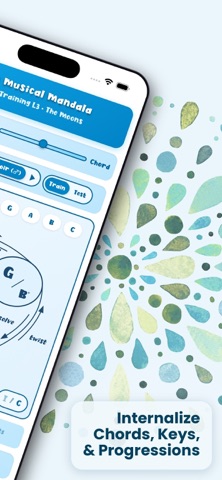
Chords Test Mode: Start drone, choose levels, then begin. Listen to the chord played, click the corresponding moon to select, then press the checkmark to commit. Once you’ve committed, or when the timer runs out, you’ll receive feedback as to the accuracy of your selection.
3 levels in Chord Test Mode:
1) Root position chords
2) 1st Inversions
3) 2nd inversions
(test individually or in combination)
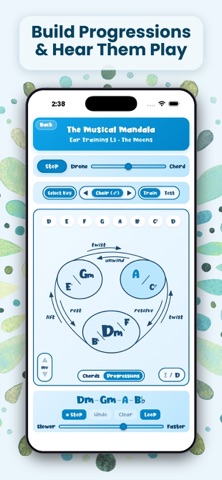
Progressions Mode: Start the drone. Select a chord then press “Add” to add it to the progression. Repeat up to four times. Press play to hear the progression. The slider below the progression speeds up or slows down the tempo. Activate “Loop” to loop the progression.
Chord Progressions Test Mode: Start drone, choose levels, then begin. Listen to the chord progression played, click a series of 3 corresponding moons, first selecting then commiting each of the chords. Once you’ve commited, or when the timer runs out, you’ll receive feedback as to the accuracy of your selections.
4 levels in Chord Progression Mode:
1) Simple Cadences
2) Deceptive Cadences
3) Unresolved Progressions
Level 3 of Ear Training in The Mandala
L1 - The Fan & The Curtain (simple intervals)
L2 - The Tower (intervals, chords, and connections)
L3 - The Moons (chords and chord progressions)
Safety and technology
Found in the app by AppBrain- Price
- $7.99
- App size
- 31.8 MB
- Content rating
- Everyone
Technologies used by Ear Training L3 - The Moons
Releases
Updates seen on the App Store- Version
- 3.2
- Launched
- July 2026
No changelog data
Alternatives
Similar apps and more from Paul RussellMore from Paul Russell


Rankings
App Store top chartsApp Store Rankings for Ear Training L3 - The Moons
About the app and developer
About Ear Training L3 - The Moons
Ear Training L3 - The Moons is a music app developed by Paul Russell.
User Ratings
Ear Training L3 - The Moons is rated 5.00 out of 5 stars. The rating is based on 3 ratings.
App Information
Ear Training L3 - The Moons costs $7.99. The app size is 31.77 MB. The latest version available is 3.2. The last update was on October 7, 2026.
Technical Requirements
The app has a content rating of Everyone. The app has been available on the App Store since July 2026.
Developer information for Paul Russell
Address: