

EaseUS Partition-Master
EaseUS Partition-Master is made and published by EaseUS Software. AppBrain is an independent app data site and isn't affiliated with EaseUS Software. The app name, icon, screenshots and description belong to EaseUS Software and are shown as published on the App Store.
AppBrain's verdict
- Last updated
- February 18, 2025
Rankings
App Store top chartsApp Store Rankings for EaseUS Partition-Master
Competitors
Similar apps and more from EaseUS SoftwareMore from EaseUS Software


Releases
Updates seen on the App Store- Version
- 1.4.0
- Launched
- January 2025
No changelog data
User feedback
Ratings and reviews on the App StoreComments on EaseUS Partition-Master for iOS
We don't have enough comments to show example comments. Please check back later.
Technology
Found in the app by AppBrain- Price
- Free
- App size
- 44.1 MB
- Content rating
- Everyone
Technologies used by EaseUS Partition-Master
About the app and developer
About EaseUS Partition-Master
EaseUS Partition-Master is an utilities app developed by EaseUS Software.
User Ratings
The app has no ratings yet.
App Information
EaseUS Partition-Master is freely available from the App Store. The app size is 44.07 MB. The latest version available is 1.4.0. The last update was on February 18, 2025.
Technical Requirements
The app has a content rating of Everyone. The app has been available on the App Store since January 2025.
Developer information for EaseUS Software
Address:
Store listing
By EaseUS Software, from the App Store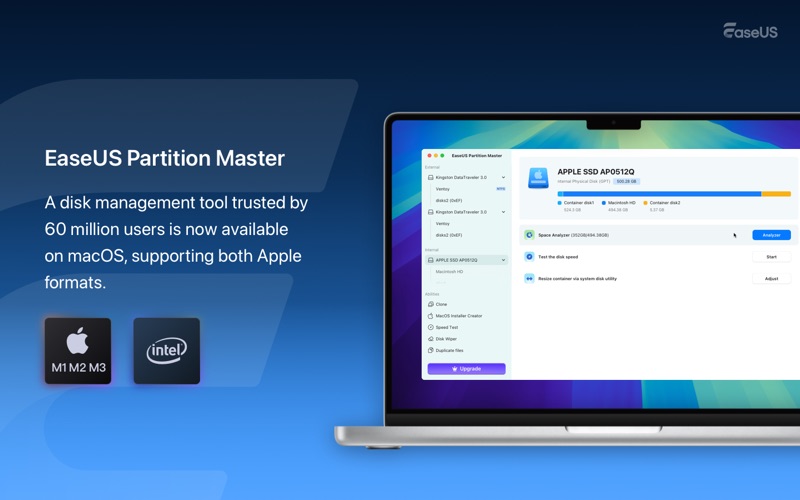

Description by EaseUS Software Written by the developer, not by AppBrain. Click to read.
Main Features of EaseUS Partition Master for Mac:
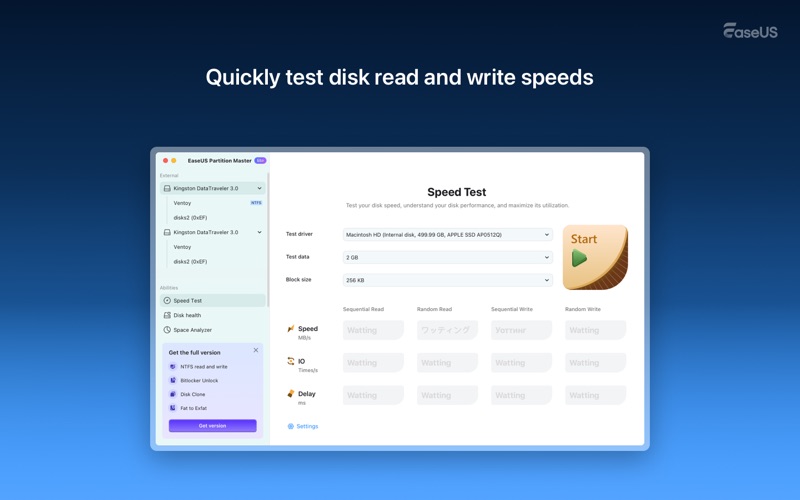
a. Hard Drive Speed Measurement: Test the read and write speeds of SSDs/HDDs on your Mac.
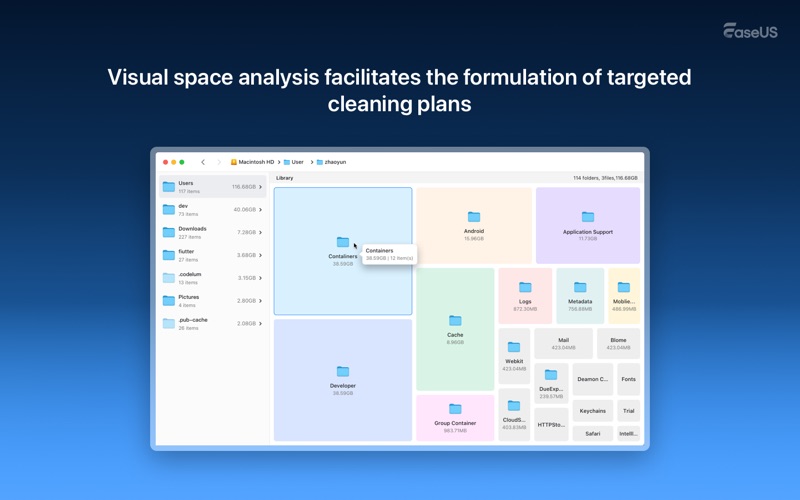
b. Disk Space Visualization Analyzer: Conduct a quick scan and provide a visual breakdown of disk space in the form of an interactive map, highlighting the largest space consumers.
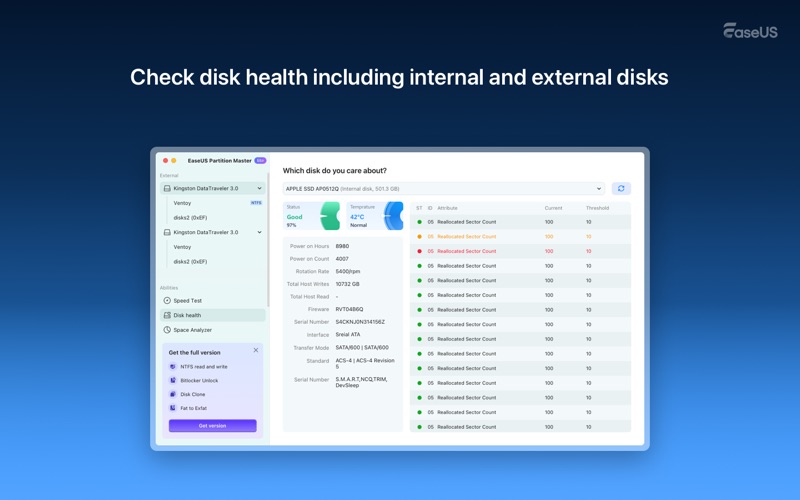
c. Disk S.M.A.R.T. Check: Monitor the health of your internal and external hard drives and their S.M.A.R.T. data.
Hard Drive Read and Write Speed Test
This free disk utility evaluates disk performance by testing its capabilities for random read, sequential read, random write, and sequential write. Click the start button, and the tool will handle the rest, running a speed examination and providing the final results. Its simple operation, clear reporting, and visual process make it user-friendly. Additionally, users can set the queue size and worker threads to meet specific speed testing requirements.
Disk Health Monitor:
By checking the S.M.A.R.T. attributes of both internal and external disks on our Macs, we can receive early warnings of potential problems, allowing us to take corrective actions to prevent disk failure.
Disk Space Analyzer
Quickly identify which files occupy the most space and discover the biggest space wasters. After scanning, the tool displays how space is being used graphically and textually, allowing users to spot large and unused files that consume valuable free space on their Mac.
More Advanced Features in the Premium Version
Clone and upgrade macOS disks to larger SSDs
Copy and back up data on external disk drives
Decrypt BitLocker-encrypted disk drives
Read and write NTFS drive data on Mac
Convert FAT to exFAT without losing data
Download and create a macOS installer, upgrade or downgrade your Mac anytime.
Learn more about the advanced version: https://bit.ly/4gkSI53
Terms of Use (EULA): https://www.easeus.com/license.htm
Privacy Policy: https://www.easeus.com/privacy.htm
If you have any comments or issues, please get in touch with us directly at support@easeus.com.