

Easy-PhotoPrint Editor
Easy-PhotoPrint Editor is made and published by Canon Inc. AppBrain is an independent app data site and isn't affiliated with Canon Inc. The app name, icon, screenshots and description belong to Canon Inc. and are shown as published on the App Store.
AppBrain's verdict
EstablishedLoved by users- Rating on App Store
- 4.72
- 24,200 ratings
- Last updated
- September 7, 2026
Users love it: 4.7 stars from 24,200 ratings.
Rankings
App Store top chartsApp Store Rankings for Easy-PhotoPrint Editor
Competitors
Similar apps and more from Canon Inc.


Releases
Updates seen on the App Store- Version
- 1.10.8
- Launched
- September 2018
No changelog data
User feedback
Ratings and reviews on the App StoreComments on Easy-PhotoPrint Editor for iOS
We don't have enough comments to show example comments. Please check back later.
Technology
Found in the app by AppBrain- Price
- Free
- App size
- 94.2 MB
- Content rating
- Everyone
Technologies used by Easy-PhotoPrint Editor
About the app and developer
About Easy-PhotoPrint Editor
Easy-PhotoPrint Editor is a photo & video app developed by Canon Inc.
User Ratings
Easy-PhotoPrint Editor is rated 4.72 out of 5 stars. The rating is based on 24 thousand ratings.
App Information
Easy-PhotoPrint Editor is freely available from the App Store. The app size is 94.23 MB. The latest version available is 1.10.8. The last update was on September 7, 2026.
Technical Requirements
The app has a content rating of Everyone. The app has been available on the App Store since September 2018.
Developer information for Canon Inc.
Address:
Frequently asked questions about Easy-PhotoPrint Editor
Is Easy-PhotoPrint Editor free?
Yes. Easy-PhotoPrint Editor is free on the App Store.
Is Easy-PhotoPrint Editor still available?
Yes. Easy-PhotoPrint Editor is on the App Store, and the last update we saw was on September 7, 2026.
How large is Easy-PhotoPrint Editor?
Easy-PhotoPrint Editor is 94.23 MB.
Is Easy-PhotoPrint Editor suitable for children?
App Store rates the content of Easy-PhotoPrint Editor as suitable for everyone.
How do people rate Easy-PhotoPrint Editor?
Easy-PhotoPrint Editor scores 4.72 out of 5 stars, from 24,200 ratings on the App Store.
Who made Easy-PhotoPrint Editor?
Easy-PhotoPrint Editor was developed by Canon Inc. It is listed in the photo & video category on the App Store.
What are the best alternatives to Easy-PhotoPrint Editor?
People looking at Easy-PhotoPrint Editor also look at these photo & video apps: Epson Creative Print, Photo Printing, Canon Mini Print, Print to Size, Social Print Studio.
Store listing
By Canon Inc., from the App Store

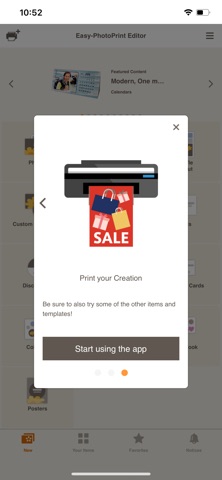


Description by Canon Inc. Written by the developer, not by AppBrain. Click to read.
[Key features]
• Intuitive operation for easy printing of all kinds of prints
Just select the type of print you want to make, edit and decorate your photos, and print.
• Comes with plenty of ready-to-use templates
Choose from collages, calendars, and many other templates that use multiple photos in addition to photo prints.
• Make original posters for use in stores and other situations
Just add photos and text to the simple poster template to create original posters you can use in stores or other situations.
• Easy to create other everyday items
The app makes it easy to create business cards, photo IDs, stickers, and other items you use every day.
• Pattern paper for making original art works
The app lets you print pre-designed pattern paper for use in making paper items or scrapbooking.
• Print disk labels so you can see at a glance what’s on your disks
If your printer supports printing disk labels, you can make original disk labels with just your smartphone.
• Slate of editing functions to create just the print you want
Not only can you crop or expand your photos, you can also edit and decorate them with colored edges, text, and stamps.
[Supported printers]
- Canon Inkjet Printers
See the following website for supported printers.
https://ij.start.canon/eppe-model
*Some functions are not supported on imagePROGRAF series.
[When the app cannot find your printer.] Check that your printer is in the supported printers list.
The printer must be connected to your network.
Use the "Canon PRINT" app to connect your printer to the network.
[Supported OS]
iOS 17.0 and later