

Easy Retouch - Object Removal
Easy Retouch - Object Removal is made and published by DXPLORER TECH. AppBrain is an independent app data site and isn't affiliated with DXPLORER TECH. The app name, icon, screenshots and description belong to DXPLORER TECH and are shown as published on the App Store.
AppBrain's verdict
EstablishedLoved by users- Rating on App Store
- 4.58
- 2,387 ratings
- Last updated
- June 1, 2021
Users love it: 4.6 stars from 2,387 ratings.
Rankings
App Store top chartsApp Store Rankings for Easy Retouch - Object Removal
Competitors
Similar apps and more from DXPLORER TECHAlternatives to Easy Retouch - Object Removal




More from DXPLORER TECH






Releases
Updates seen on the App Store- Version
- 1.1.5
- Launched
- April 2020
No changelog data
User feedback
Ratings and reviews on the App StoreComments on Easy Retouch - Object Removal for iOS
We don't have enough comments to show example comments. Please check back later.
Technology
Found in the app by AppBrain- Price
- Free
- App size
- 89.6 MB
- Content rating
- Everyone
Technologies used by Easy Retouch - Object Removal
About the app and developer
About Easy Retouch - Object Removal
Easy Retouch - Object Removal is a photo & video app developed by DXPLORER TECH.
User Ratings
Easy Retouch - Object Removal is rated 4.58 out of 5 stars. The rating is based on 2.4 thousand ratings.
App Information
Easy Retouch - Object Removal is freely available from the App Store. The app size is 89.61 MB. The latest version available is 1.1.5. The last update was on June 1, 2021.
Technical Requirements
The app has a content rating of Everyone. The app has been available on the App Store since April 2020.
Developer information for DXPLORER TECH
Address:
Store listing
By DXPLORER TECH, from the App Store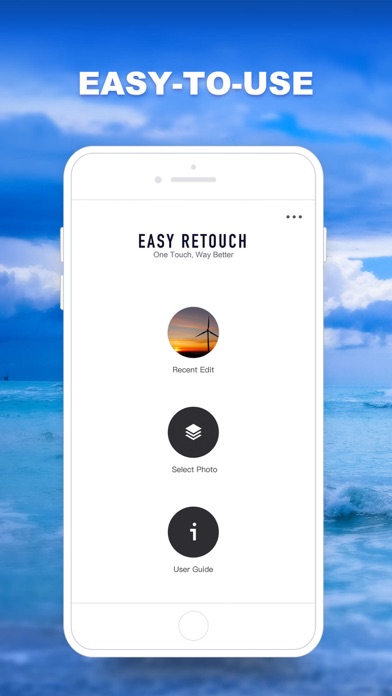
Description by DXPLORER TECH Written by the developer, not by AppBrain. Click to read.
Sometimes you may find out there is a disturbing item in your travel photo. Such as a trash can or an unnecessary pole in your background, or maybe like a random guy standing in your selfie. Therefore, Easy Retouch is ready for you to erase all your unwanted items in order to make your photo stunning.
You don’t have to use some complicated tools or apps to remove unwanted objects in your photo, just use Easy Retouch, a smart and simple touch will help you make your photos perfect automatically. No glitch & blurred, every touch & retouch will work smoothly. Try it now with a simple touch retouch on your photo.
【Functions】
-Object Removal in photos
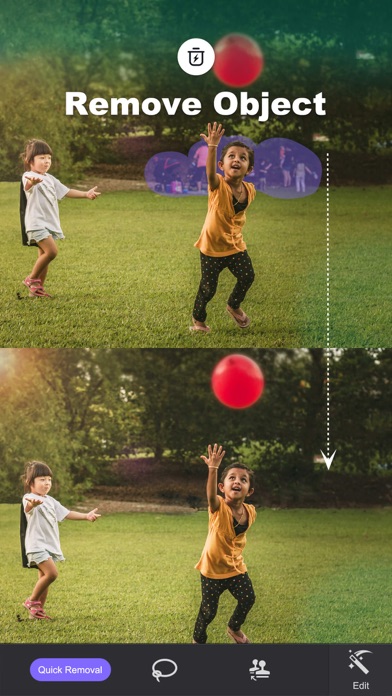
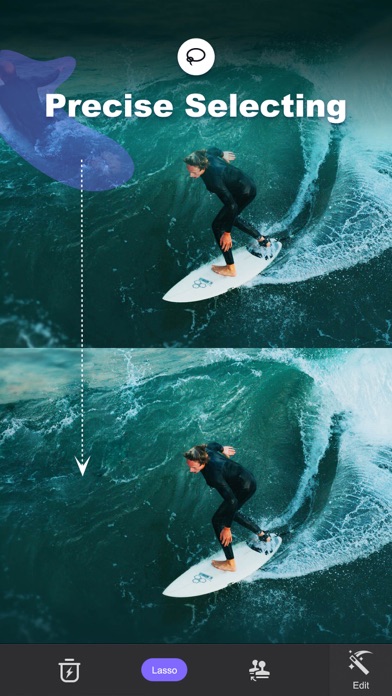
Choose unwanted objects in the picture with one simple touch and drawing the area of objects. Then let the AI touch eraser tool do the rest. The objects will be disappeared smoothly, your picture will look flawless.
You can select either Brush or Lasso in order to help you remove unwanted objects. Precise and convenient.
Some useful tips:
·Removing watermarks & logos
·Removing background people
·Removing trash & useless item
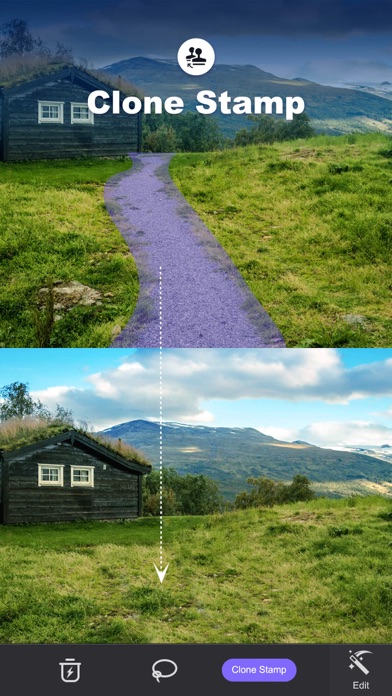
-Clone Stamp
You can choose an area that you want to copy, by drawing and wiping out, the area of the defects will be eliminating quick as a wink.
For instance, here are some ideas below
·Damaged lawn
·Clouds
-Advanced editing tools:
You can also crop, a colorized tool such as Temp, brightness, saturation, highlight, shadow, multiple filters, and more.
-Step-by-Step Tutorials
We will illustrate our function by videos. The videos show how to use our retouch functions step-by-step. So you don’t need to worry about the difficulty of using the Retouch function.
Easy Retouch, your best and easy-to-use photo retouch editor, can help you remove any objects or watermarks by using a touch eraser, clone any objects, or wiping out any useless items to make your photo perfect upon your imagination. Quick share your gorgeous photo on social media with a simple tap when you finish your retouch editing.
Thanks for choosing Easy Retouch and try it now with a simple touch.
Automatic renewal subscription
We've added a premium account to offer more great features and are automatically renewed subscriptions. Payments will be deducted from your iTunes account upon purchase confirmation. Your subscription will automatically renew unless the auto-renew feature is turned off at least 24 hours before the end of the current period. After purchase, you can manage your subscription and turn off automatic renewal by accessing your account settings. If you purchase a subscription to this publication, any unused portion (if provided) during the free trial period will be forfeited.
Privacy Policy:http://www.dx-plore.com/s/easyretouch/easyretouch-privacy-EN.html
Terms of use:http://www.dx-plore.com/s/easyretouch/easyretouch-protocal-EN.html