

Easy Scanner: PDF Image Doc QR
Easy Scanner: PDF Image Doc QR is made and published by Rok Mikuz. AppBrain is an independent app data site and isn't affiliated with Rok Mikuz. The app name, icon, screenshots and description belong to Rok Mikuz and are shown as published on the App Store.
AppBrain's verdict
- Last updated
- November 14, 2024
- Size
- 16.7 MB
User feedback
Ratings and reviews on the App StoreComments on Easy Scanner: PDF Image Doc QR for iOS
We don't have enough comments to show example comments. Please check back later.
Store listing
By Rok Mikuz, from the App Store





Description by Rok Mikuz Written by the developer, not by AppBrain. Click to read.
Key Features:
1. Fast & Easy Scanning:
Scan documents, photos, IDs, and more with just a tap. Easy Scanner instantly converts your paper documents into digital PDFs or images, making them easy to store, share, and edit.
2. High-Quality PDF Creation:
Create clear, high-resolution PDFs that maintain the integrity of your original documents. Adjust scanning parameters to suit your needs, whether for text-heavy documents or colorful images.
3. Multi-Page Scanning:
Effortlessly scan multiple pages into a single PDF file. Organize and reorder pages with a simple drag-and-drop interface to create a seamless document.
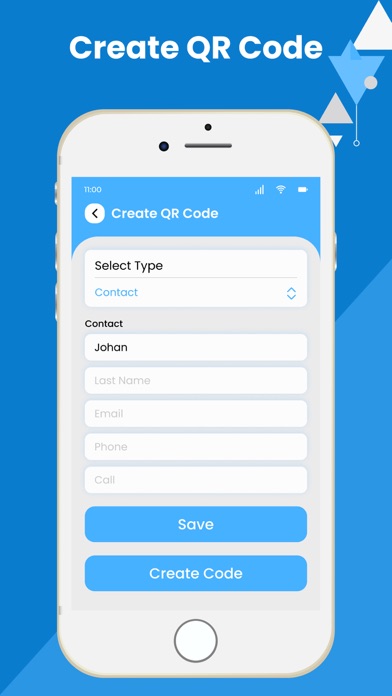
4. QR Code Scanner:
Quickly scan and decode QR codes for instant access to websites, contact information, and more. Easy Scanner’s QR code reader is fast, accurate, and reliable.
5. OCR (Optical Character Recognition):
Extract text from scanned documents and images using our powerful OCR technology. Easily copy, edit, and share text without retyping, saving you valuable time.
6. Edit & Annotate:
Edit scanned documents directly within the app. Add annotations, signatures, and custom watermarks to your PDFs before sharing or saving them.
7. Smart Auto-Detection:
Easy Scanner automatically detects document edges and crops out unnecessary background, giving you perfectly aligned and clean scans every time.
8. Export & Share:
Share your scanned documents via email, messaging apps, or social media. Export PDFs and images in various formats to meet your specific needs.
9. Batch Scanning:
Scan multiple documents in quick succession with batch mode. Ideal for scanning stacks of papers, invoices, or receipts in a single session.
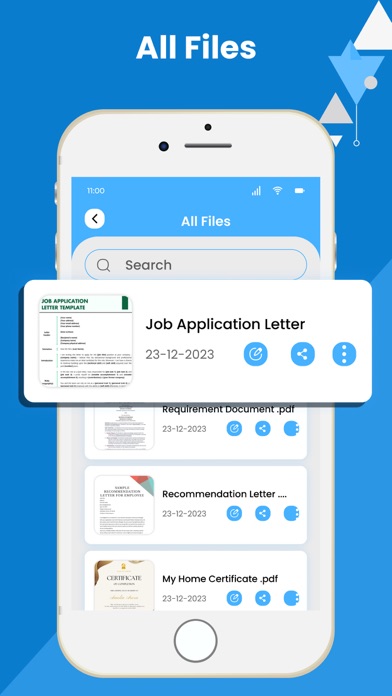
10. Advanced Search & Organization:
Easily find your documents with the advanced search feature. Organize your scans into folders, add tags, and use filters to keep everything neatly sorted.
Why Choose Easy Scanner: PDF Image Doc QR?
Versatile Scanning Capabilities:
From business cards to multi-page contracts, Easy Scanner handles it all. No matter what you need to scan, our app delivers consistent, high-quality results.
User-Friendly Interface:
Designed for ease of use, Easy Scanner provides a seamless experience with minimal learning curve. Get started instantly and enjoy a hassle-free scanning experience.
Portable & Efficient:
Take your office with you wherever you go. Easy Scanner is the perfect tool for business professionals, students, and anyone who needs to manage documents on the move.
Fast Processing & Small File Sizes:
Enjoy quick scanning and processing times without compromising on quality. Plus, our optimized file sizes ensure your scans won’t take up too much storage space.
Reliable & Secure:
Your privacy is our priority. Easy Scanner ensures your documents are securely stored and only accessible to you.
Use Cases:
Business Professionals: Scan contracts, invoices, and receipts on the go.
Students: Capture notes, textbooks, and handouts quickly.
Personal Use: Digitize your important documents, such as IDs, certificates, and letters.
Freelancers: Keep track of client agreements and work documents easily.
With Easy Scanner: PDF Image Doc QR, you can streamline your document management and keep your important files at your fingertips. Whether you’re a professional looking to stay organized or a student needing to digitize notes, Easy Scanner offers the perfect solution for your needs.
Terms of Use : https://bit.ly/3t2TEFp
Privacy Policy : https://bit.ly/3JX2cUi
Download now and experience the convenience of a powerful, all-in-one scanning app right in your pocket!
Safety and technology
Found in the app by AppBrain- Price
- Free
- App size
- 16.7 MB
- Content rating
- High
Technologies used by Easy Scanner: PDF Image Doc QR
Releases
Updates seen on the App Store- Version
- 1.0
- Launched
- November 2024
No changelog data
Alternatives
Similar apps and more from Rok MikuzAlternatives to Easy Scanner: PDF Image Doc QR


More from Rok Mikuz





Rankings
App Store top chartsApp Store Rankings for Easy Scanner: PDF Image Doc QR
About the app and developer
About Easy Scanner: PDF Image Doc QR
Easy Scanner: PDF Image Doc QR is a productivity app developed by Rok Mikuz.
What is the rating of Easy Scanner: PDF Image Doc QR?
Easy Scanner: PDF Image Doc QR has no ratings yet.
Is Easy Scanner: PDF Image Doc QR free?
Easy Scanner: PDF Image Doc QR is free. The app size is 16.75 MB. The latest version available is 1.0. The last update was on November 14, 2024.
What are the requirements for Easy Scanner: PDF Image Doc QR?
The app has a content rating of High Maturity. The app has been available on the App Store since November 2024.
Developer information for Rok Mikuz
Address:
Frequently asked questions about Easy Scanner: PDF Image Doc QR
Is Easy Scanner: PDF Image Doc QR free?
Yes. Easy Scanner: PDF Image Doc QR is free on the App Store.
Is Easy Scanner: PDF Image Doc QR still available?
Yes. Easy Scanner: PDF Image Doc QR is on the App Store, and the last update we saw was on November 14, 2024.
How large is Easy Scanner: PDF Image Doc QR?
Easy Scanner: PDF Image Doc QR is 16.75 MB.
Is Easy Scanner: PDF Image Doc QR suitable for children?
App Store gives Easy Scanner: PDF Image Doc QR a high maturity rating. It is meant for adults.
Who made Easy Scanner: PDF Image Doc QR?
Easy Scanner: PDF Image Doc QR was developed by Rok Mikuz. It is listed in the productivity category on the App Store.
What are the best alternatives to Easy Scanner: PDF Image Doc QR?
People looking at Easy Scanner: PDF Image Doc QR also look at these productivity apps: CS PDF Image Doc Scanner Maker, Take It., AIA iLearn BN, ID Card Scanner & PDF Maker, AI PDF Scanner:scan.ai.