

Easy To Use - Microsoft Flight Simulator Edition
Easy To Use - Microsoft Flight Simulator Edition is made and published by ANTHONY PETER WALSH. AppBrain is an independent app data site and isn't affiliated with ANTHONY PETER WALSH. The app name, icon, screenshots and description belong to ANTHONY PETER WALSH and are shown as published on the App Store.
AppBrain's verdict
Established- Rating on App Store
- 1.15
- 13 ratings
- Last updated
- November 23, 2014
- Size
- 27.2 MB
It doesn't have enough ratings yet to judge what users think.
User feedback
Ratings and reviews on the App StoreComments on Easy To Use - Microsoft Flight Simulator Edition for iOS
We don't have enough comments to show example comments. Please check back later.
Store listing
By ANTHONY PETER WALSH, from the App Store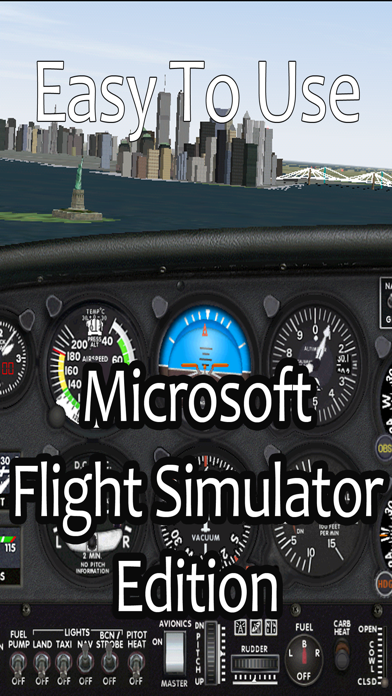
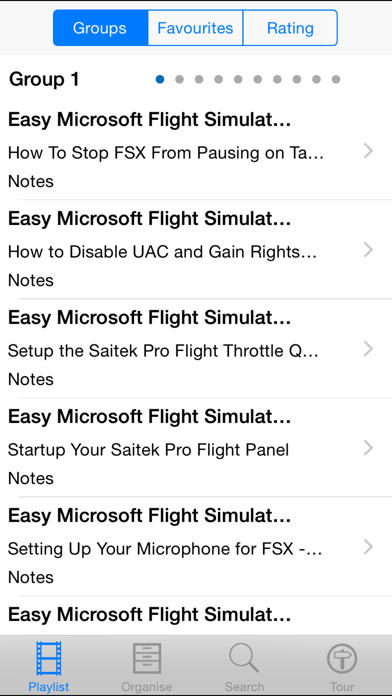
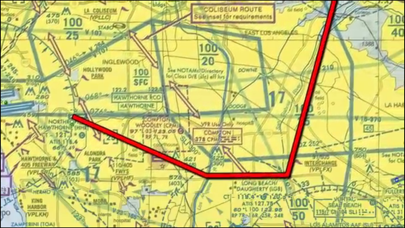
Description by ANTHONY PETER WALSH Written by the developer, not by AppBrain. Click to read.
This app will teach you all you need to know with it's 113 easy to follow video lessons and demonstrations.
The app has many easy to use features:
*** play the lessons
*** alter the lesson title
*** alter the lesson description
*** add your own user notes
*** give your own rating to each lesson
*** skip backwards and forwards between the lesson groups
The lessons are too numerous to list but include:
How to Get Airport Information and Charts for FSX - Hump of the Week How-To
How to Attach a Saitek Panel to the Yoke
How to Install a GPWS Gauge for FSX
How to Download Airplanes and Repaints for Flight Simulator
How to Use EZdok Walk for FSX
How to Fix the Null Zone Problem with the Saitek Pro Flight Throttle Quadrant
Slow Flight Tutorial Part 1 - VFR MSFS Airspeed Control
Slow Flight Tutorial Part 2 - VFR MSFS improve your landings
Slow Flight Tutorial Part 3 - VFR MSFS Landings
Steep Coordinated Turns Tutorial MSFS - VFR
Standard Traffic Pattern Tutorial NEW - VFR MSFS
VFR Departure Procedures Tutorial MSFS
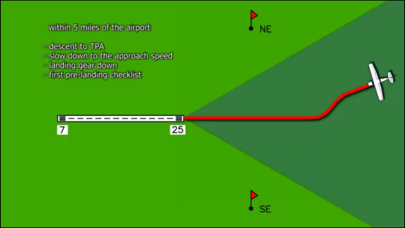
VFR Airport Approach Procedures Tutorial - Part 1 MSFS ONLY
VFR Airport Approach Procedures Tutorial - Part 2 MSFS ONLY
Short Field Takeoff and Landing Tutorial MSFS
Soft Field Takeoff and Landing Tutorial MSFS
Power Off Landing Tutorial - VFR MSFS
Traffic Pattern Entry Uncontrolled Airport Tutorial - VFR MSFS
Lining up with the Runway 80260 Procedure Turn Tutorial - MSFS
Forward Slips Rapid Decent Semi-Tutorial - VFR MSFS
VOR Navigation Tutorial Part I - MSFS
VOR Navigation Tutorial Part II - MSFS
VOR Navigation Tutorial Part III - MSFS
VOR Navigation Tutorial Part IV - MSFS
VOR Navigation Tutorial Part V - 1 of 3
VOR Navigation Tutorial Part V - 2 of 3
VOR Navigation Tutorial Part V - 3 of 3
GPS Navigation Tutorial - Part I GPS Navigation Briefing
GPS Navigation Tutorial - Part II Using the VOR gauge for GPS Navigation
GPS Navigation Tutorial - Part III Using the HSI for GPS navigation
GPS Navigation Tutorial - Part IV G1000 glass cockpit GPS navigation
Transitioning into Complex Airplanes Tutorial MSFS - Part 1
Transitioning into Complex Airplanes Tutorial MSFS - Part 2
Transitioning into Complex Airplanes Tutorial MSFS - Part 3
Taildragger Conventional Gear Training Tutorial MSFS
Holding Pattern and Procedure Turns Tutorial MSFS - Part 1 of 2
Holding Pattern and Procedure Turns Tutorial MSFS - Part 2 of 2
Parallel Procedure Turn - KAJO VOR Approach MSFS
And many many more!
Safety and technology
Found in the app by AppBrain- Price
- $4.99
- App size
- 27.2 MB
- Content rating
- Everyone
Technologies used by Easy To Use - Microsoft Flight Simulator Edition
Releases
Updates seen on the App Store- Version
- 2.1
- Launched
- December 2013
No changelog data
Alternatives
Similar apps and more from ANTHONY PETER WALSHAlternatives to Easy To Use - Microsoft Flight Simulator Edition








More from ANTHONY PETER WALSH








Rankings
App Store top chartsApp Store Rankings for Easy To Use - Microsoft Flight Simulator Edition
About the app and developer
About Easy To Use - Microsoft Flight Simulator Edition
Easy To Use - Microsoft Flight Simulator Edition is an entertainment app developed by ANTHONY PETER WALSH.
User Ratings
Easy To Use - Microsoft Flight Simulator Edition is rated 1.15 out of 5 stars. The rating is based on 13 ratings.
App Information
Easy To Use - Microsoft Flight Simulator Edition costs $4.99. The app size is 27.24 MB. The latest version available is 2.1. The last update was on November 23, 2014.
Technical Requirements
The app has a content rating of Everyone. The app has been available on the App Store since December 2013.
Developer information for ANTHONY PETER WALSH
Address:
Frequently asked questions about Easy To Use - Microsoft Flight Simulator Edition
Is Easy To Use - Microsoft Flight Simulator Edition free?
No. Easy To Use - Microsoft Flight Simulator Edition costs $4.99 on the App Store.
Is Easy To Use - Microsoft Flight Simulator Edition still available?
Yes. Easy To Use - Microsoft Flight Simulator Edition is on the App Store, and the last update we saw was on November 23, 2014.
How large is Easy To Use - Microsoft Flight Simulator Edition?
Easy To Use - Microsoft Flight Simulator Edition is 27.24 MB.
Is Easy To Use - Microsoft Flight Simulator Edition suitable for children?
App Store rates the content of Easy To Use - Microsoft Flight Simulator Edition as suitable for everyone.
How do people rate Easy To Use - Microsoft Flight Simulator Edition?
Easy To Use - Microsoft Flight Simulator Edition scores 1.15 out of 5 stars, from 13 ratings on the App Store.
Who made Easy To Use - Microsoft Flight Simulator Edition?
Easy To Use - Microsoft Flight Simulator Edition was developed by ANTHONY PETER WALSH. It is listed in the entertainment category on the App Store.
What are the best alternatives to Easy To Use - Microsoft Flight Simulator Edition?
People looking at Easy To Use - Microsoft Flight Simulator Edition also look at these entertainment apps: NG Flight Simulator, Send Valentine Cards, iRunTrains, 737 Voice - Aural Warnings, Americable.TV.