

EasyType Keyboard for Watch
EasyType Keyboard for Watch is made and published by Thomas Backes. AppBrain is an independent app data site and isn't affiliated with Thomas Backes. The app name, icon, screenshots and description belong to Thomas Backes and are shown as published on the App Store.
AppBrain's verdict
Established- Rating on App Store
- 2.46
- 13 ratings
- Last updated
- September 6, 2020
It doesn't have enough ratings yet to judge what users think.
Rankings
App Store top chartsApp Store Rankings for EasyType Keyboard for Watch
Competitors
Similar apps and more from Thomas BackesAlternatives to EasyType Keyboard for Watch







More from Thomas Backes






Releases
Updates seen on the App Store- Version
- 2.0
- Launched
- February 2020
No changelog data
User feedback
Ratings and reviews on the App StoreComments on EasyType Keyboard for Watch for iOS
We don't have enough comments to show example comments. Please check back later.
Technology
Found in the app by AppBrain- Price
- $0.99
- App size
- 3.63 MB
- Content rating
- Everyone
Technologies used by EasyType Keyboard for Watch
About the app and developer
About EasyType Keyboard for Watch
EasyType Keyboard for Watch is an utilities app developed by Thomas Backes.
User Ratings
EasyType Keyboard for Watch is rated 2.46 out of 5 stars. The rating is based on 13 ratings.
App Information
EasyType Keyboard for Watch costs $0.99. The app size is 3.63 MB. The latest version available is 2.0. The last update was on September 6, 2020.
Technical Requirements
The app has a content rating of Everyone. The app has been available on the App Store since February 2020.
Developer information for Thomas Backes
Address:
Frequently asked questions about EasyType Keyboard for Watch
Is EasyType Keyboard for Watch free?
No. EasyType Keyboard for Watch costs $0.99 on the App Store.
Is EasyType Keyboard for Watch still available?
Yes. EasyType Keyboard for Watch is on the App Store, and the last update we saw was on September 6, 2020.
How large is EasyType Keyboard for Watch?
EasyType Keyboard for Watch is 3.63 MB.
Is EasyType Keyboard for Watch suitable for children?
App Store rates the content of EasyType Keyboard for Watch as suitable for everyone.
How do people rate EasyType Keyboard for Watch?
EasyType Keyboard for Watch scores 2.46 out of 5 stars, from 13 ratings on the App Store.
Who made EasyType Keyboard for Watch?
EasyType Keyboard for Watch was developed by Thomas Backes. It is listed in the utilities category on the App Store.
What are the best alternatives to EasyType Keyboard for Watch?
People looking at EasyType Keyboard for Watch also look at these utilities apps: Watch Browser with Keyboard, WatchType - Watch Keyboard, Watch Keyboard - FancyKey Pro, Handsway, WatchKeys: Keyboard for Watch.
Store listing
By Thomas Backes, from the App Store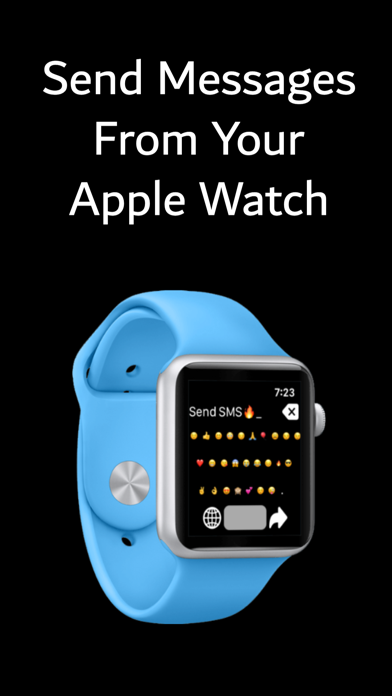
Description by Thomas Backes Written by the developer, not by AppBrain. Click to read.
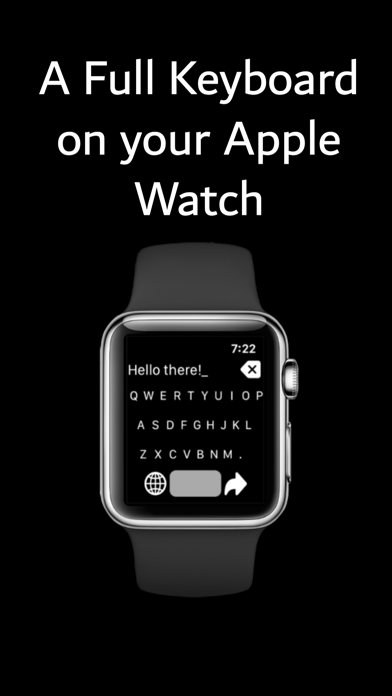
EasyType includes swiping shortcuts to make typing faster on the Apple Watch. To delete a character, just swipe left over the text. To add a space, just swipe right.
EasyType now has an autocorrect feature for the English language. Autocorrect is disabled by default. To enable autocorrect, go into the settings menu by deep pressing on the screen (3D press). When you type a misspelled word and press space, autocorrect will attempt to fix the mistake. To select from correction options, spin the Digital Crown. To input a space without making a correction, swipe right on the message text area.
Our users find that having a QWERTY keyboard is faster and easier to compose text messages than voice dictation or scribble.
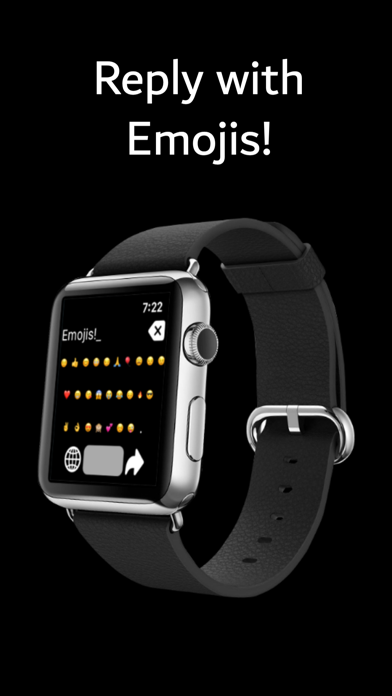
EasyType also includes easy to access special characters and emojis with their own keyboards. To access these characters and emojis, press the bottom-left key on the keyboard.
Easytype includes a menu to access additional function. To access the menu, long press on the screen. From the menu, you can preview your complete message, change settings, and clear your messages.
Please note that EasyType currently only supports the English language keyboard.
If you don't see the app on your Apple Watch, please open the App Store on your Apple Watch, search for the app by name, and click the download button.