

eBoox - fb2 ePub book reader
eBoox - fb2 ePub book reader is made and published by REDIT, OOO. AppBrain is an independent app data site and isn't affiliated with REDIT, OOO. The app name, icon, screenshots and description belong to REDIT, OOO and are shown as published on the App Store.
AppBrain's verdict
EstablishedLoved by users- Best rank
- #12
- Top Free, Russia
- Rating on App Store
- 4.76
- 3,761 ratings
- Last updated
- May 28, 2026
Users love it: 4.8 stars from 3,761 ratings. Its best ranking is #12 in Top Free, Books in Russia.
Rankings
App Store top charts- Highest rank
- #12
- Chart
- Top Free
- Books
- Country
- Russia
App Store Rankings for eBoox - fb2 ePub book reader
Top rankings
Ranking history in Russia
Competitors
Similar apps and more from REDIT, OOOAlternatives to eBoox - fb2 ePub book reader







Also available on Google Play

Releases
Updates seen on the App Store- Version
- 2.23.3
- Launched
- December 2019
No changelog data
User feedback
Ratings and reviews on the App StoreComments on eBoox - fb2 ePub book reader for iOS
We don't have enough comments to show example comments. Please check back later.
Technology
Found in the app by AppBrain- Price
- Free
- App size
- 177.4 MB
- Content rating
- Everyone
Technologies used by eBoox - fb2 ePub book reader
About the app and developer
About eBoox - fb2 ePub book reader
eBoox - fb2 ePub book reader is a books app developed by REDIT, OOO.
What is the rating of eBoox - fb2 ePub book reader?
eBoox - fb2 ePub book reader is rated 4.76 out of 5 stars, based on 3.8 thousand ratings.
Is eBoox - fb2 ePub book reader free?
eBoox - fb2 ePub book reader is free. The app size is 177.44 MB. The latest version available is 2.23.3. The last update was on May 28, 2026.
What are the requirements for eBoox - fb2 ePub book reader?
The app has a content rating of Everyone. The app has been available on the App Store since December 2019.
Developer information for REDIT, OOO
Address:
Frequently asked questions about eBoox - fb2 ePub book reader
Is eBoox - fb2 ePub book reader free?
Yes. eBoox - fb2 ePub book reader is free on the App Store.
Is eBoox - fb2 ePub book reader still available?
Yes. eBoox - fb2 ePub book reader is on the App Store, and the last update we saw was on May 28, 2026.
How large is eBoox - fb2 ePub book reader?
eBoox - fb2 ePub book reader is 177.44 MB.
Is eBoox - fb2 ePub book reader suitable for children?
App Store rates the content of eBoox - fb2 ePub book reader as suitable for everyone.
How do people rate eBoox - fb2 ePub book reader?
eBoox - fb2 ePub book reader scores 4.76 out of 5 stars, from 3,761 ratings on the App Store.
Who made eBoox - fb2 ePub book reader?
eBoox - fb2 ePub book reader was developed by REDIT, OOO. It is listed in the books category on the App Store.
What are the best alternatives to eBoox - fb2 ePub book reader?
People looking at eBoox - fb2 ePub book reader also look at these books apps: Epub Reader -read epub,chm,txt, FBReader: ePub and fb2 reader, PocketBook Reader, eBook Search - download books, Ebook Reader.
Store listing
By REDIT, OOO, from the App Store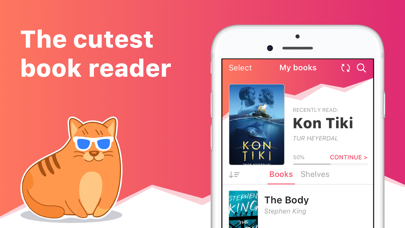
Description by REDIT, OOO Written by the developer, not by AppBrain. Click to read.
*according to my mom :)
• Cute, simple and useful UI,
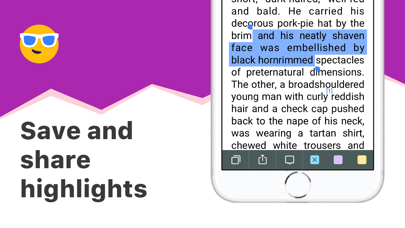
• Effective reading tools: bookmarks, 3-colors highlights, interactive links and notes,
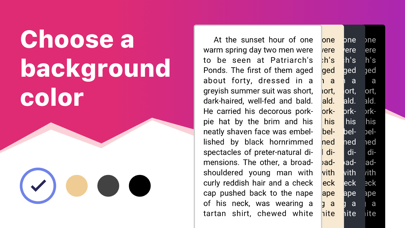
• Dark mode and offline reading,
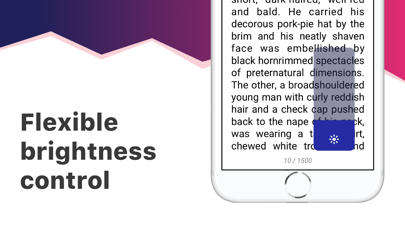
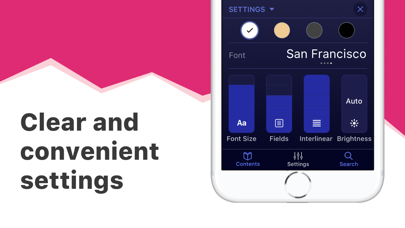
• Customized settings - Fonts, Fields, Text size, screen Brightness, Page scrolling, ets.
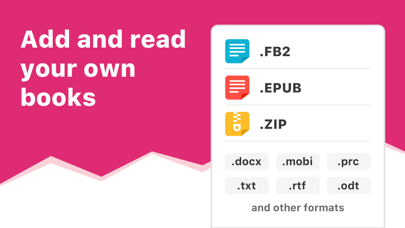
• Suppots all your e-books, even in ZIP: EPUB, MOBI, DOC, DOCX, TXT, FB2, PRC, RTF, ODT, HTML, AZW, AZW3 and others text documents,
• PDF supported (beta),
• !Completely AD-FREE,
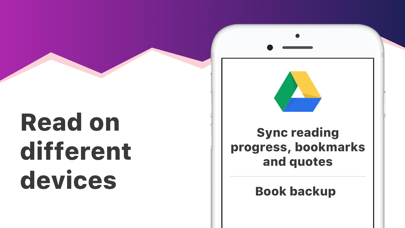
• !Online auto SYNC of ebooks and reading progress,
• !FREE WEB e-reader available!
Start reading your e-books right now! Upload books via iTunes, import your files from the email, web browser, cloud storages (iCloud, Google Drive, Dropbox, Yandex.Disk etc) or share via AirDrop.
In the app you will find detailed guide How to add ebooks in different ways. And we've already added three classic welcome books so you can appreciate the e-reader right away!
This is a upgraded version of eBoox. The old one is no longer supported. In order not to lose your books, progress, quotes and bookmarks, install this app version. Run it on device and wait for the data transfer to finish. When you make sure that all your books appeared in eBoox 2020, you can safely delete eBoox.old. You can turn on the synchronization for backup.