

EDS Viewer
EDS Viewer is made and published by Transition Technologies S.A. AppBrain is an independent app data site and isn't affiliated with Transition Technologies S.A. The app name, icon, screenshots and description belong to Transition Technologies S.A. and are shown as published on the App Store.
AppBrain's verdict
- Last updated
- November 27, 2025
- Size
- 57.6 MB
User feedback
Ratings and reviews on the App StoreComments on EDS Viewer for iOS
We don't have enough comments to show example comments. Please check back later.
Store listing
By Transition Technologies S.A., from the App Store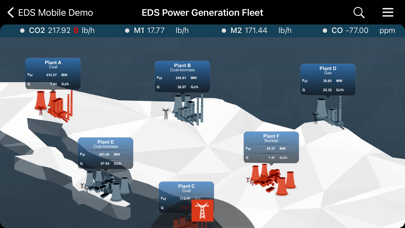
Description by Transition Technologies S.A. Written by the developer, not by AppBrain. Click to read.
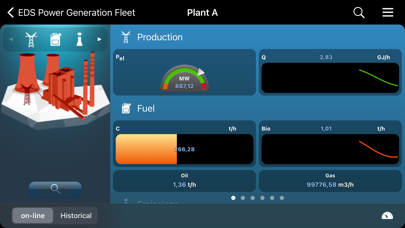
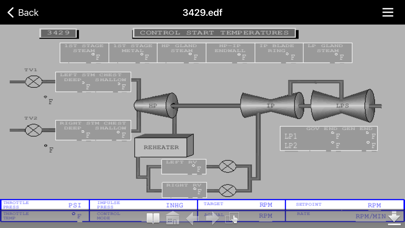
EDS Viewer turns your iPad or iPhone into a real time mobile decision-support asset by bringing all critical data wherever you go. Use Multi-Touch gestures to navigate through a multi-level view layout reflecting your company’s organization structure. Compare plant’s performance side-by-side on a macro level using key performance indicators (KPIs) or drill down to data as precise as the meaning of a single bit in a control system’s register. React to live alarms generated from calculations, measurements, or predictive alerts imported from the control system. Display high fidelity process diagrams representations of industrial automation systems updated online. Analyze your plant’s operational history by reviewing and plotting historical events and data.
Compare plants’ performance online
Use the plant grouping tool to define the scope of analysis
Use various group filters to select interesting information
Take advantage of the multi-panel scrolling to compare performance
Navigate to lower level detailed views to get a better picture of the current status
Explore your enterprise data in the way you like most:
-Use a map display to locate the plant
-Access assets unit by unit by tapping and scrolling screens
-Use filtered lists to merge data from different locations
-Display groups of measurements and the KPI you are interested in
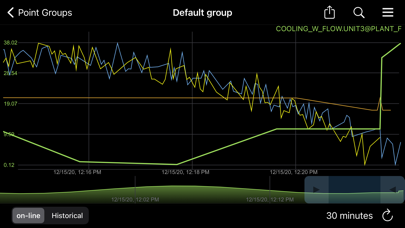
-Access detailed information and plot values at any time
Keep current or explore trends in operation
-Access live process diagrams
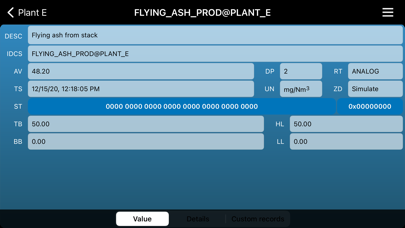
-Use engineering tools to access hardware-level information, timestamps and statuses
-Use status word explanation tooltips for multi-bit registers
Don’t miss a bit in the big picture.
-Take advantage of alarm propagation to get to its source
-Display live alarms
-Review historical alarms and events
-Display live and historical plots for any value
Safety and technology
Found in the app by AppBrain- Price
- Free
- App size
- 57.6 MB
- Content rating
- Everyone
Technologies used by EDS Viewer
Releases
Updates seen on the App Store- Version
- 1.9.4
- Launched
- January 2021
No changelog data
Alternatives
Similar apps and more from Transition Technologies S.A.Alternatives to EDS Viewer







More from Transition Technologies S.A.








Rankings
App Store top chartsApp Store Rankings for EDS Viewer
About the app and developer
About EDS Viewer
EDS Viewer is a business app developed by Transition Technologies S.A.
User Ratings
The app has no ratings yet.
App Information
EDS Viewer is freely available from the App Store. The app size is 57.60 MB. The latest version available is 1.9.4. The last update was on November 27, 2025.
Technical Requirements
The app has a content rating of Everyone. The app has been available on the App Store since January 2021.
Developer information for Transition Technologies S.A.
Address: