

ElcoMaster is made and published by Elcometer. AppBrain is an independent app data site and isn't affiliated with Elcometer. The app name, icon, screenshots and description belong to Elcometer and are shown as published on the App Store.
AppBrain's verdict
Established- Rating on App Store
- 2.40
- 10 ratings
- Last updated
- November 19, 2025
It doesn't have enough ratings yet to judge what users think.
Rankings
App Store top chartsApp Store Rankings for ElcoMaster
Competitors
Similar apps and more from ElcometerAlternatives to ElcoMaster


Also available on Google Play

Releases
Updates seen on the App Store- Version
- 2.4.0
- Launched
- January 2014
No changelog data
User feedback
Ratings and reviews on the App StoreComments on ElcoMaster for iOS
We don't have enough comments to show example comments. Please check back later.
Technology
Found in the app by AppBrain- Price
- Free
- App size
- 69.5 MB
- Content rating
- Everyone
Technologies used by ElcoMaster
About the app and developer
About ElcoMaster
ElcoMaster is a business app developed by Elcometer.
User Ratings
ElcoMaster is rated 2.40 out of 5 stars. The rating is based on 10 ratings.
App Information
ElcoMaster is freely available from the App Store. The app size is 69.48 MB. The latest version available is 2.4.0. The last update was on November 19, 2025.
Technical Requirements
The app has a content rating of Everyone. The app has been available on the App Store since January 2014.
Developer information for Elcometer
Address:
Store listing
By Elcometer, from the App Store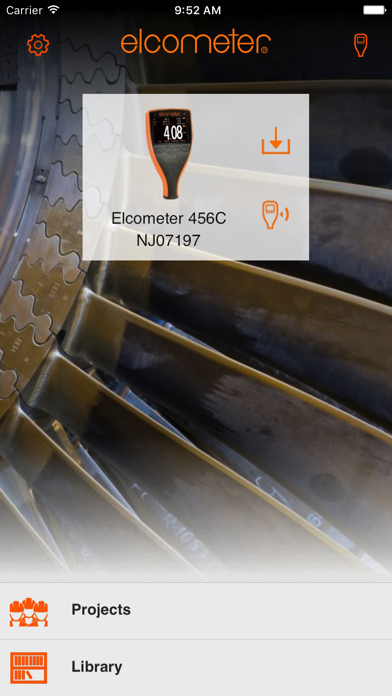


Description by Elcometer Written by the developer, not by AppBrain. Click to read.
Key Features of ElcoMaster™ Mobile App
• Compatible with Made for iPhone/iPad/iPod versions of the Elcometer 456 Coating Thickness Gauge, Elcometer 224 Surface Profile Gauge, Elcometer 510 Automatic Adhesion Tester, Elcometer 480 Glossmeter, Elcometer NDT MTG/PTG series, Elcometer 311 Automotive Refinishing Gauge, Elcometer 415 Industrial Paint & Powder Thickness Gauge, Elcometer 319 Dewpoint Meter, Elcometer 130 Salt Contamination Meter, Elcometer 500 Coating Thickness Gauge
• Intuitive, easy to use navigation system.
• See live readings directly on the phone and save them into batches.
• Map readings on to a map.
• Take photographs with the phone and add them to batch readings at the click of a button.
• Analyse data via sequential readings, statistics, charts & histograms or on images.
• Quickly transfer inspection data from phone to PC for further analysis and reporting.
• Generate PDF reports
• Export batches to Microsoft Excel® Spreadsheets
• Sync data to the Cloud via Google Drive, Dropbox or FTP
As the data is transferred to the mobile, the inspection gauge does not have to be taken off site, so it can continue to work, without interruption – saving valuable time and money.