

Electronic Signature: Finalize
Electronic Signature: Finalize is made and published by Yury Brankouski. AppBrain is an independent app data site and isn't affiliated with Yury Brankouski. The app name, icon, screenshots and description belong to Yury Brankouski and are shown as published on the App Store.
AppBrain's verdict
- Last updated
- July 24, 2026
Rankings
App Store top chartsApp Store Rankings for Electronic Signature: Finalize
Competitors
Similar apps and more from Yury BrankouskiMore from Yury Brankouski

Releases
Updates seen on the App Store- Version
- 1.0.4
- Launched
- November 2025
No changelog data
User feedback
Ratings and reviews on the App StoreComments on Electronic Signature: Finalize for iOS
We don't have enough comments to show example comments. Please check back later.
Technology
Found in the app by AppBrain- Price
- Free
- App size
- 19.8 MB
- Content rating
- Everyone
Technologies used by Electronic Signature: Finalize
About the app and developer
About Electronic Signature: Finalize
Electronic Signature: Finalize is a business app developed by Yury Brankouski.
User Ratings
The app has no ratings yet.
App Information
Electronic Signature: Finalize is freely available from the App Store. The app size is 19.81 MB. The latest version available is 1.0.4. The last update was on July 24, 2026.
Technical Requirements
The app has a content rating of Everyone. The app has been available on the App Store since November 2025.
Developer information for Yury Brankouski
Address:
Frequently asked questions about Electronic Signature: Finalize
Is Electronic Signature: Finalize free?
Yes. Electronic Signature: Finalize is free on the App Store.
Is Electronic Signature: Finalize still available?
Yes. Electronic Signature: Finalize is on the App Store, and the last update we saw was on July 24, 2026.
How large is Electronic Signature: Finalize?
Electronic Signature: Finalize is 19.81 MB.
Is Electronic Signature: Finalize suitable for children?
App Store rates the content of Electronic Signature: Finalize as suitable for everyone.
Who made Electronic Signature: Finalize?
Electronic Signature: Finalize was developed by Yury Brankouski. It is listed in the business category on the App Store.
Store listing
By Yury Brankouski, from the App Store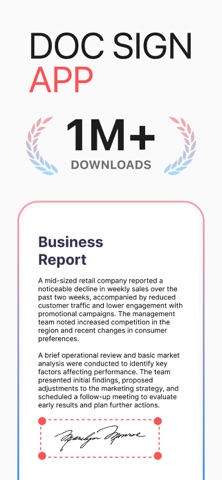


Description by Yury Brankouski Written by the developer, not by AppBrain. Click to read.
With Doc Sign, you can easily upload, sign, edit, and send documents from your smartphone or tablet, eliminating the need for printing, scanning, or physical paperwork.
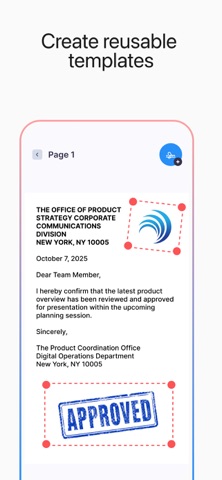
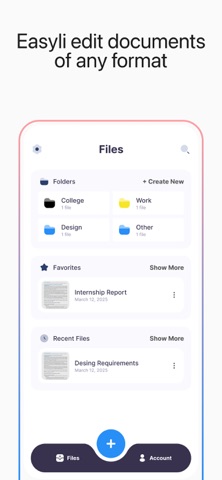
The application supports a wide range of document formats, including PDF, DOCX, JPG, and PNG, allowing you to work with all types of files in one place. You can create a personal digital signature, customize its appearance, and apply it to any page within your document. Doc Sign also enables you to add text, dates, checkmarks, initials, and other necessary fields.
To ensure maximum security, all documents are protected with encryption, and your data is safely stored in compliance with modern privacy standards. You can track document history, view changes, and monitor the status of signature requests sent to others.
Doc Sign is ideal for professionals, businesses, and individuals who want to streamline their workflow and manage documents efficiently. Whether you are signing agreements, filling out forms, or sending documents for approval, Doc Sign offers a fast, reliable, and intuitive solution.
**Exporting signed documents is available only with an active subscription.**
A subscription provides full access to premium features, including unlimited document exports, advanced editing tools, and extended storage capabilities.
**Subscription terms:**
Payment will be charged to your Apple ID account upon confirmation of purchase. Subscriptions automatically renew unless canceled at least 24 hours before the end of the current period. Your account will be charged for renewal within 24 hours prior to the end of the current period. You can manage or cancel your subscription at any time in your Apple ID account settings after the purchase.
Doc Sign helps you stay organized, save time, and work smarter—anytime and anywhere.
Privacy: https://telegra.ph/PRIVACY-POLICY-11-14-282
Terms: https://telegra.ph/Terms-of-Use-11-14-5